 SpriteFuse
Sprite Sheet Cutter
Use the sprite sheet cutter to split your image into individual PNG frames. Adjust the grid and preview the animation before downloading.
Drop a sprite sheet here
A regular grid of poses, tiles, or effects.
PNG or WebP · Up to 20 MB
Cut a sprite sheet into separate PNG frames
This sprite sheet cutter separates the fox’s run into eight 256 × 256 PNGs from a 4 × 2 sheet. Compare the poses below, or load the sample to inspect each crop yourself.
The cell is the crop boundary. Transparent space around the character stays in place, so the feet and tail have the same room in each exported frame. Empty cells are kept too; select the frames you need if your sheet includes unused slots.
Try the sample in the cutter ↑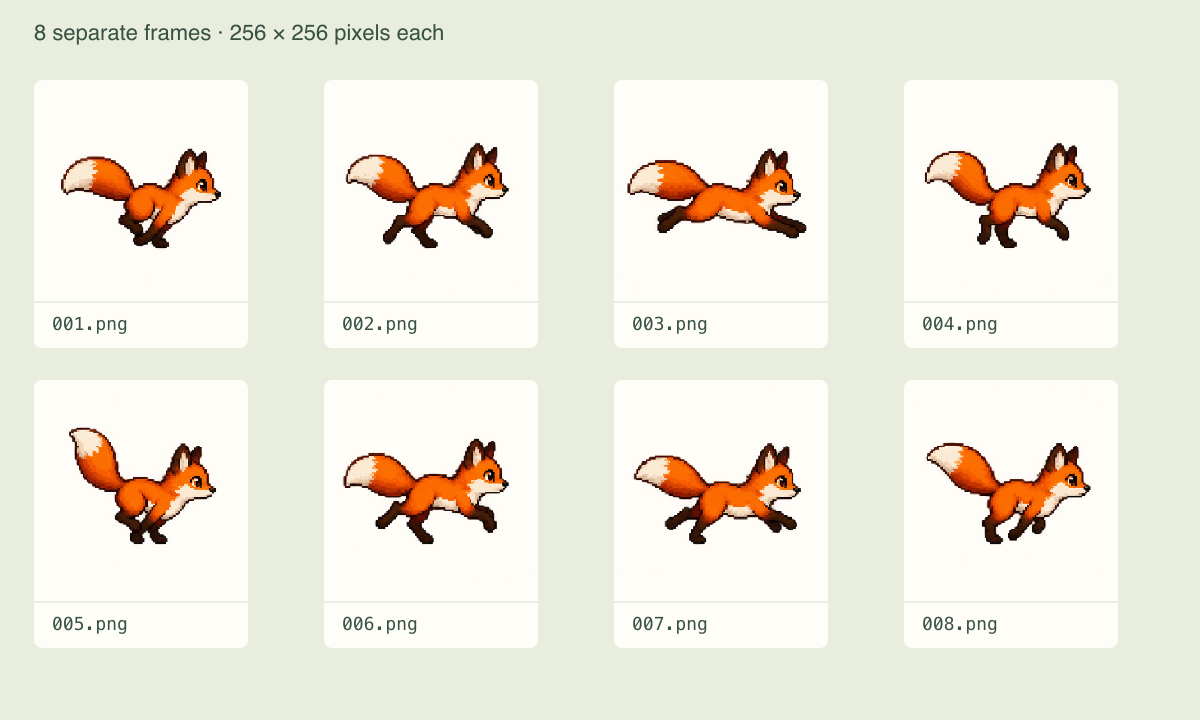
How to use the sprite sheet cutter
- Open your sheet
Drop in the PNG or WebP exported by your drawing tool, downloaded asset pack, or sprite generator. Keep an untouched copy of the source.
- Match the cells
Enter columns and rows, or switch to frame width and height. Check the cut lines on the image before you export.
- Check the motion
Play a consecutive range to spot a clipped effect or a pose from another action. Download one frame to inspect, or take the whole ZIP.
Set frame size, margins, and spacing
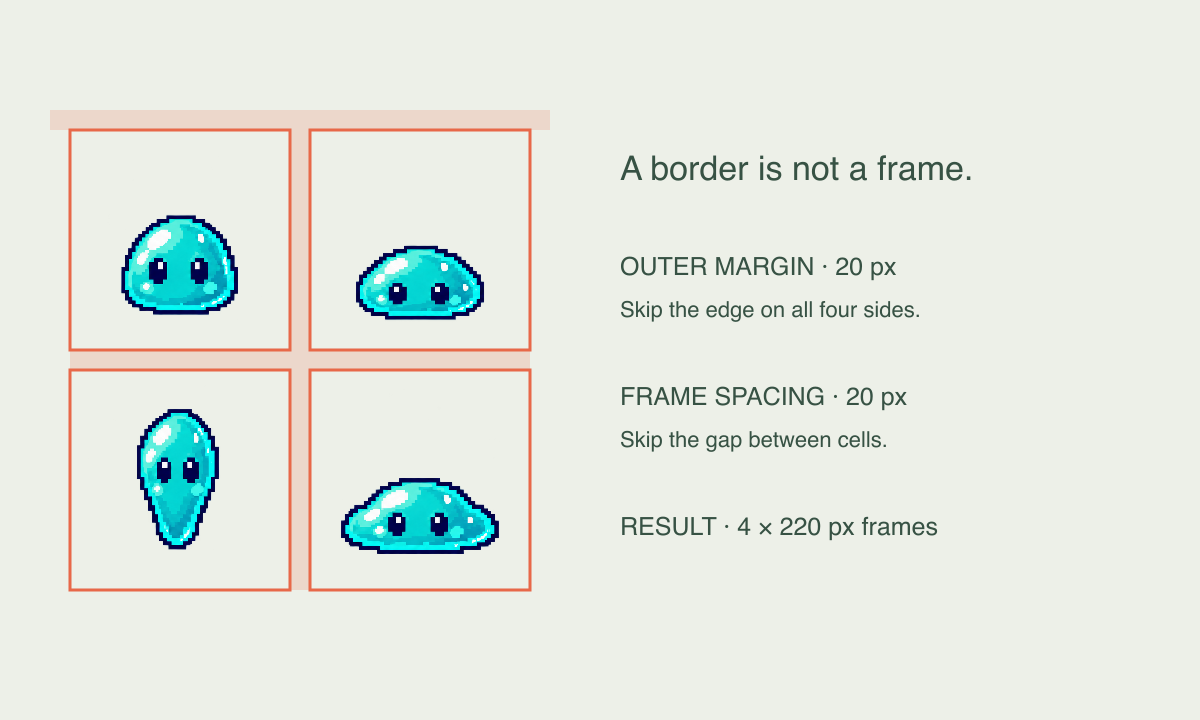
Use Columns & rows when you can count the poses across and down. Use Frame size when your export settings already specify cells such as 32 × 32 or 256 × 256.
- Outer margin
- The same border is skipped on all four sides. This moves the first cut inward without making that border part of a frame.
- Frame spacing
- The gap between neighboring cells is skipped horizontally and vertically. It is separate from the transparent space inside each cell.
What if the image does not divide evenly?
Every crop uses whole pixels. The tool reports any remaining strip on the right or bottom instead of stretching cells to fit. For example, four 32-pixel cells use 128 pixels; a 131-pixel-wide image has a 3-pixel remainder. Adjust the margin or frame size if those pixels belong to your sprites.
Download individual PNGs or all frames as a ZIP
Frames read left to right, then top to bottom. Names such as frame-001.png keep that sequence when you sort the folder. Download a selected pose on its own, or get every cell in one ZIP, including any blank frames.
Import the image sequence into your preferred animation editor, or use an individual pose for an icon, thumbnail, or game state. Downloads contain still images only, with no GIF or animation settings.
Check alignment after importing
Use the same origin or pivot for all frames. For pixel art, choose nearest-neighbor display in your editor if you want hard pixel edges. If the character already shifts inside the source cells, slicing will preserve that movement; reposition the artwork in your editor when it is unwanted.
↳ frame-001.png↳ frame-002.png↳ frame-003.png… one file per grid cellSprite sheet cutter questions
Why are the cut lines crossing my sprites?
Check the cell dimensions first, then account for any border or gaps. The sprite sheet cutter uses the grid you enter; it cannot identify where a character ends. See how margins and spacing affect the cuts.
Can I use the cut frames in Unity or Godot?
Yes. Import the PNGs as image assets, then set up the animation speed and a consistent pivot in your engine. Preview FPS and frame range are not saved in the download. Check the file order and import notes.
Can I slice an irregular texture atlas?
This sprite sheet slicer requires equal-sized cells in a regular grid. For mixed-size or rotated sprites, use the atlas coordinates or an editor with manual crop rectangles.
Will a white background become transparent?
No. Background colors remain in the PNGs. Remove them before cutting if you need transparency. The preview checkerboard is only a viewing aid and is never added to your files.
What are the image and frame limits?
PNG or WebP, up to 20 MB, 8192 pixels per side, 16 million pixels total, and 256 cells. For larger sheets, crop the source into smaller sections before opening them here.
Can I recover my work after closing the tab?
Download your files before leaving. Sheets and settings are not saved to an account. If you close the tab, reopen the original image and enter the same grid settings.
Convert a GIF or video into a sprite sheet
Start with GIF to Sprite Sheet or Video to Sprite Sheet, then bring the PNG here to separate the frames. To create a new character action, open the AI Sprite Sheet Generator.
Cut your sprite sheet ↑