
A PICTURE. A HANDFUL OF BEADS. YOUR NEXT MAKE.
Perler Bead Pattern Generator
Use the Perler bead pattern generator to turn your picture into a chart and color list.
Upload a drawing or try an example.
Free to make and download. Your picture stays in this browser.
A koi for one board
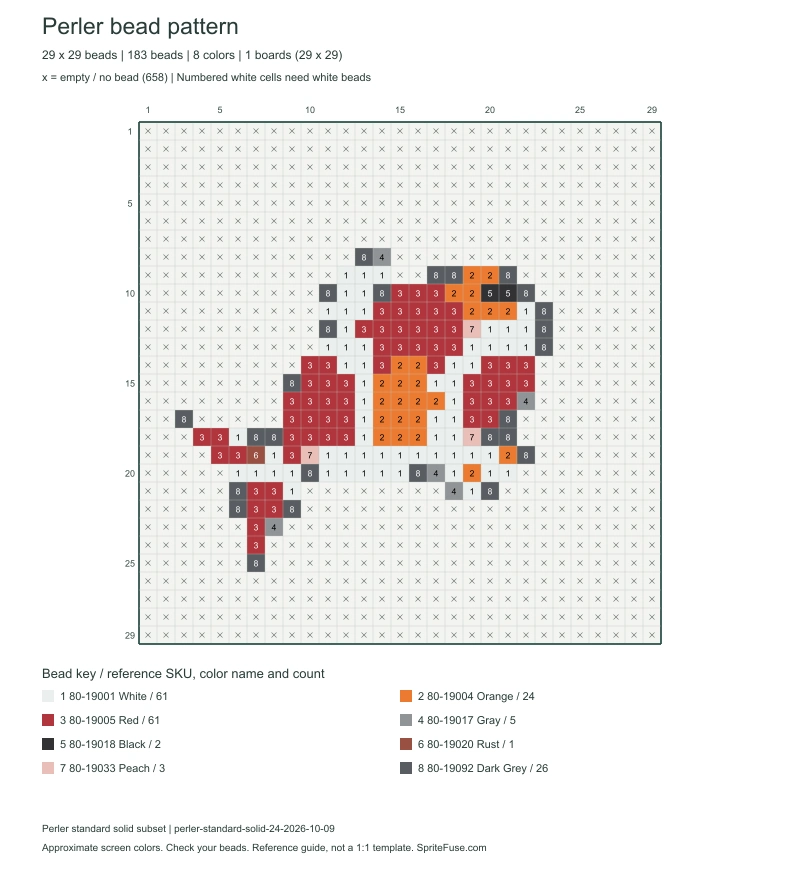
Open the koi example to see its bead list and download the chart.
See the Perler bead pattern generator in action
A little fish for a keyring, a sunset for your desk, or a drawing by someone you love. See it in beads before you fill a board.
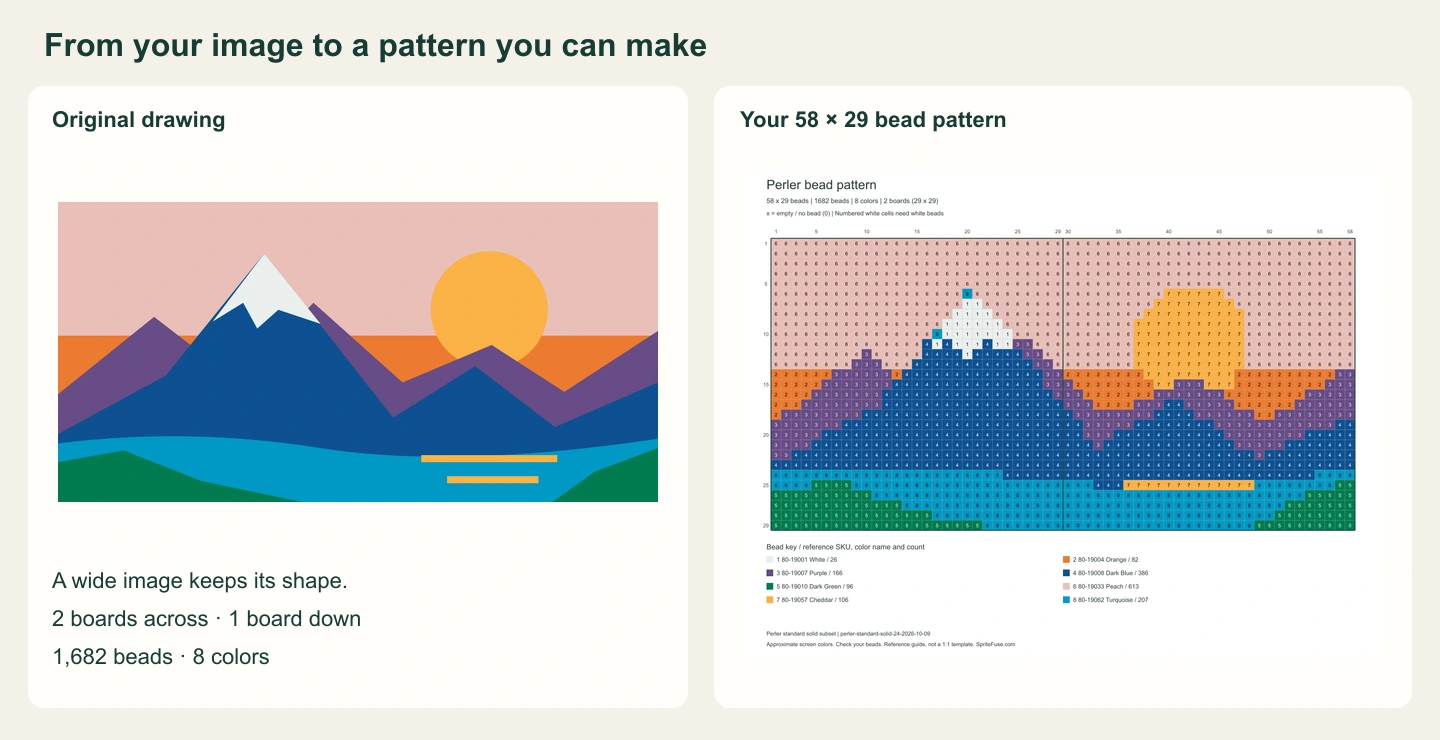
This mountain sunset becomes a 58 × 29 pattern. The bold center line marks where the two square boards join; the picture continues across it.
Try the examplesChoosing a picture for your bead pattern
A pet’s face works best when it fills the picture. Crop away spare space and look for a strong outline, clear eyes and broad patches of color.
Choose your Perler pattern size and colors
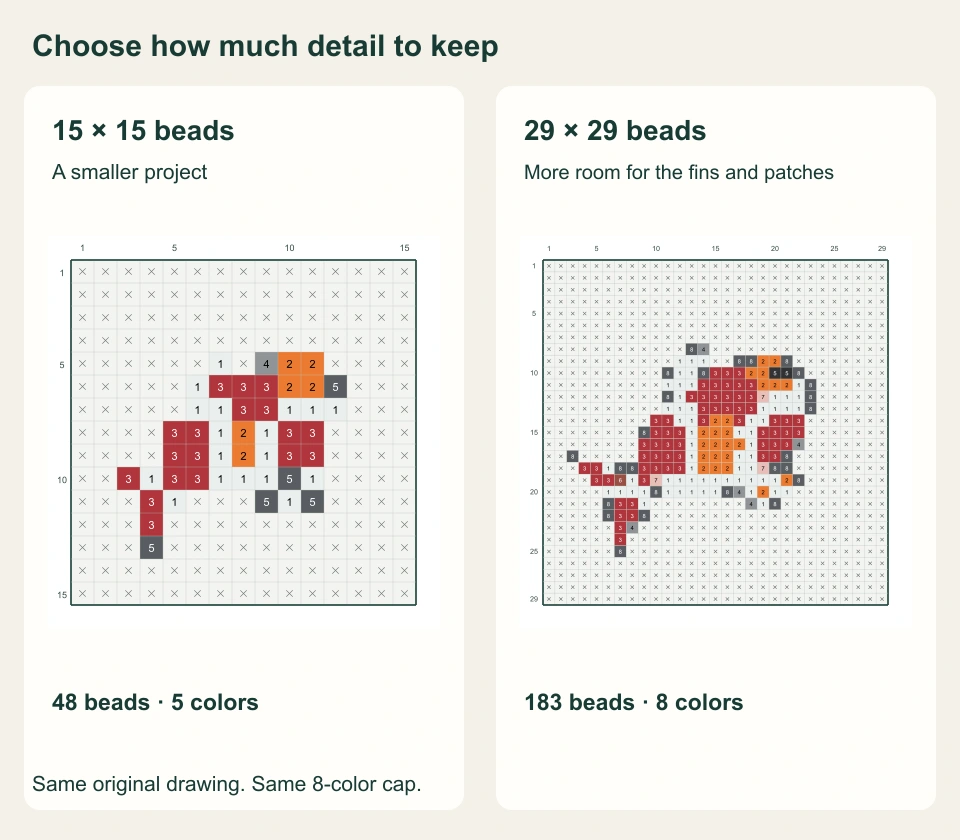
A 29-bead square fits one standard large square board. Increase the size to give curves and small features more space. Your picture keeps its proportions, so a wide drawing makes a wide pattern.
The color limit is your other main choice. Fewer colors make sorting easier; more can keep subtle changes in shade. Compare the outline and the features you care about, then choose the version you would enjoy building.
What does the size number change?
It sets the number of beads along the longer side of your picture. The shorter side follows the same proportions, rounded to whole beads. A 58 × 29 image needs two boards across and one down. A 30 × 30 pattern extends onto four boards, even when only a few beads cross the edges.
Perler bead colors and counts
Set out each color with its pattern number and bead count. The reference SKU and name help you find the right bag; the count tells you how many beads the design uses.
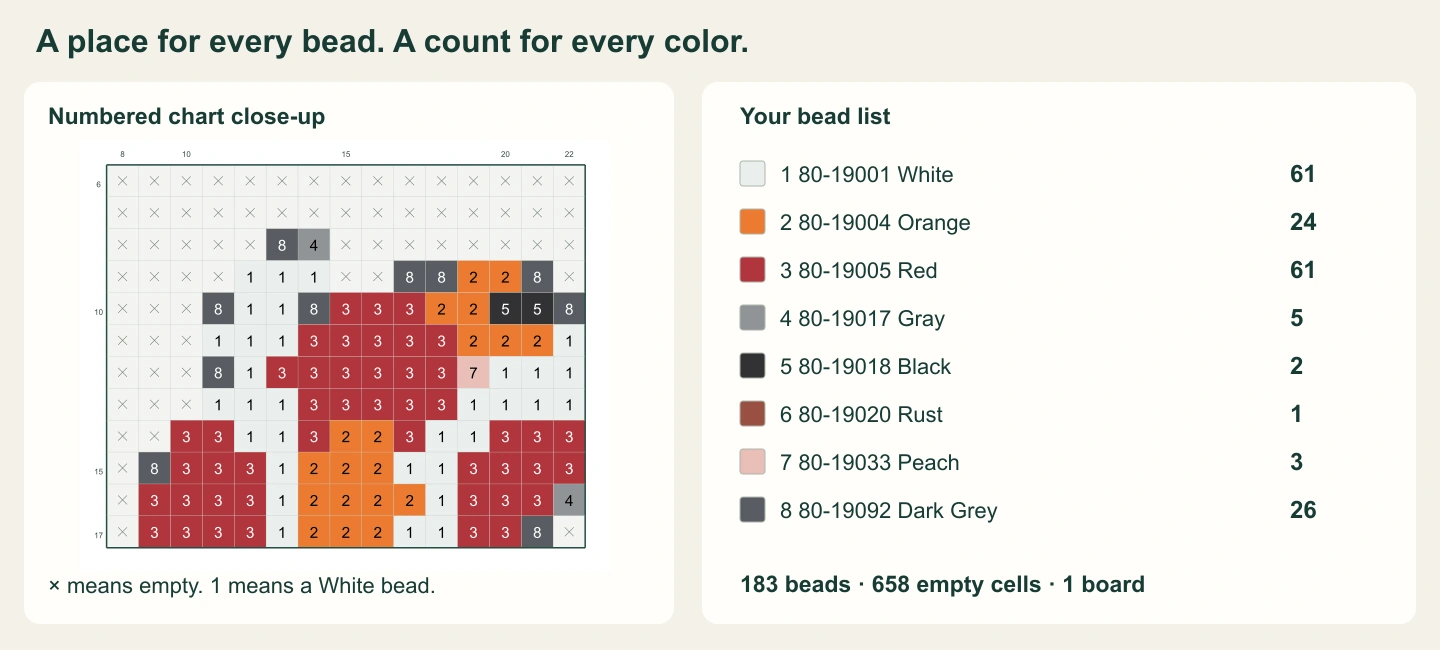
White beads carry a number. Empty spaces carry an x and stay off the bead list. Keep a few spare beads nearby, especially for a larger project.
See Perler colors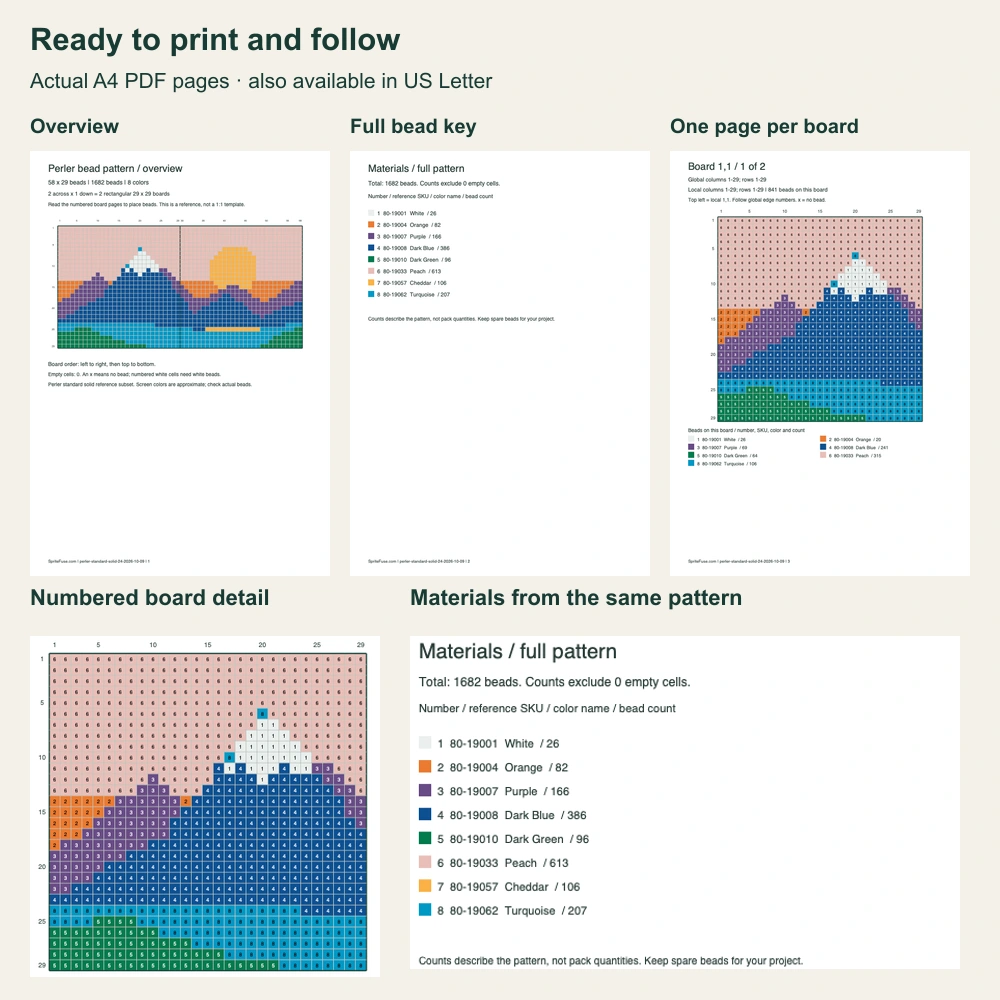
Download your Perler bead pattern as PNG or PDF
Save the PNG to follow on a screen. Choose the PDF for an overview, a full bead list and a numbered page for each board.
Row and column numbers carry across the whole picture, so you can find the same spot when you move to the next board. Each board page also lists the beads used in that section. Print only the pages you need and keep the overview nearby.
Look inside the sample PDFA4 and US Letter are available in Print options.
Before you fill your first board
For a first project, the Perler pattern guide covers the move from picture to pegboard.
How do I leave the background empty?
Use a transparent PNG or WebP. An x marks an empty space: no bead needed. A numbered white square needs a white bead. An opaque white background stays in the pattern, so remove it from your original picture for a cut-out subject.
Will the bead colors look exactly like my screen?
The Perler bead pattern generator uses 24 standard solid colors, with names and SKUs checked against the Perler catalog. Screen swatches are approximate; compare them with your actual beads. Mini, striped, glitter and glow colors are outside this palette. Color reference credits →
Can I print the pattern and place a pegboard over it?
Keep the PDF beside your board as a numbered reference. It is not a calibrated life-size template: printing at 100% does not match your peg spacing. Each detailed page covers one board region, with row and column numbers to follow.
Why did a small detail disappear?
A tiny eye, thin line or letter can disappear when a large picture becomes a small bead pattern. Try a closer crop, a larger size or more colors. A bold outline and clear subject usually work better than a busy background.
Is this free, and where does my picture go?
Use the Perler bead pattern generator for free, with no sign-up. Your picture is processed in this browser without uploading it. Download your pattern before leaving; it is not saved to an account.
Can I use the chart for Hama or Artkal beads?
This palette identifies Perler standard beads. For Hama or Artkal, choose your own corresponding colors. For a chart without bead brand references, open the pixel art grid tool. Open pixel art grids →