
Knitting chart generator
Create a colorwork motif with this knitting chart generator. Start with a picture, set its stitch width and colors, edit individual stitches, and download a PNG or printable PDF to keep beside your knitting.
EDIT YOUR MOTIF
Make the colors and details yours.
Your picture is a starting point. In the knitting chart generator, try another colorway, tidy an outline or add a small detail. The chart stays editable, so you can keep refining it before the first stitch.
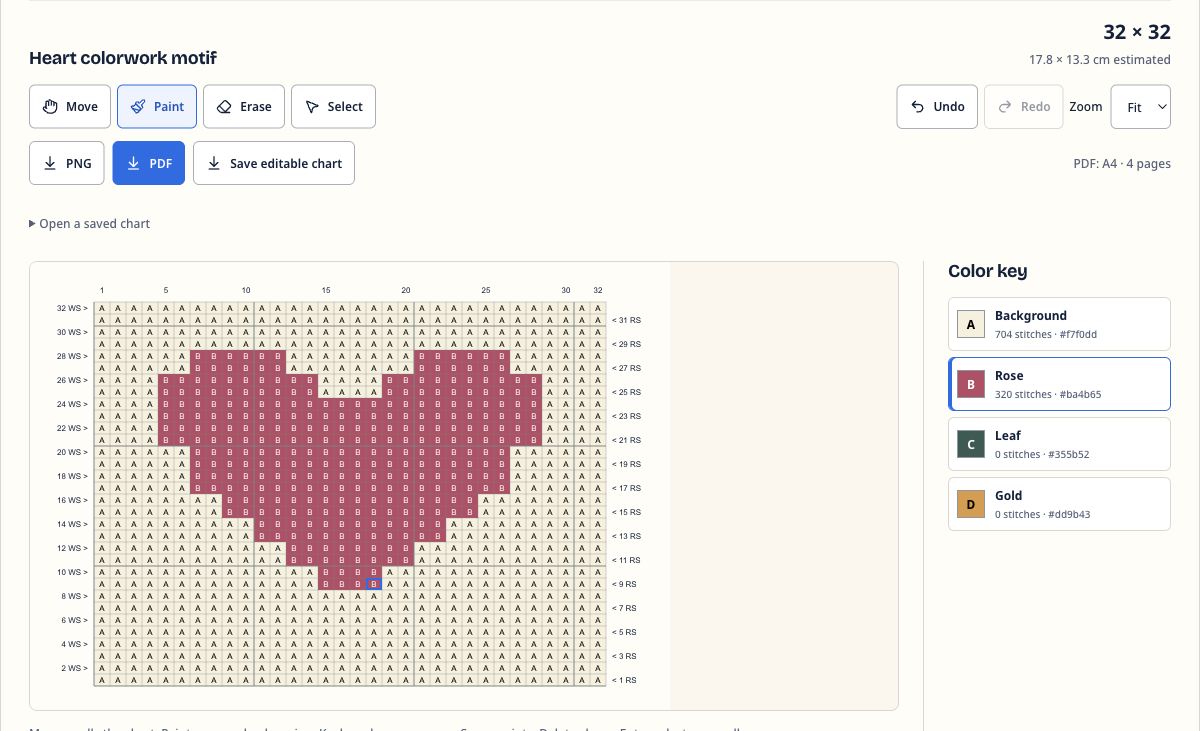
A different colorway, in one change.
Change a palette color and every matching stitch updates. Compare the new combination on the chart before choosing your yarn.
Keep the details you care about.
Paint or erase one stitch at a time. Copy or mirror a selected area for a repeat, and use Undo when you want to go back.
PLAN THE SIZE
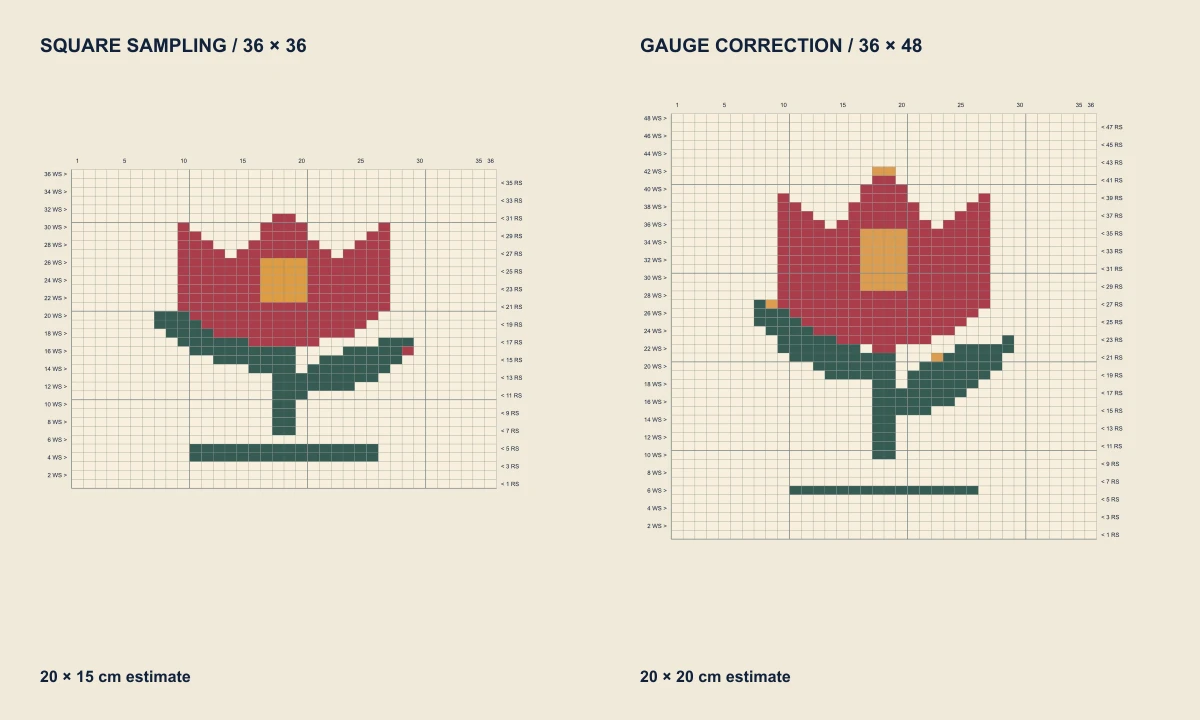
See how much space your motif needs.
Enter your swatch gauge to adjust the chart’s proportions and estimate its finished size. Check the width and height before placing a motif on a sleeve, bag panel or blanket square.
DOWNLOAD & USE
Keep your chart beside your knitting.
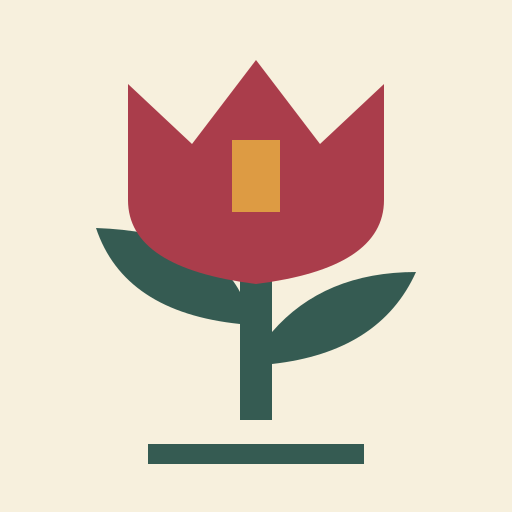
A chart for your screen.
The knitting chart generator exports one image with your colors, row numbers and the key. Keep it open on a phone or tablet beside your yarn, zoom in on individual stitches as you work, or share the motif with a knitting partner.
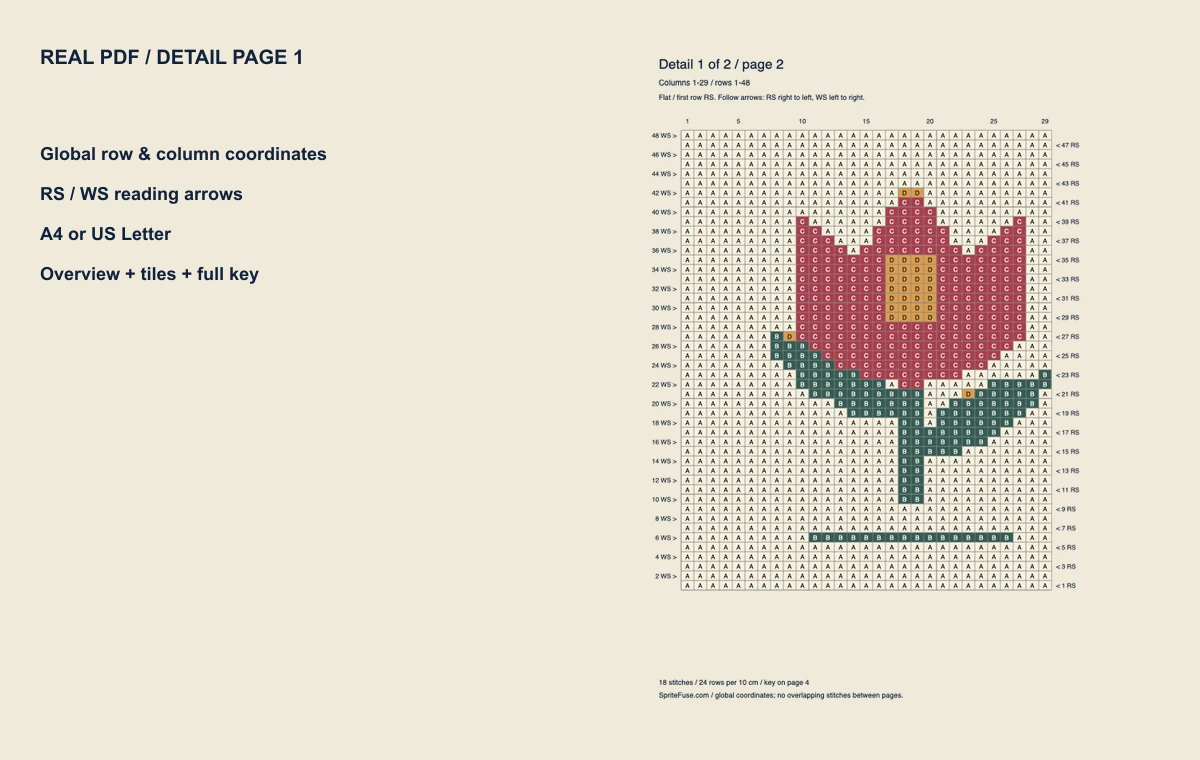
A printout with room to read.
Choose A4 or US Letter. Larger charts spread across detail pages, with coordinates to keep your place and a color key to check each stitch. Color letters also make the chart usable in black and white.
PRACTICAL QUESTIONS
Before you cast on.
Is this knitting chart generator free?
Yes. Create, edit and download charts without an account. Saving an editable copy is included, so you can return to your work later.
What kind of picture works best?
Start with a clear silhouette, distinct colors and a simple background. Initials, small drawings and geometric motifs are good starting points. Fine lines and subtle shading can disappear at stitch size; crop away unused space before importing and check the chart after conversion.
How do I read the chart rows?
Follow the row numbers and arrows shown by the knitting chart generator, starting at the bottom. In flat knitting, right-side (RS) rows read right to left and wrong-side (WS) rows read left to right. In the round, every row reads right to left. Chart settings lets you choose flat or round knitting and the side of the first row.
Can I draw knit and purl stitches?
The knitting chart generator includes a Basic knit / purl mode for blank charts. A blank cell means knit on the right side and purl on the wrong side; a dot means the reverse. This editor does not include lace, cables, increases, decreases or no-stitch cells.
Where are my images and charts saved?
Your pictures and saved-chart files stay in your browser. The latest chart is also saved on this device when browser storage is available. Use Save editable chart for a portable backup before clearing site data or switching browsers.
Can I reopen a PNG or PDF to keep editing?
Use Save editable chart in the knitting chart generator to keep the exact cells, palette, gauge and reading settings. Open a saved chart lets you choose that file and restore your work. Importing a PNG again creates a new chart from the image; it does not restore the original editable cells. A PDF is for printing.
How accurate is the finished-size estimate?
The estimate uses your stitches and rows per 10 cm or 4 inches. Enter the gauge from a blocked swatch made with your chosen yarn and needles, then test the motif before committing to a larger piece. When converting a picture, gauge determines the row count. Changing gauge on an existing chart adjusts proportions and estimated size while keeping its stitches and rows.
What are the image and chart limits?
Use PNG, JPG or WebP files up to 10 MB, 8192 pixels per side and 16 million pixels total. Charts support 1–128 stitches across, 1–128 rows and up to 16 colors, including the background. If gauge correction needs too many rows, reduce the stitch width or crop the image.
Is a chart a complete knitting pattern?
A motif chart shows stitch positions and reading direction. You still choose yarn, needles, construction and any shaping or repeats. Color counts are stitch totals, not yarn yardage. Swatch the motif before adding it to a garment.