
Normal map generator
for your sprites.
Give flat artwork a sense of volume under moving lights. Upload a sprite, shape its relief, and download matching color and normal textures.
Choose a PNG or WebP sprite or regular sprite sheet.
Free · No sign-in · Files stay on your device10 MiB · 4096 px per side · 4 million pixels total
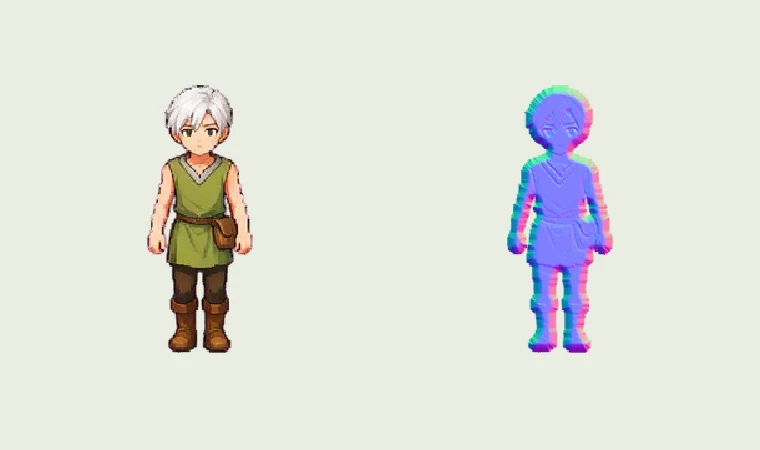 One color sprite. A companion texture for moving light.
Same sprite. A different light.
A torch passing your character should reveal the shape of a sleeve, boot or helmet. A companion normal texture describes a surface direction at each pixel, letting your game’s lights shade the drawing as they move.
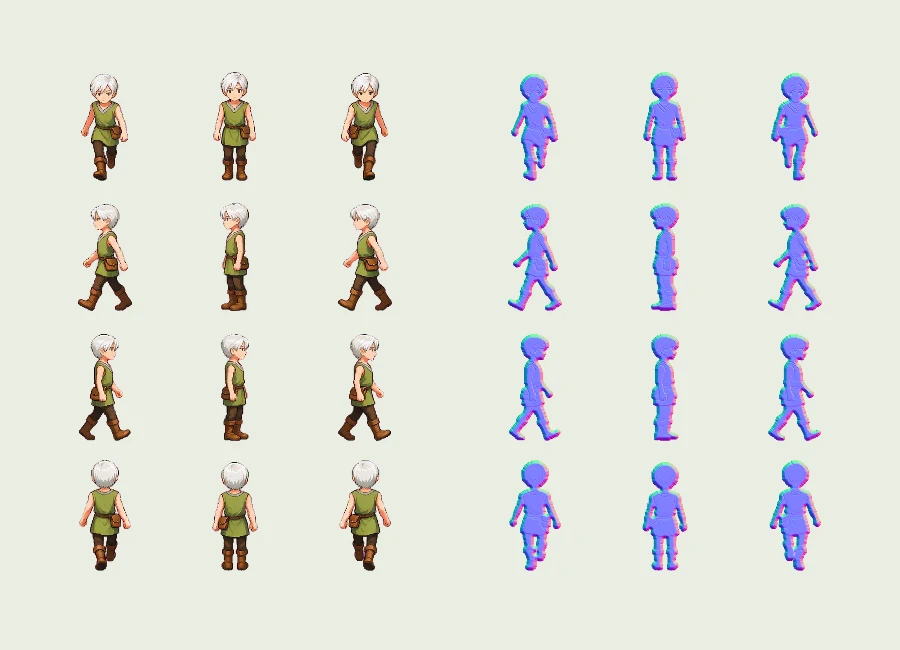
This normal map generator builds that companion from the artwork you already have. The walking character shown here uses the same source pixels in its color sheet and its normal sheet. Compare the purple-blue texture with the illuminated result, then move the preview light across your own sprite to judge the relief.
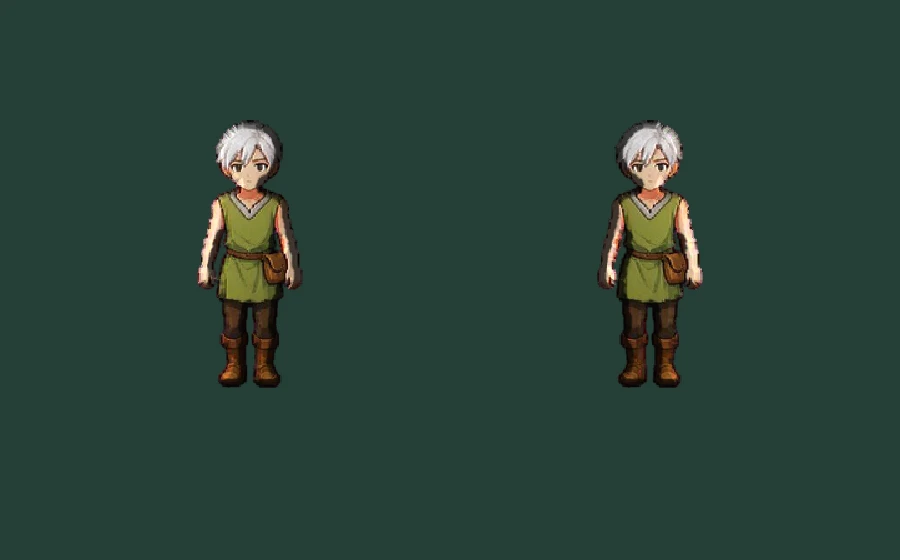
From artwork to paired textures
Start with a clear silhouette
Open a transparent sprite or a regular sheet. Empty space around each character gives the rounded edge room to form. Repack irregular atlases in your sprite editor first. The sprite sheet cutter extracts cells from an existing regular grid.
Shape the relief
Generate once with the defaults, then adjust strength and rounded edge. Add painted detail gradually. Switch between color, normal and lighting views to identify which marks are affecting the surface, rather than judging the purple-blue image alone.
Take both textures
Download the normal PNG when your color texture is already in place. Choose the paired ZIP when you want matching files and frame metadata together. This normal map generator records the exact settings so the exported result remains understandable later.
Keep every frame in step
Lighting only works when the color and normal textures show the same pose. Set the sheet’s columns, rows and active frame count; cells run left to right, then down. Conversion treats each cell separately, so a bright neighboring frame cannot bleed into its edge gradients.
The normal map generator keeps the sheet dimensions and transparent pixel coverage. The ZIP’s animation.json gives each frame’s rectangle and duration. Apply that same rectangle to both textures on every animation step. For a directional sheet, preview one row at a time instead of playing every facing as one action.
Already working in SpriteFuse? Open Normal map from a completed animation’s workspace. It takes the selected saved version and its confirmed timing; the original download remains available. The paired bundle records that source Job and timing revision, helping you keep later revisions apart.
Choose how much detail catches light
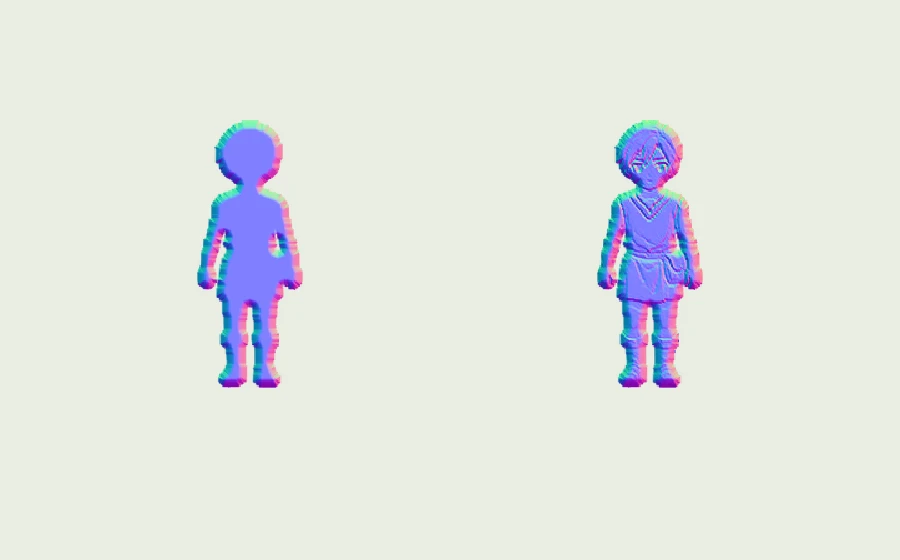
Rounded edge gives the outer silhouette a soft bevel. A narrow rim suits a small pixel sprite; a wider bevel spreads the transition across a larger painted form. Strength changes the apparent steepness, so start low if the character looks inflated or its highlights become harsh.
Painted detail adds local relief from brightness. It can bring out folds, scales or carved patterns, but it also treats a painted highlight as height. Compare with detail at zero to separate the silhouette’s contribution from the artwork’s shading. A normal map generator is most useful when those controls help your drawing fit the scene’s lighting style.
For a cast shadow on the ground or a wall, add the appropriate shadow-casting setup in your engine. A normal texture describes the visible surface; it does not supply an occluder polygon or reveal the hidden side of an object.
Light your sprite in Godot
Export OpenGL normals, then create a CanvasTexture on a Sprite2D. Assign color.png as its diffuse texture and normal.png as its normal texture. Add a PointLight2D, give it a light texture, and raise its virtual height so the surface directions visibly affect illumination.
Use nearest filtering for crisp pixel art. In an animation, change the shared sprite frame or region so both maps stay aligned. Read per-frame durations from the paired manifest when your animation has an uneven rhythm. A CanvasModulate can darken the ambient scene, making a moving torch easier to see.
The normal map generator example was checked in Godot using the exported pair, a moving light and a flat-normal comparison. The engine result here shows the same artwork under that scene’s settings. Your own light size, ambient level and materials will produce a different balance; use the browser preview to tune the maps, then judge them in the actual scene.
Godot CanvasTexture reference ↗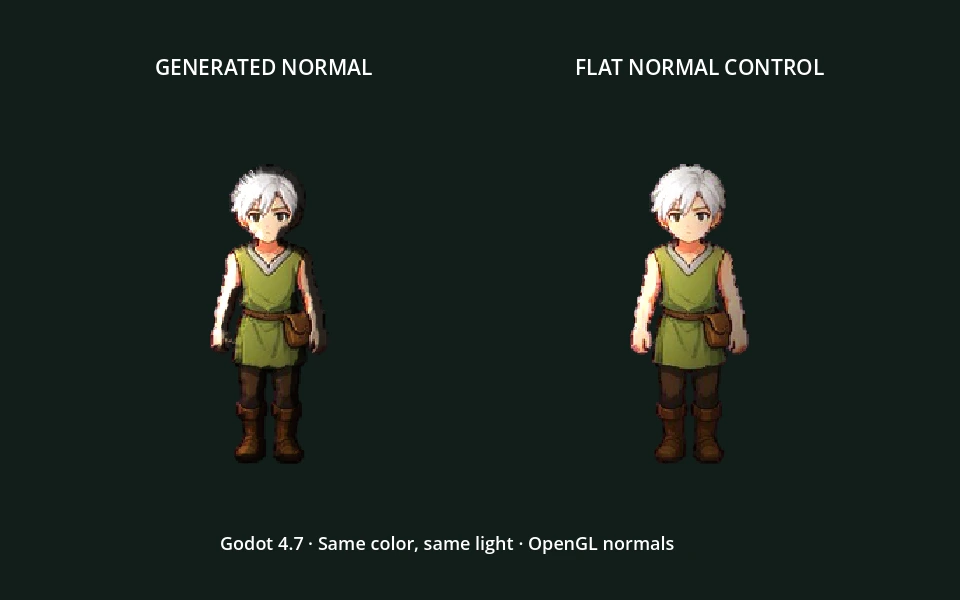
Normal map generator questions
Is this normal map generator free?
Yes. Uploading, local conversion, lighting preview and downloading are free, with no sign-in or credit charge. The standalone page runs on your device. SpriteFuse’s separate AI sprite creation features retain their existing account and credit requirements. Opening this tool does not start an AI generation or change a saved animation.
Which files and sizes can I use?
Choose a static PNG or WebP up to 10 MiB, 4096 pixels on either side and four million pixels in total. Sheets can contain up to 256 regular cells. Animated PNG and WebP are rejected: export a static sheet first. The tool checks dimensions before image decoding and budgets estimated working buffers below 192 MiB; your browser also needs memory for its own image and download handling.
Does the normal map generator upload my artwork?
Standalone images are decoded and processed inside your browser. They are not sent to a generation service or saved to a SpriteFuse project. The optional sample downloads public artwork. In the signed-in workspace, the tool first downloads your selected completed asset through the existing private export route, then calculates its normals locally. Close the tool to release its working state.
Should I choose OpenGL or DirectX?
Start with OpenGL for Godot: its normal texture expects positive X, Y and Z axes. DirectX reverses the green channel. Choose the convention required by your renderer, rather than changing the sprite’s facing. The preview compensates for the selected encoding. If highlights appear on the wrong vertical side in your engine, check this setting before increasing strength.
Can a normal map generator recover real depth?
It estimates relief from the silhouette and, optionally, painted brightness. A bright mark can be a raised surface, a light reflection or simply white paint; an image alone cannot reliably distinguish them. Inspect faces, lettering and sharp material boundaries under moving light. For art-directed forms, lower painted detail and refine the exported normal texture in your preferred editor.
What if a conversion fails or I cancel it?
Cancel stops the current local operation and leaves the selected image available for another attempt. Reduce the sheet size when memory is tight; a smaller crop also makes tuning faster. No partial download is presented as a finished result. Unsupported saved export formats keep their original workspace download available: download the PNG and open it here instead.
Try the normal map generator
Open a sprite above and watch a light move across the result. Need a new character first? The AI sprite sheet generator is a separate starting point for creating artwork.
Choose your sprite ↑