
Cross Stitch Pattern Maker
Turn a photo or drawing into your next project with our free cross stitch pattern maker.
Download a printable chart and a thread list, ready for your sewing basket.
Free PNG & PDF. No account.
Your pictures stay in this browser.
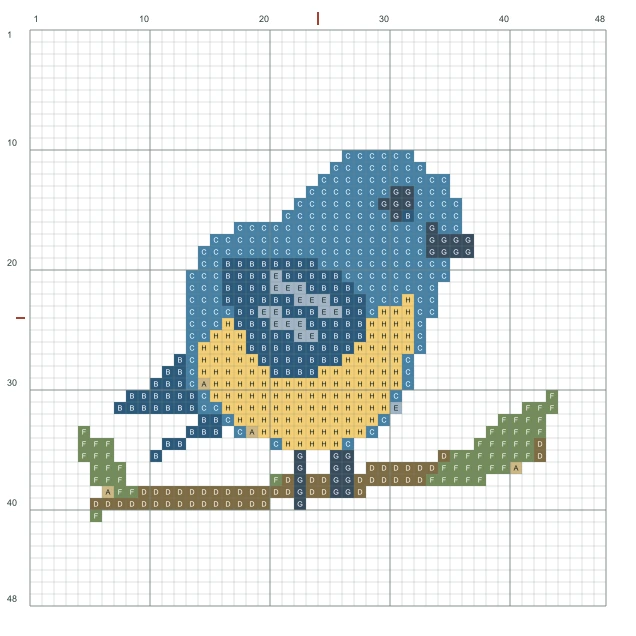
Start with this little bird, or bring a picture of your own.
From photo to pattern
Keep the parts that make your picture recognizable. Clear outlines and blocks of color work well; fine textures and tiny details may blend together. Check the preview to see whether the features you care about still stand out.
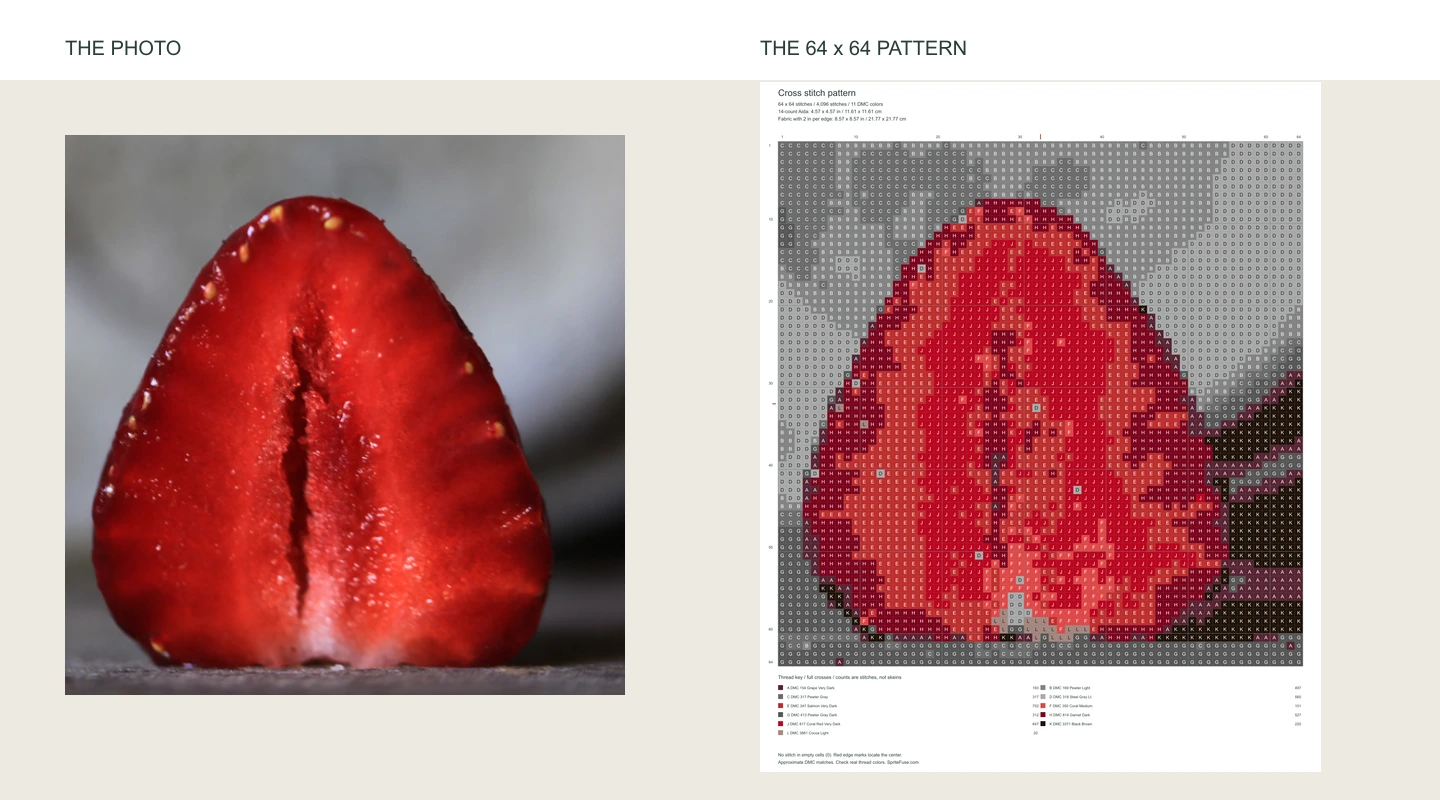
A pet’s silhouette, a child’s drawing or a favorite flower can make a personal gift. Use the cross stitch pattern maker for a small framed picture or a stitched card; simple shapes stay recognizable even when you keep the project small.
Try the photoWhich photos are easiest to turn into a pattern?
Choose one clear subject with good light and some contrast against the background. Crop away spare space before uploading so the face, flower or animal fills more of the picture. A distant face in a group photo may become just a few stitches. If an important feature disappears in the preview, try a closer crop rather than immediately making the whole project larger. Simple drawings with broad areas of color are also a good starting point.
How much detail feels right?
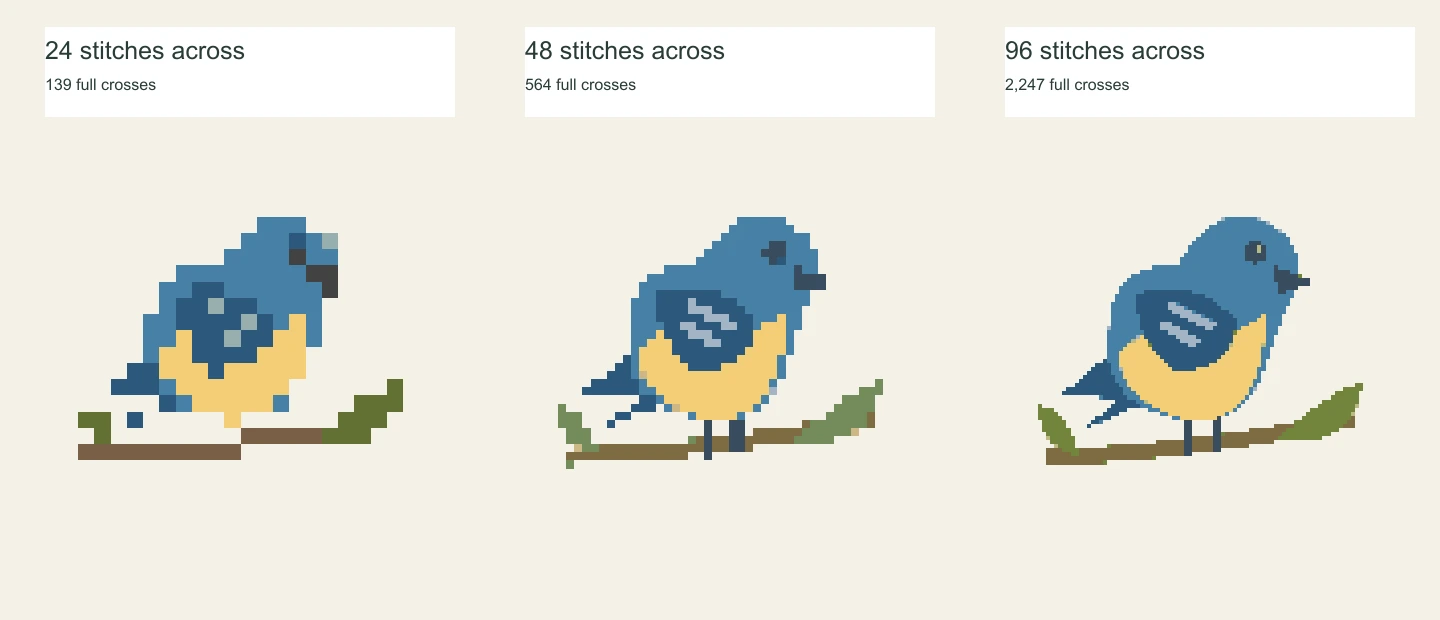
A smaller pattern means fewer stitches to work through. A larger one can preserve more detail, but adds to the project. Start small and increase the size only if something important is hard to make out.
For a first project
Try 48 stitches across. It’s a useful starting point for a simple motif like this bird. In the cross stitch pattern maker, compare a smaller and larger version before settling on a size. Look at the part that gives your subject its character: an eye, a leaf tip or the curve of an ear.
Fewer threads, less switching
Eight colors keep things simple. Try sixteen when a photo needs a few more shades. More colors can soften the shading, but also mean more needles to rethread. Check for scattered single stitches in the preview. If they make the pattern feel fussy, compare it with a lower color setting.
Will it fit your hoop?
Aida is the fabric with little squares used for cross stitch. On 14-count Aida, this example is 5 × 4 inches. On finer 18-count fabric, it’s smaller. Leave extra fabric around the edges for your hoop or frame.
Already have fabric at home? Choose its count in the tool and check the size in inches or centimeters. Changing fabric count makes the same design larger or smaller; it doesn’t add detail to the picture.
How much extra fabric should I leave?
The cross stitch pattern maker starts with a two-inch margin on each side. Adjust it to suit your hoop, frame or finishing plans before cutting. The pattern size includes any blank border in your image, so crop unwanted space first. Choose A4 or Letter later for your printer; paper size doesn’t change the size of your embroidery.
5.00 × 4.00 in12.70 × 10.16 cm
3.89 × 3.11 in9.88 × 7.90 cm
Pattern area only. Add fabric around the edges for your hoop or frame.
Your thread shopping list
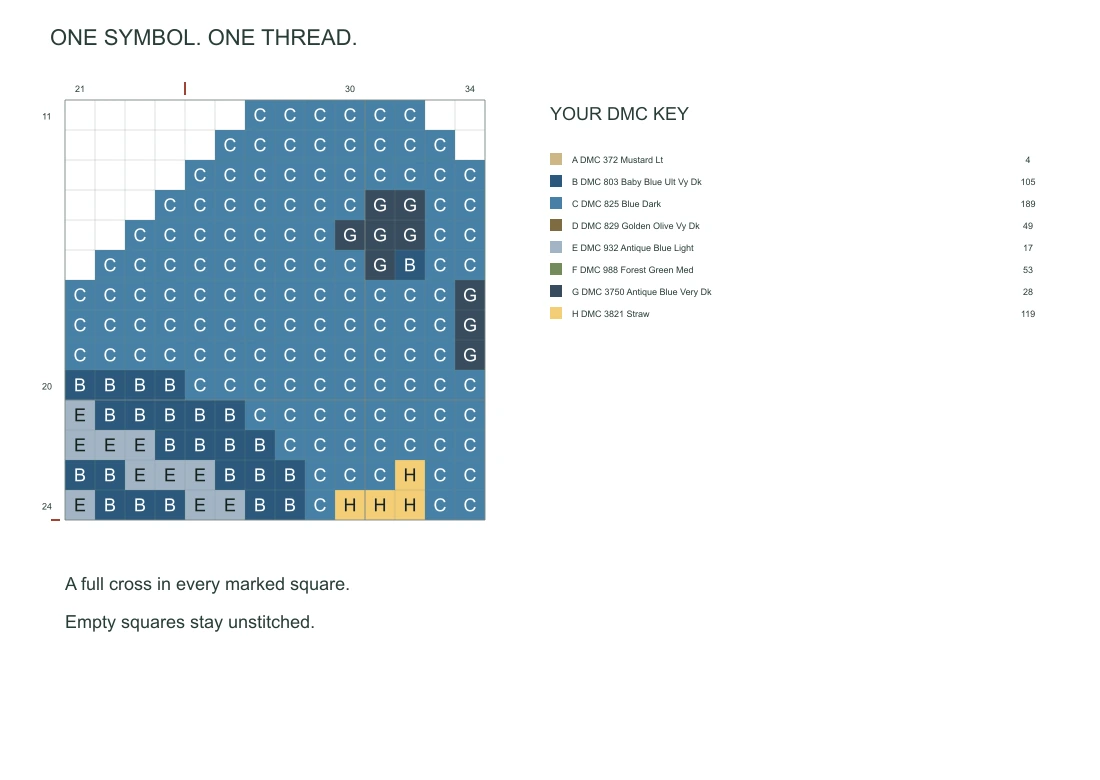
DMC is an embroidery thread brand. The list gives you the color numbers to look for when buying thread, with a matching symbol on the chart. Check your stash before heading to the shop. While stitching, find the symbol in the list and use that thread for the matching squares. You can follow the symbols even when nearby colors look almost identical.
Colors can look different on screen, so compare the suggested shades with real thread before you begin.
Color reference & license
Thread suggestions use the open-source dmc reference. SpriteFuse is not affiliated with DMC. Reference data license.
Making your first pattern? Follow our photo-to-PDF tutorial for a simple walkthrough and printing steps.
Print your cross stitch pattern
Print the pattern and cross off stitches as you go. Larger designs spread across several pages, so you won’t have to squint at tiny symbols. Choose A4 or US Letter in the cross stitch pattern maker to suit the paper in your printer. The PDF keeps a full-picture overview and a thread list alongside the enlarged chart pages.
Prefer stitching from a tablet? Save the chart as a PNG and zoom in whenever you need a closer look. For paper, black-and-white symbols are handy for marking finished stitches with a highlighter. Color charts make it easier to recognize the picture as you work. Open the sample below to see the pages before making your own.
Open the sample PDF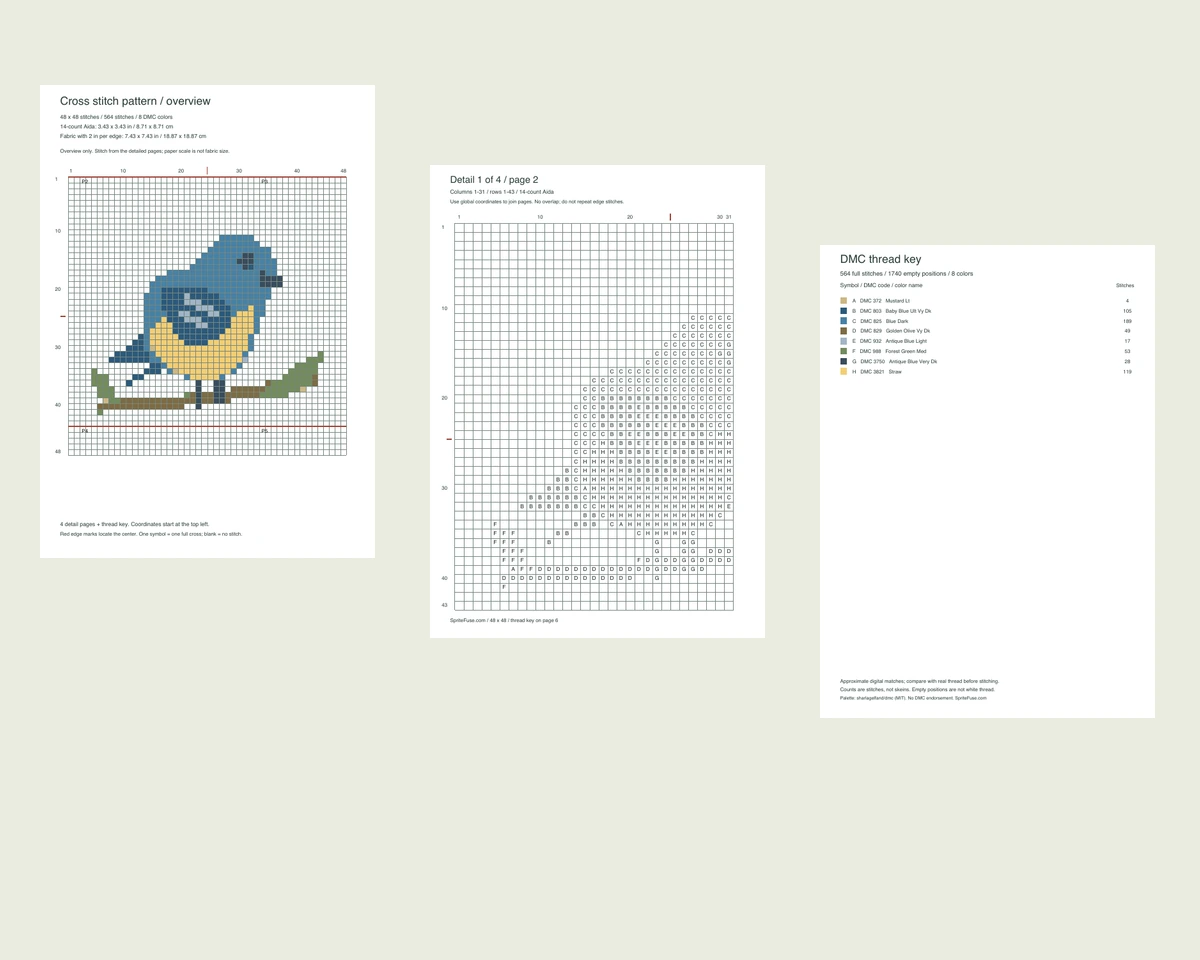
Before you start
How do I make my first pattern?
In the cross stitch pattern maker, open a sample or upload your picture, choose the width and number of colors, then check the preview. Select your fabric count to see the finished size and download the chart when you’re happy with it. Our photo-to-pattern guide has a longer walkthrough if this is your first project. Read the cross stitch guide →
Can I change a few stitches?
There’s no drawing editor on this page. You can edit your original image and upload it again. If you’d rather sketch a pattern by hand, print a blank grid. Get printable grid paper →
Can I leave the background unstitched?
Yes. Upload a PNG with a transparent background. Blank squares on the chart mean no stitch; white squares with a symbol still need white thread. This tool does not remove the background from a photo.
How much thread should I buy?
The list shows how many stitches use each color, not how many skeins to buy. The amount you’ll need depends on your fabric and how many strands you stitch with.
Are there half stitches or backstitch?
No. These patterns use full cross stitches only. Fine outlines and small lettering may need to be simplified in your original picture.
Will my pattern be saved here?
Download it before you leave. Your picture and settings disappear when you close or reload the page. Keep the original image too, in case you want to make another version.