 SpriteFuse
Walking Animation Sprite Sheet Examples: 8 Frames, 4 Characters
Start from a villager step, an armored march, a zombie shamble or a skeleton gait, or describe your own character. Each result is an 8-frame walking animation sprite sheet.
Try it free. Start with text or upload a character.
The short answer
An 8-frame walk cycle has two steps of four poses each: contact, down, passing and up, once for each foot. In a walking animation sprite sheet those eight frames usually sit in a 4×2 or 8×1 grid of equal cells, all facing the same way, with the feet on one ground line so the character does not bob.
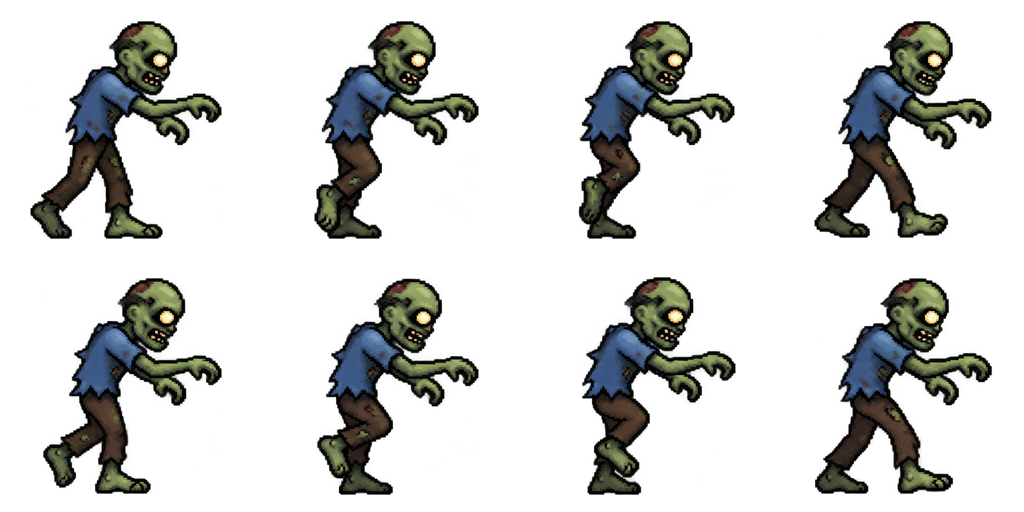
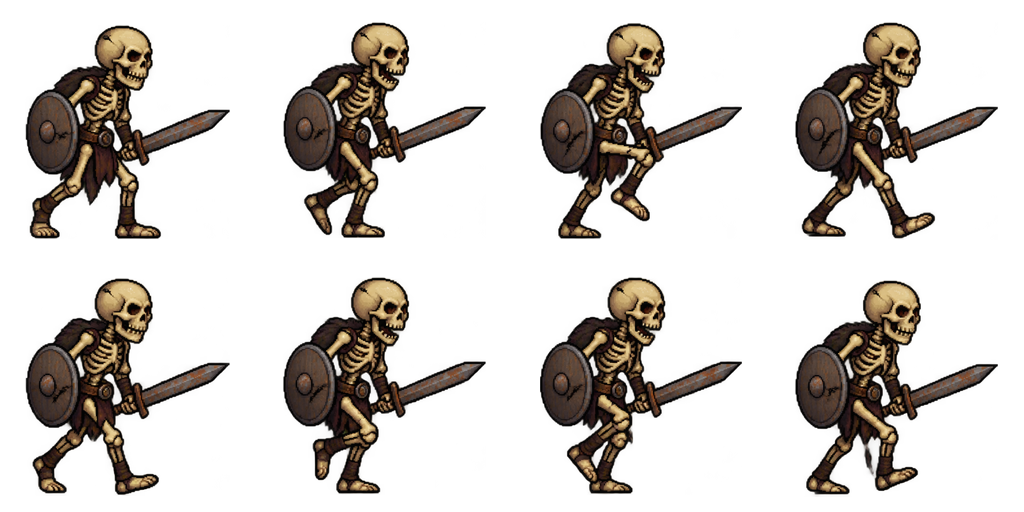
The four examples below are real SpriteFuse output in a 4×2 grid. The villager follows the classic eight poses exactly; the zombie and skeleton show how the same frame count changes when the walk has character.
Four 8-frame walking animation sprite sheet examples
Each sheet is a single SpriteFuse generation, unedited. All four face right; flip them in your engine to walk left.

Playing 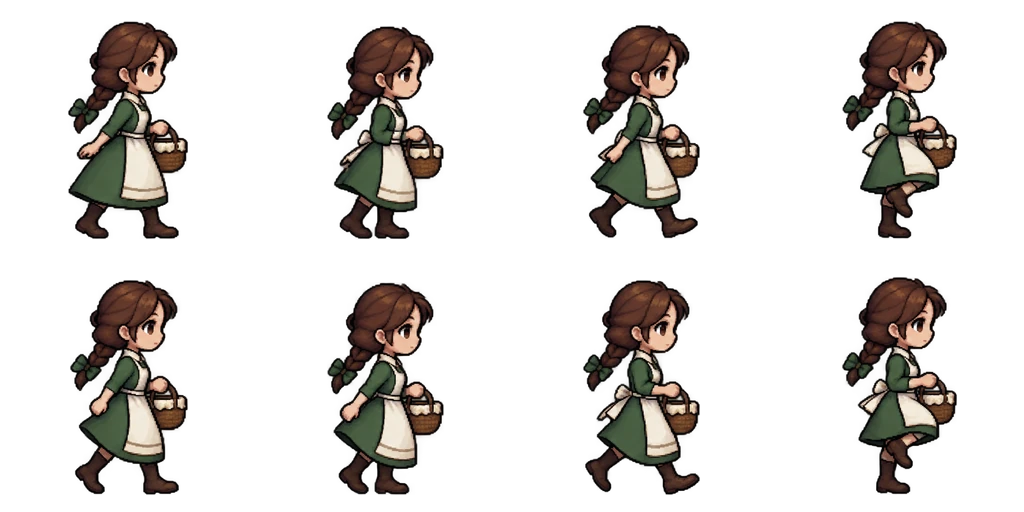
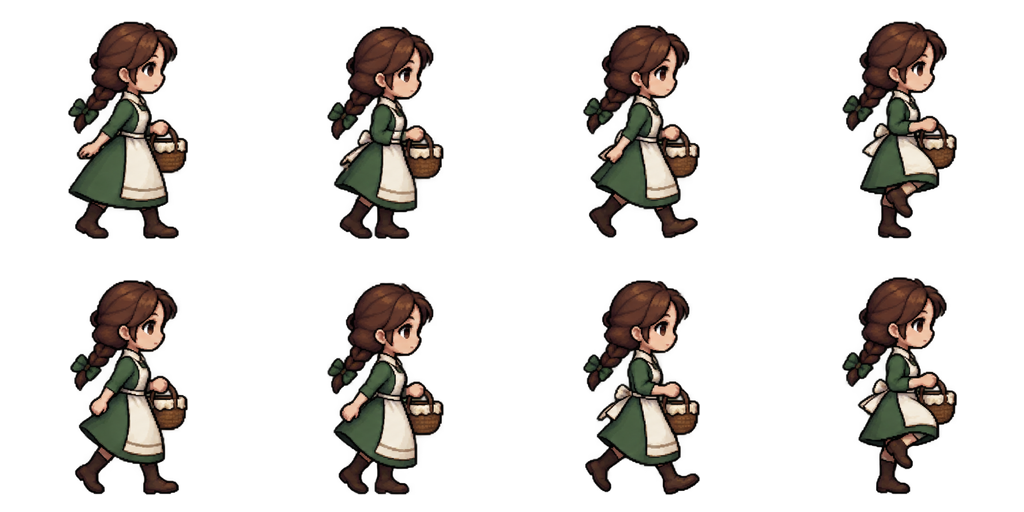
Sheet · 4×2 · 8 frames Villager
The textbook cycle: each row is one step, starting from a contact pose, and the basket stays in her hands in all eight frames.
Described as
Young villager girl with a brown braid, green dress and a white apron, carrying a small basket; side view facing right. A full walk cycle in 8 evenly spaced frames: contact, down, passing, up, contact, down, passing, up.
Playing 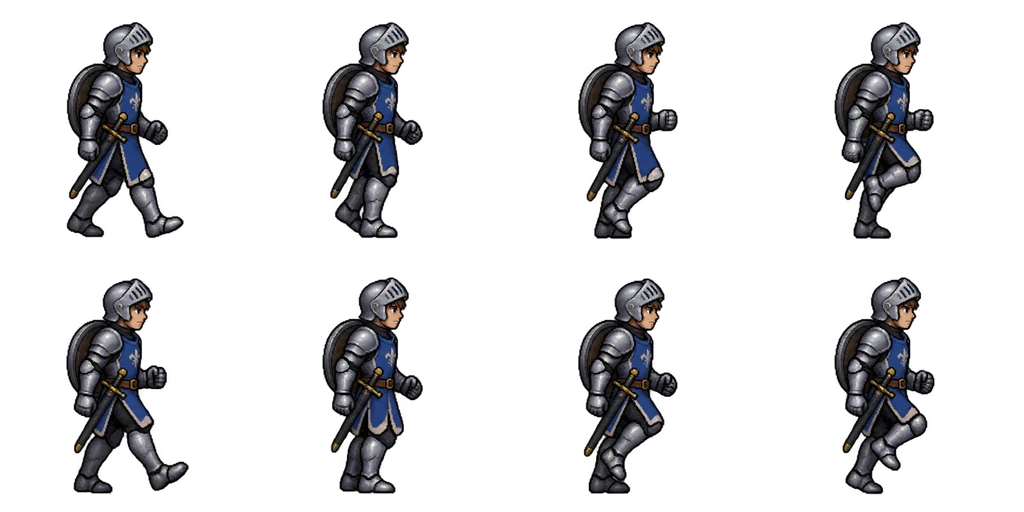
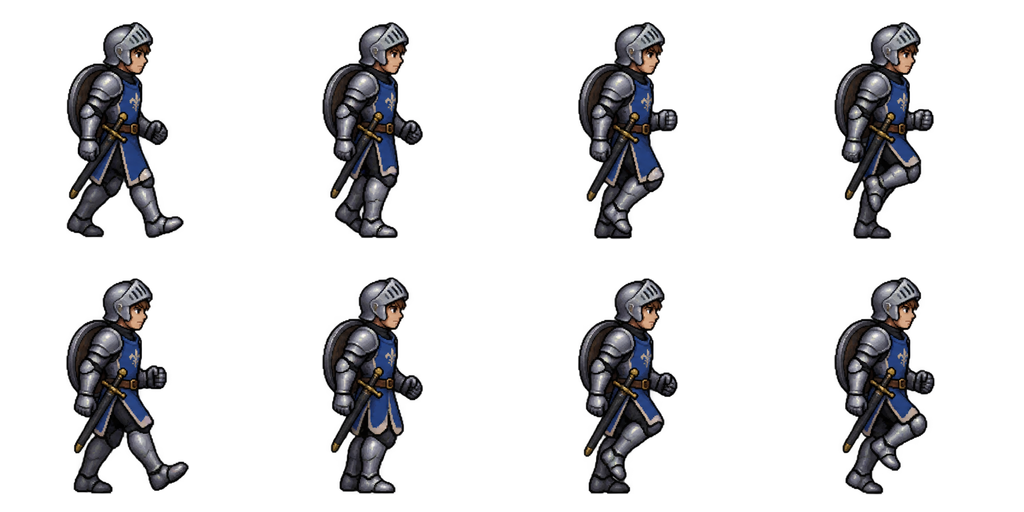
Sheet · 4×2 · 8 frames Knight
A heavier stride than the villager. The shield stays on the back and the sword stays sheathed at the hip in every frame.
Described as
Armored knight in steel plate with a blue tabard, open-face helm, sword sheathed at the hip and a round shield on the back; side view facing right. A full walk cycle in 8 evenly spaced frames. Arms swing opposite to legs.
Playing 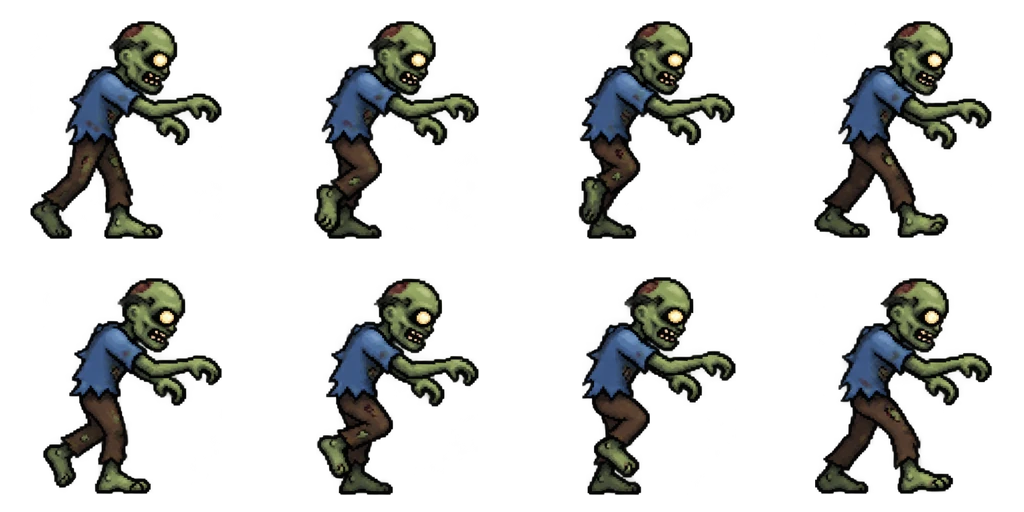
Sheet · 4×2 · 8 frames Zombie
The arms stay reaching forward the whole time, so all the motion is in the legs and the tilted head.
Described as
Green-skinned zombie in a torn blue shirt and ripped brown trousers, arms stretched forward; side view facing right. A slow shambling walk cycle in 8 evenly spaced frames, dragging one foot, head tilted, arms reaching forward.

Playing 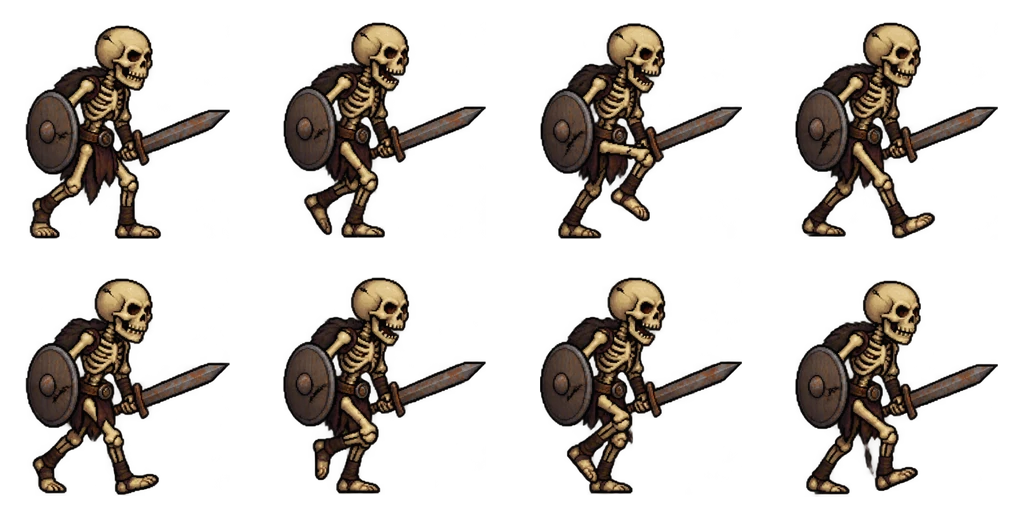
Sheet · 4×2 · 8 frames Skeleton
A stiff gait with the sword and shield held up front. Good for an enemy that should feel mechanical rather than alive.
Described as
Skeleton warrior with yellowed bones, a rusty sword in the front hand and a cracked round shield; side view facing right. A stiff, slightly jerky walk cycle in 8 evenly spaced frames, legs alternating, jaw rattling.
The eight poses of a walk cycle
Every 8-frame walk is the same four poses played twice, once per leg. Knowing them helps you judge any walking animation sprite sheet in seconds, generated or hand-drawn.
1 and 5: contact
The front heel touches the ground and the legs are widest apart. This is the pose that reads as “walking” in a single still.
2 and 6: down
The body is at its lowest and the front knee bends to take the weight.
3 and 7: passing
The back leg swings past the standing leg. The legs overlap, so this frame shows the silhouette is clean.
4 and 8: up
The body rises as the standing leg pushes off, ready for the next contact.
When 8 frames is the right count
Eight frames is the common middle ground for side-view walking. Four frames is enough for small sprites and top-down games; twelve or more suits large, smooth characters. At 8 to 10 frames per second, an 8-frame walk takes just under a second per cycle, which matches a normal walking pace. Run cycles use the same count but replace the down and up poses with a frame where both feet leave the ground.
Make your own walking animation sprite sheet
Describe the character and facing
Side view facing right is the easiest to flip in any engine.
Ask for 8 evenly spaced frames
List the poses, or describe the gait instead: “slow shamble, dragging one foot”.
Play it and check the passing frames
Frames 3 and 7 show whether the legs stay clean. Ask for a fix in the editor if one is muddy.
Export and import
The ZIP has the PNG grid, single frames, timing and a GIF. Split the grid in your engine at 256 × 256 px.
Walk cycle questions
How many frames should a walk cycle have?
Eight is the common choice for side-view games. Four works for small or top-down sprites, and twelve or more for large, smooth characters.
Can I use these walking animation sprite sheet examples in my game?
They are here as examples. Make your own walk with SpriteFuse; paid Credit packs and plans include commercial use of what you generate.
Why does my walk bob up and down in the engine?
The feet are on different lines in different frames, or the pivot is not at the feet. SpriteFuse puts every frame on one ground line and lists it in animation.json.
Do you have 4-direction walks for top-down games?
Yes. The RPG generator makes a 3×4 walk facing down, left, right and up, in the layout RPG Maker uses.
What does a new walk cost?
A new character with an 8-frame walk costs 7 Credits. New accounts get 20 free Credits to use within 30 days.