 SpriteFuse
AI Idle Sprite Animation: 4 Pixel Art Idle Loops, Free to Try
An idle sprite animation is the loop players look at most. Start from the knight, wizard, slime or cat, or describe your own character and what moves while it waits.
Try it free. Start with text or upload a character.
The short answer
A good idle sprite animation is small motion on a still body: breathing, a blink, cloth or a tail that sways, and feet that never move. Six frames is enough for a calm loop; the last frame has to lead back into the first.
SpriteFuse makes an idle sprite animation from a sentence. Describe the character and what moves while it waits, and it returns the frames on a transparent sheet with the feet on one line. New accounts get 20 free Credits, and one new character with a 6-frame idle costs 7, so the free Credits cover 2 characters.
Four real pixel art idle sprite animation loops
Each loop is one SpriteFuse generation with no hand edits. They face right and share one ground line, so any of them can stand in the same scene.

Playing 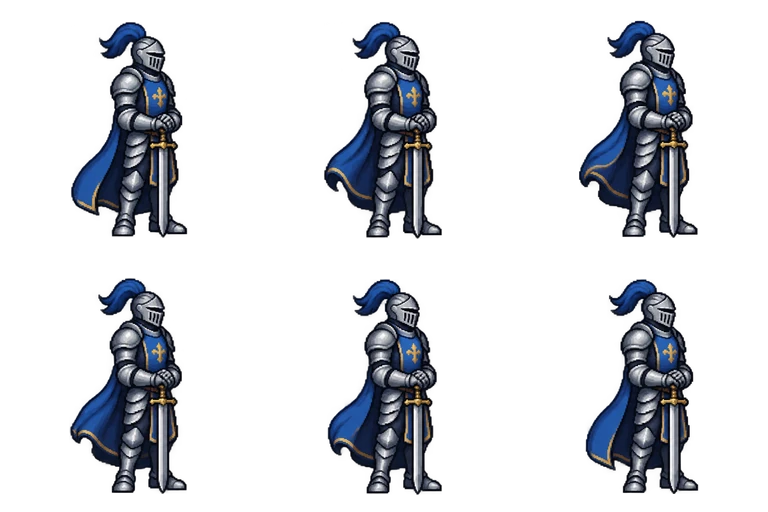
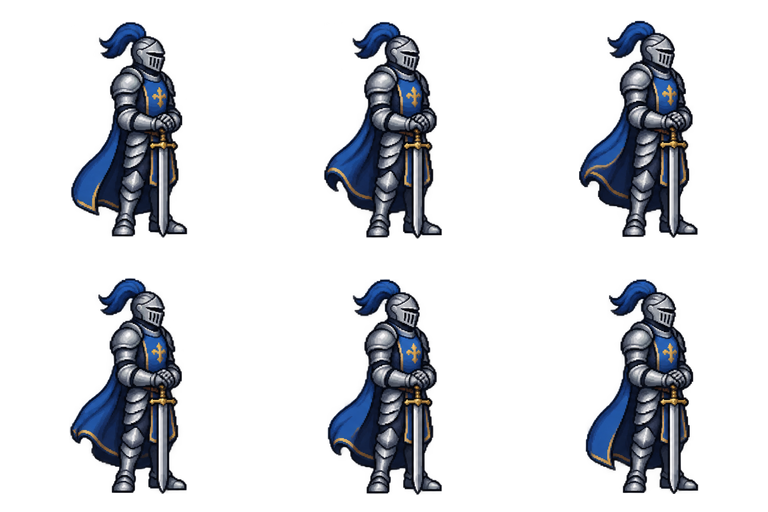
Sheet · 3×2 · 6 frames Knight
The motion is almost all in the cape and the shoulders. The sword tip stays planted, which keeps the loop from looking like a jitter.
Described as
Armored knight in steel plate with a blue tabard, holding a sword point-down in front; side view facing right. A calm idle loop in 6 frames: gentle breathing, shoulders rise and fall, cape sways slightly, feet never move.

Playing 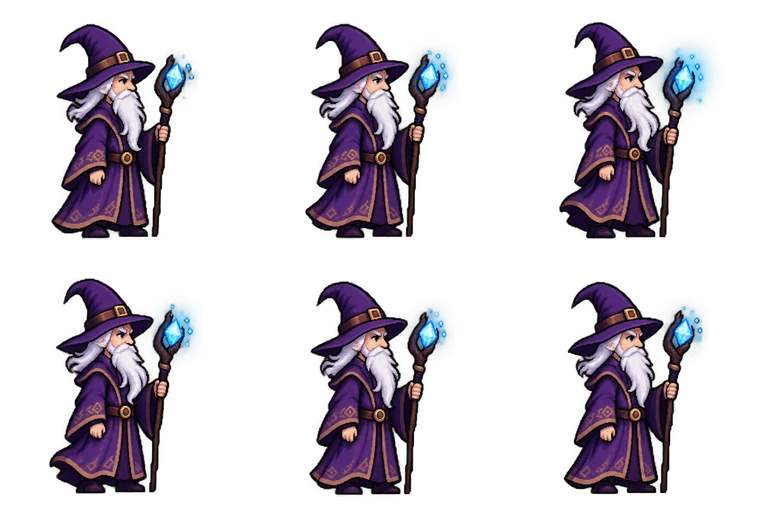
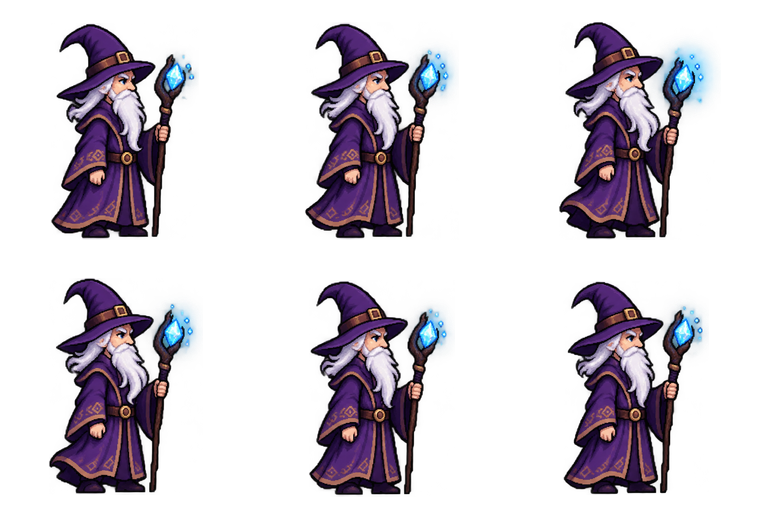
Sheet · 3×2 · 6 frames Wizard
The crystal glow grows and fades over the six frames, so the loop has a visible beat even though the body barely moves.
Described as
Old wizard with a long white beard, tall pointed purple hat and a staff with a glowing blue crystal; side view facing right. A calm idle loop in 6 frames: gentle breathing, beard and robe sway, the crystal pulses softly, feet never move.

Playing 
Sheet · 3×2 · 6 frames Slime
Squash and stretch carry the whole loop, and the blink lands in frame 4 as asked.
Described as
Cute round blue slime with a glossy highlight and two big black eyes; side view facing right. A gentle idle loop in 6 frames: the slime slowly squashes and stretches like breathing, eyes blink once in frame 4.
Playing 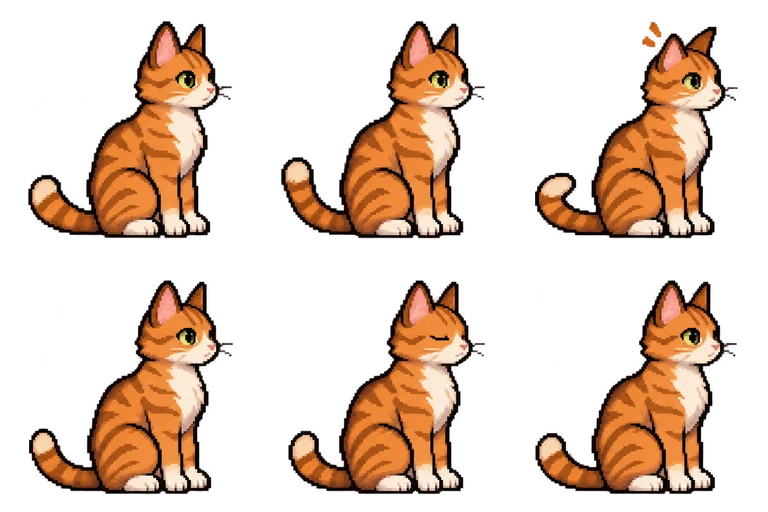
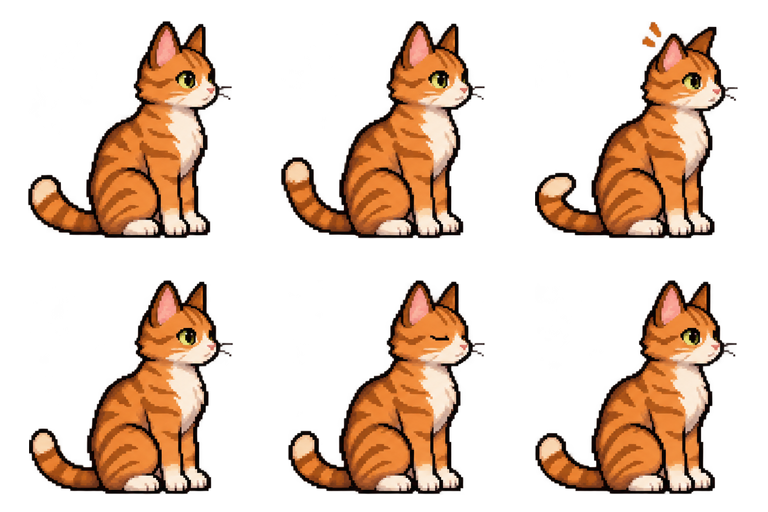
Sheet · 3×2 · 6 frames Cat
Three separate beats in six frames: the tail sways, an ear twitches in frame 3 and the eyes close in frame 5.
Described as
Orange tabby cat sitting upright with white paws and a long striped tail; side view facing right. A calm idle loop in 6 frames: the cat sits still, tail sways left and right, ears twitch in frame 3, slow blink in frame 5.

What makes an idle sprite animation loop cleanly
Most broken idles have the same few problems. The four examples above avoid them because the request says exactly what moves and what stays still.
Feet never move
Say it in the request. If the feet shift, the character looks like it is sliding on the floor every time the loop restarts.
One or two moving parts
Breathing plus one secondary part, a cape, a beard, a tail, a glow. More than that reads as fidgeting.
A beat you can name
A blink or an ear twitch in a named frame gives the loop a moment to look forward to and hides the restart.
Slow playback
Idles look best at 5 to 8 frames per second. The same six frames at 12 fps look nervous.
Is an AI idle sprite animation good enough for a real game?
For a prototype or a jam game, use it as it comes. For a release, treat it like a strong first pass: play it at your game’s scale, and touch up a pixel or two in Aseprite or another editor if an edge flickers. Make the idle from the same character you use for the walk and attack, so all three share one look and one ground line.
Make an idle sprite animation in four steps
Describe the character
Outfit or body, colors, and which way it faces. Upload a reference image to keep a design you already have.
Describe the idle
Name the frame count, what breathes or sways, one beat like a blink, and “feet never move”.
Play the loop
Watch it loop a few times. If the restart jumps, ask for “the last frame should lead back into the first”.
Download the sheet
Get the transparent PNG, or the full export with single frames, timing and a GIF preview.
Idle animation questions
How many frames should an idle sprite animation have?
Four to eight. These examples use six, which is enough for breathing plus one beat. Fewer than four frames tends to look like a twitch.
Is the AI idle sprite animation free?
New accounts get 20 free Credits to use within 30 days. A new character with a 6-frame idle costs 7 Credits. After that, packs start at $9 for 60 Credits.
Can I make an idle for a character I already drew?
Yes. Upload one clear full-body image as a reference and describe the idle. The reference guides the look; it does not copy every pixel.
What size are the frames?
Every cell is 256 × 256 px with a transparent background. Scale down with nearest-neighbor in your engine to keep the pixels sharp.
Can I sell a game with these idles?
Paid Credit packs and plans include commercial use. See Pricing for the current terms.