 SpriteFuse
How to Make an Alpaca Character Sprite for RPG Maker MZ
The built-in Character Generator only makes people. Start from the alpaca, fox, cat or shiba dog, or describe any animal, and get a 4-direction walk in the 3×4 layout MZ reads.
12 frames · Transparent PNG
The short answer
To make an alpaca character sprite for RPG Maker MZ, you need a 3×4 sheet: four rows facing down, left, right and up, with step, stand and step in each row. MZ’s Character Generator has no animal parts, so you draw it, buy it, or generate it.
With SpriteFuse, describe the alpaca, say it walks on four legs, and choose 4-direction walk. You get the 12 frames on a transparent background, then download at 48 px with a $ file name for img/characters. The alpaca below took one request; the fox, cat and dog show the same method works for other animals.
An alpaca and three more animals that walk in MZ
All four sheets are single SpriteFuse generations with no hand edits.
Playing 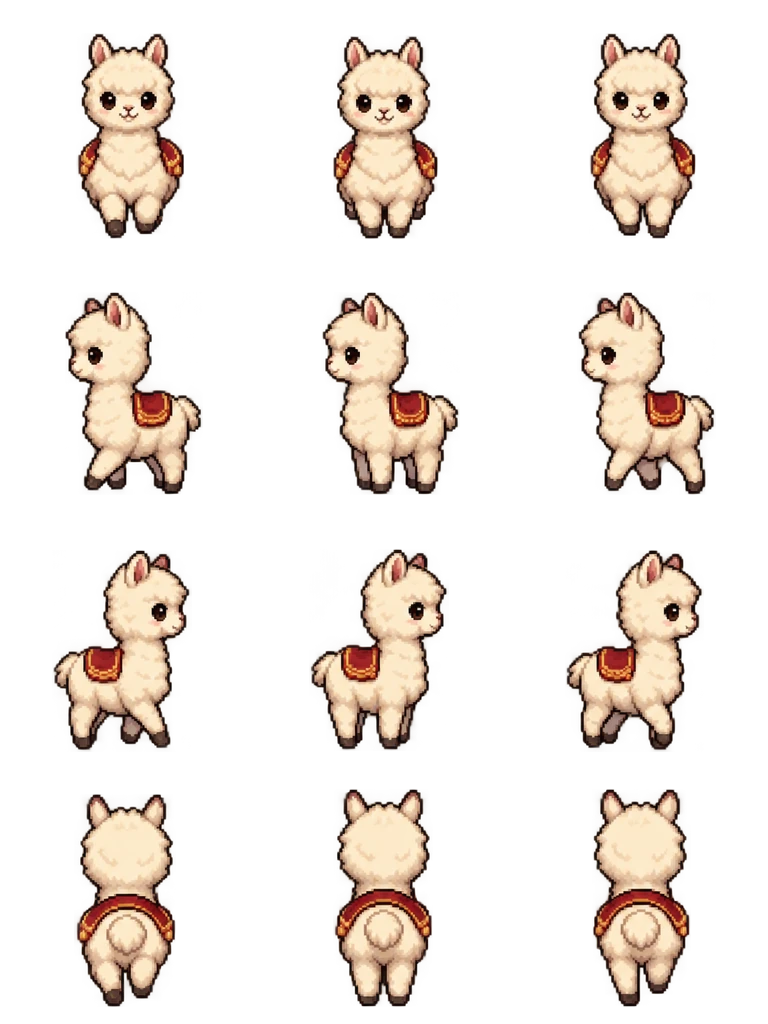
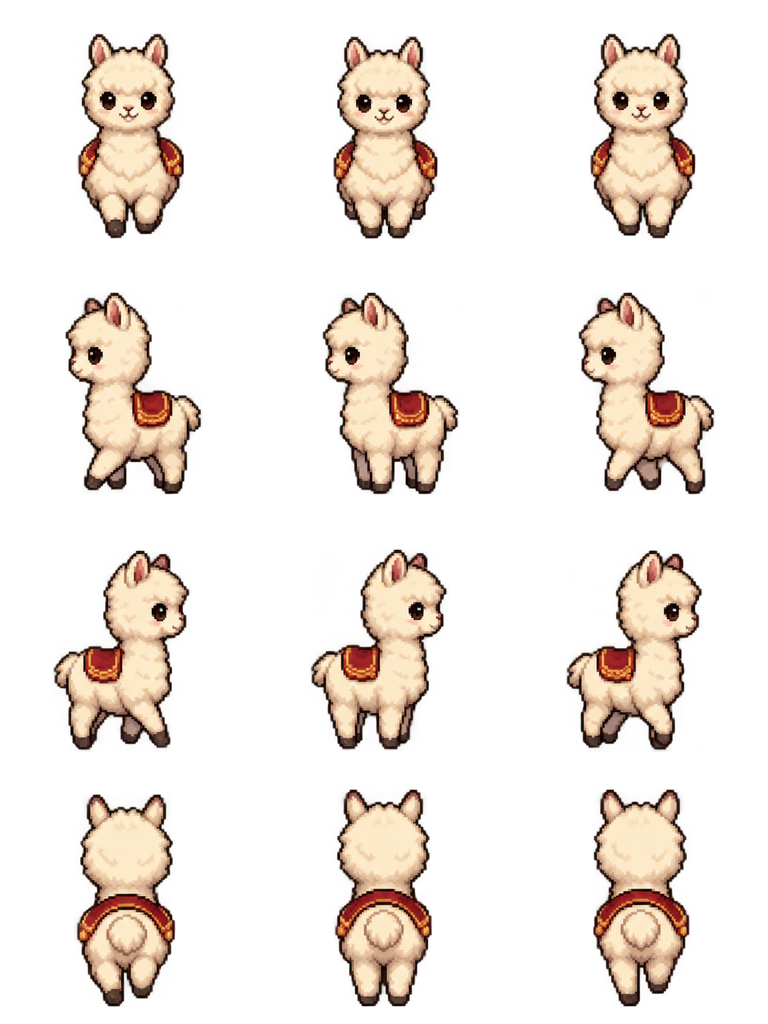
Sheet · 3×4 · 12 frames Alpaca
The long neck stays upright in the side rows and the saddle blanket shows from every angle, so the alpaca reads at 48 px.
Described as
Fluffy cream-colored alpaca with a small red saddle blanket, walking on four legs. Classic 16-bit JRPG map character style like RPG Maker MZ: chibi proportions, big head, crisp pixel art.
Playing 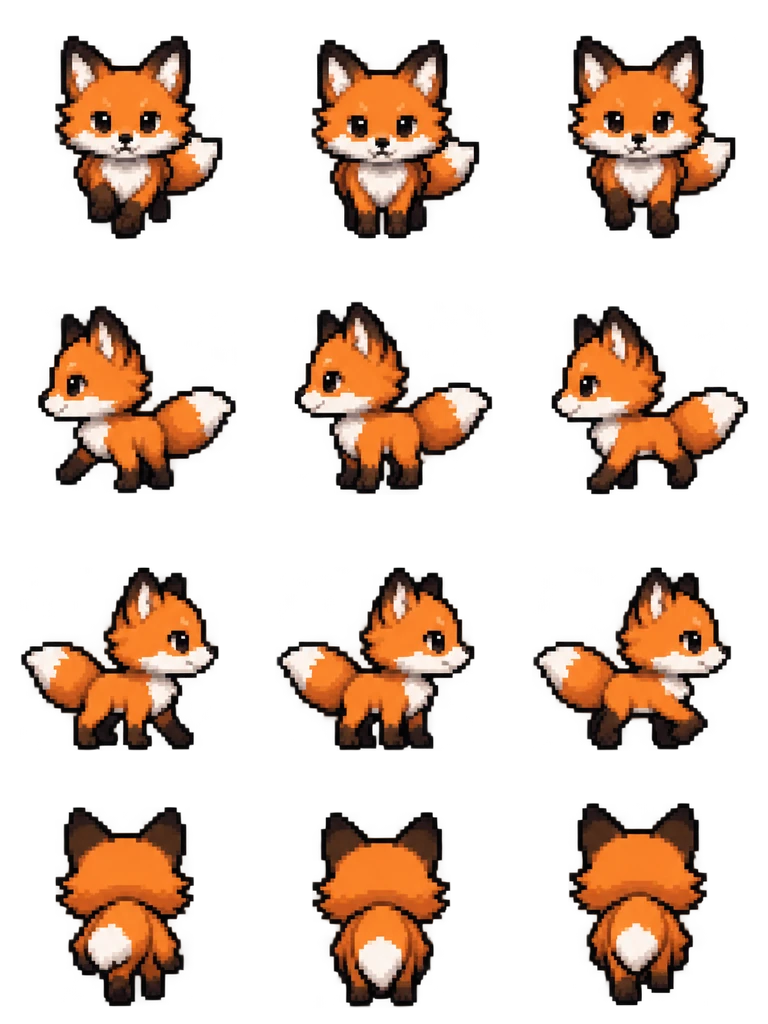
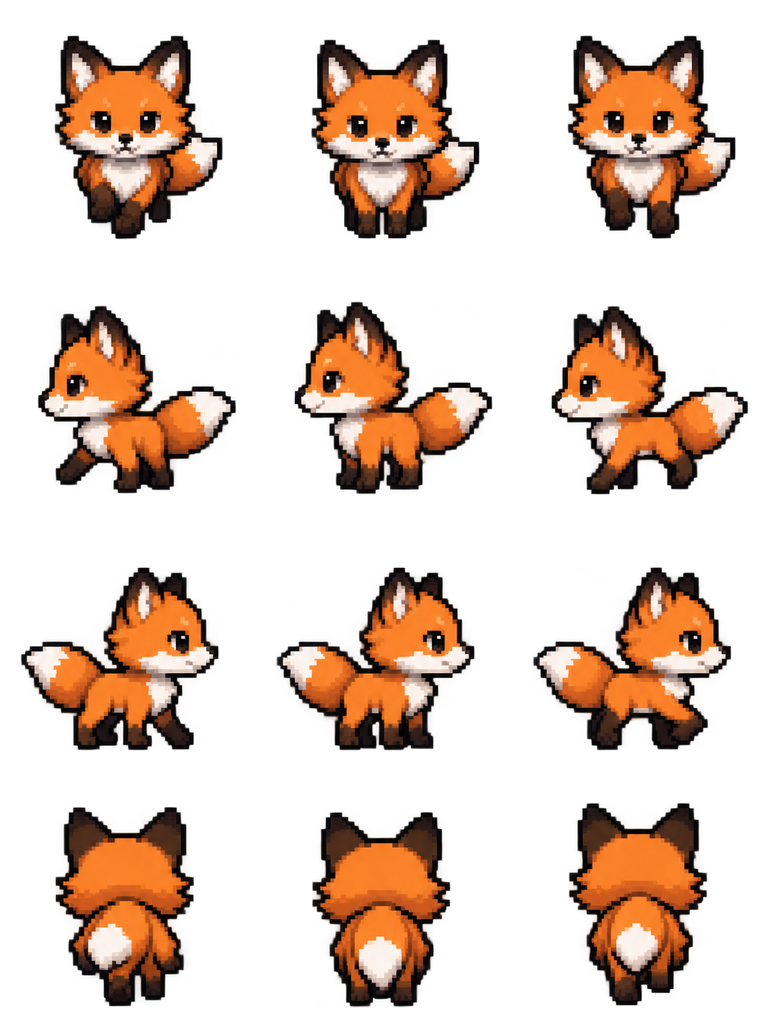
Sheet · 3×4 · 12 frames Fox
The tail points away from the walking direction in each side row, and the white tip is the clearest part of the back view.
Described as
Orange fox with a white-tipped tail, walking on four legs. Classic 16-bit JRPG map character style like RPG Maker MZ: chibi proportions, big head, crisp pixel art.
Playing 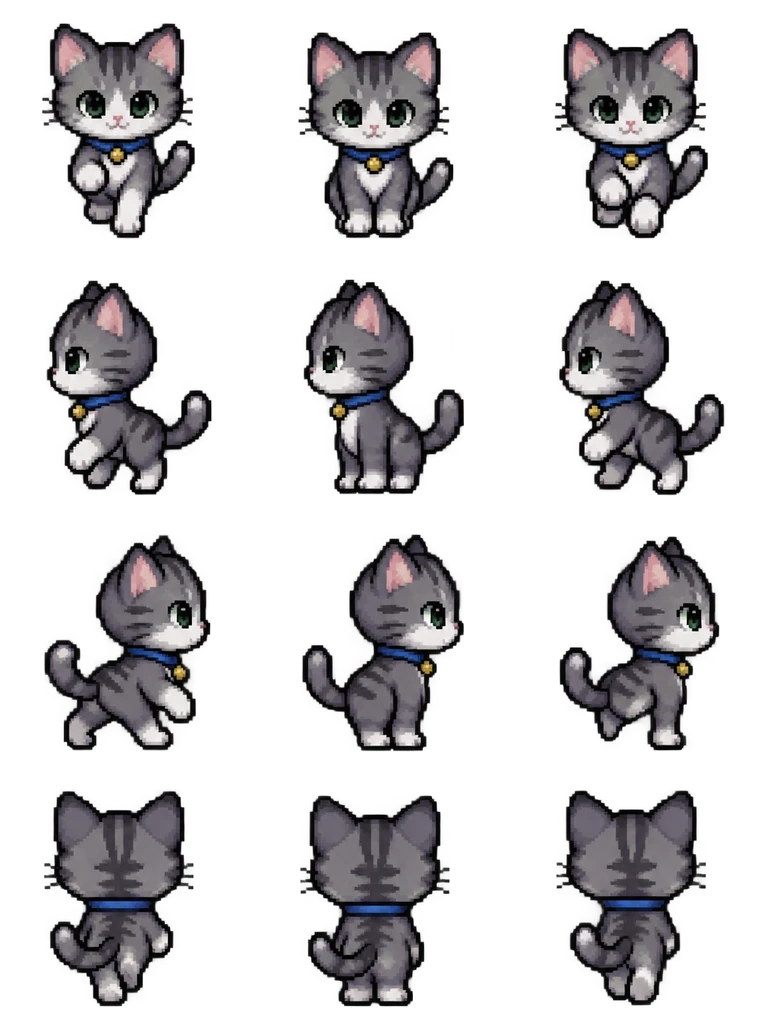
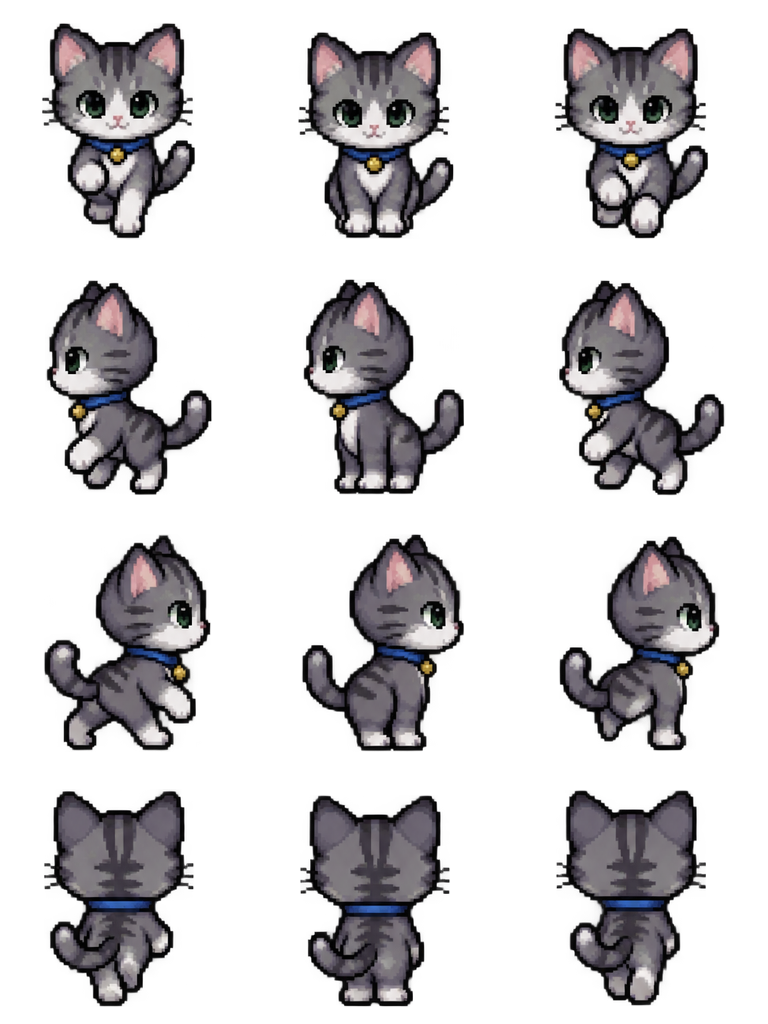
Sheet · 3×4 · 12 frames Cat
Stripes and the blue collar stay the same in all 12 frames; the tail curls up in the back row.
Described as
Gray tabby cat with a blue collar, walking on four legs. Classic 16-bit JRPG map character style like RPG Maker MZ: chibi proportions, big head, crisp pixel art.

Playing 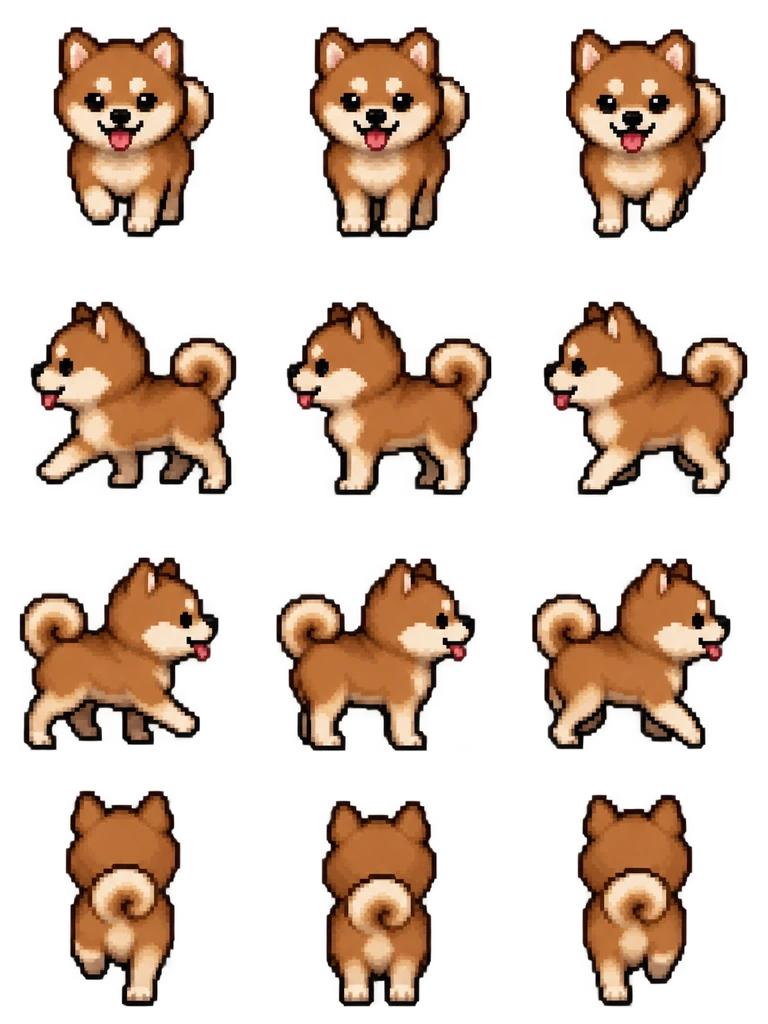
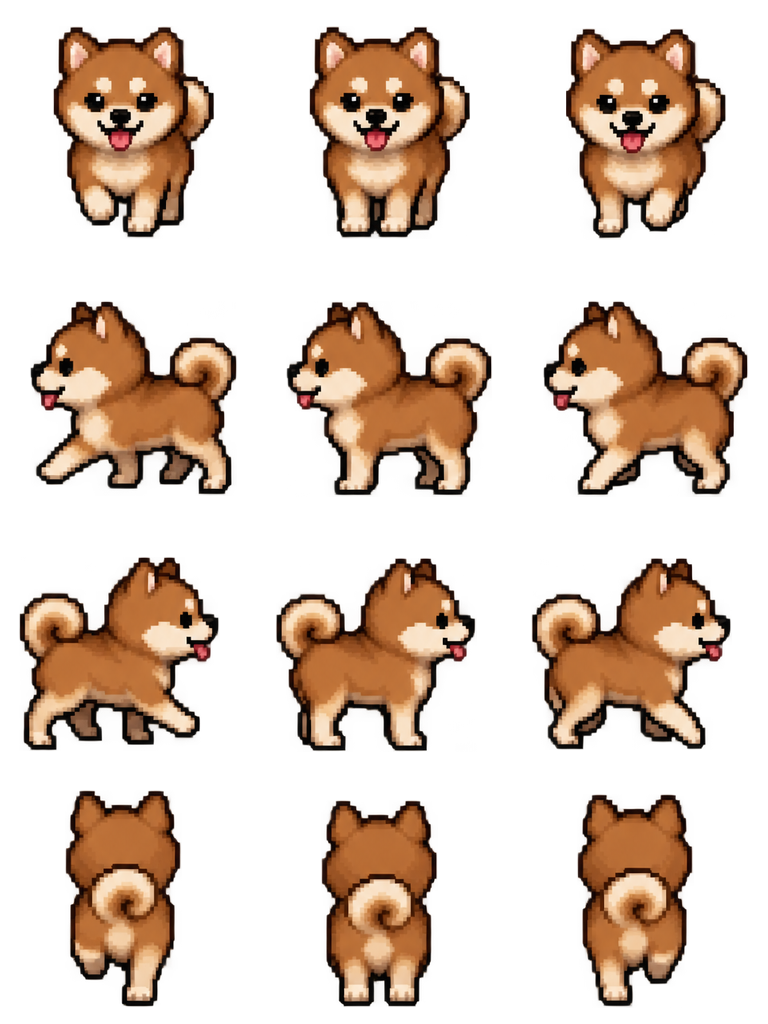
Sheet · 3×4 · 12 frames Shiba dog
The curled tail stays curled in every frame, which is what makes it read as a shiba and not a generic dog.
Described as
Brown shiba inu dog with a curled tail, walking on four legs. Classic 16-bit JRPG map character style like RPG Maker MZ: chibi proportions, big head, crisp pixel art.
What changes when the character walks on four legs
An animal still uses the 3×4 grid and the same row order, but its body is wider than it is tall from the side. That leaves less room for the head inside a 48 px cell, so the head and the legs need to stay big.
Say “walking on four legs”
All four requests below include it. It fixes the posture, so the side rows show four legs moving instead of leaving the generator to guess.
Keep the head big
“Chibi proportions, big head” keeps the face readable when the alpaca or fox shrinks to the map size.
Give it one marker
A saddle blanket, collar or tail tip. One strong color marker makes the animal recognizable from the back row, where the face is hidden.
Check the side rows first
Left and right are where four-legged walks fail. Play them before you look at the front and back.
Using the alpaca character sprite for RPG Maker MZ in a project
Use the file as an event image for a pet, a mount or a townsfolk animal, or as an actor’s character image if the alpaca joins the party. Set the event’s movement to Random for grazing, or to Approach for a pet that follows. Turn Stepping on if the animal should animate while it stands still.
Make an alpaca character sprite for RPG Maker MZ in five steps
Describe the alpaca
Color, one marker such as a saddle blanket, and “walking on four legs”.
Choose 4-direction walk
The layout is fixed at 3×4 in MZ order. You do not set rows or columns yourself.
Play the left and right rows
Make sure all four legs move and the neck stays up. If not, ask the editor for a fix and keep the same alpaca.
Download at 48 px
The file name starts with $, so MZ treats it as one character. Put it in img/characters.
Place it as an event
Pick the alpaca as the event image, set a movement route, and playtest it walking around the map.
Animal sprite questions
Can the RPG Maker MZ Character Generator make an alpaca?
No. Its parts are for human characters. An alpaca character sprite for RPG Maker MZ, or any other animal, needs a separately drawn, bought or generated sheet.
Will the alpaca be the same size as my human characters?
It fills the same 48 px cell. An animal looks smaller than a person at the same cell size because its body is long, which usually reads correctly on the map.
Can I make the alpaca ride-able or carry a rider?
Describe the rider in the request and it becomes part of the same character. A separate rider that gets on and off needs its own sheet.
Is it free to try?
New accounts get 20 free Credits to use within 30 days. One new animal with a 12-frame walk costs 8 Credits, so you can try 2 animals. Packs start at $9 for 60 Credits.