 SpriteFuse
2D Character Sprite with a Sword Generator: 4 Sword Attacks
A still swordsman is easy; a sword that actually swings is the hard part. Start from the knight, samurai, pirate or elf, or describe your own fighter, and get an 8-frame attack sheet.
Try it free. Start with text or upload a character.
The short answer
To generate a 2D character sprite with a sword, describe the character, the sword and the hand that holds it. For a game you usually need more than one image: the same character swinging the sword in a short sequence, cut into equal frames.
SpriteFuse does both in one request. Describe the fighter and the slash, and it returns an 8-frame attack on a transparent sheet: ready stance, wind-up, the slash with a swoosh arc, follow-through and recovery. The four sheets below are real results for a knight, a samurai, a pirate and an elf.
Four real attacks, each a 2D character sprite with a sword
Each sheet is a single SpriteFuse generation, unedited. All four face right and end in the pose they start from, so the attack can return to an idle without a jump.
Playing 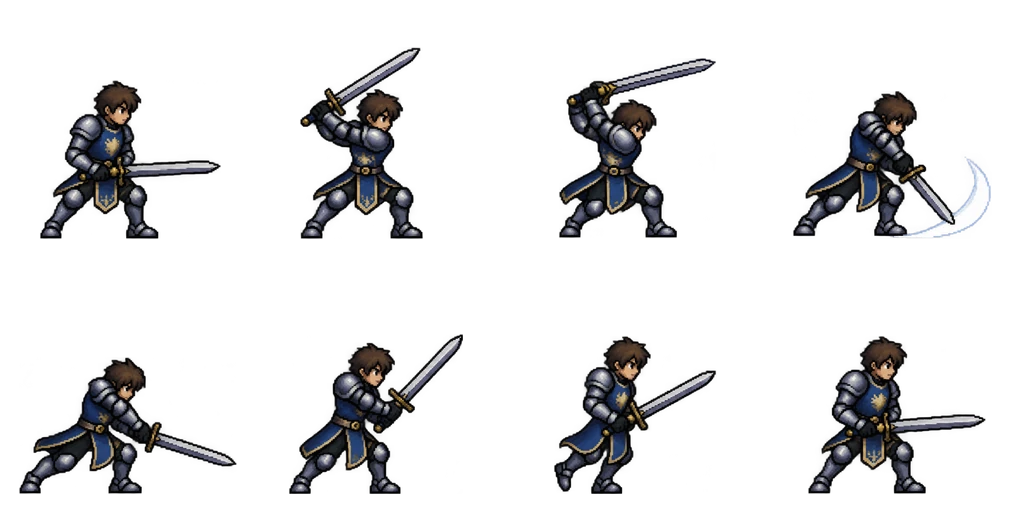
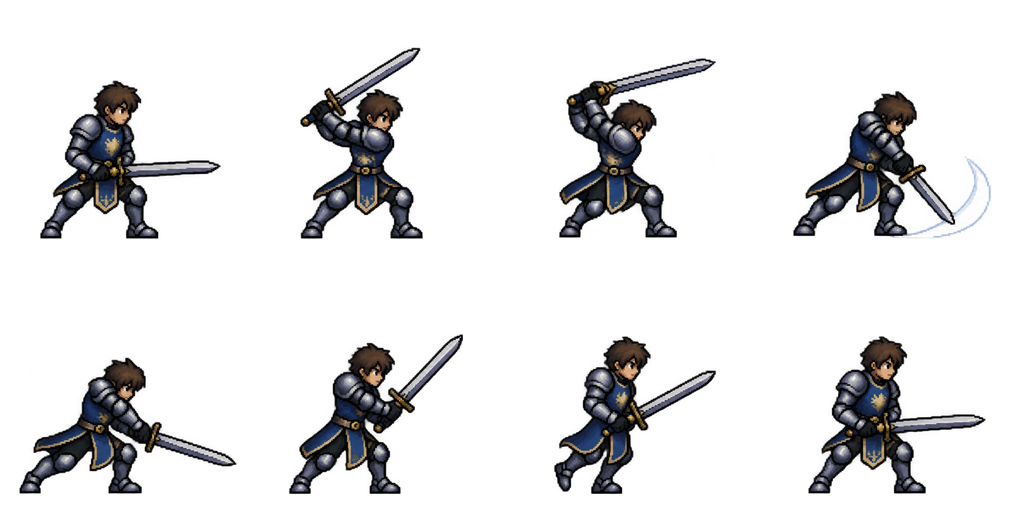
Sheet · 4×2 · 8 frames Knight
A two-handed overhead chop with a big wind-up. The request asked for a helm and the result left it out, so check headgear when you write your own.
Described as
Armored knight in steel plate with a blue tabard, open-face helm and a longsword in both hands; side view facing right. Ready stance, raise the sword over the back shoulder, deep wind-up, diagonal downward slash with a short white swoosh arc, follow-through, recover, step back, ready stance.
Playing 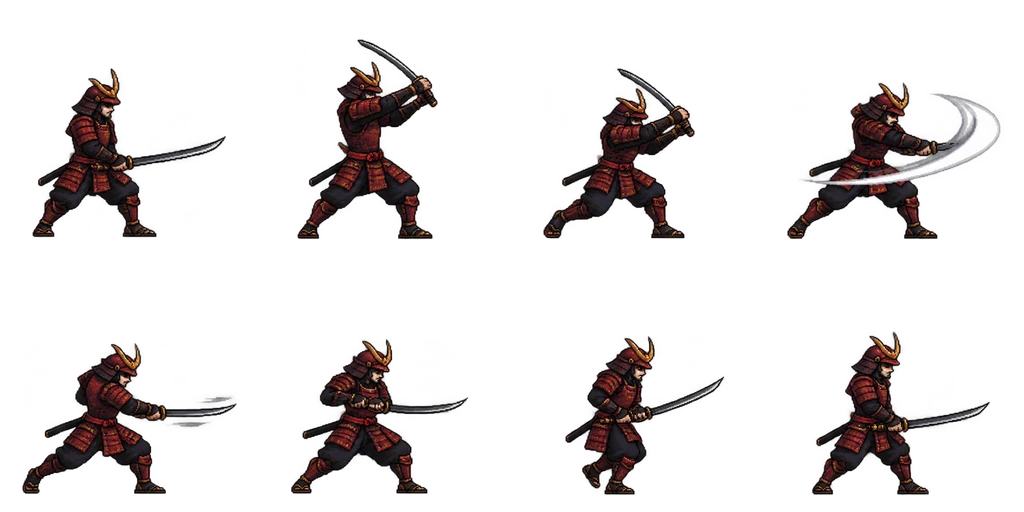
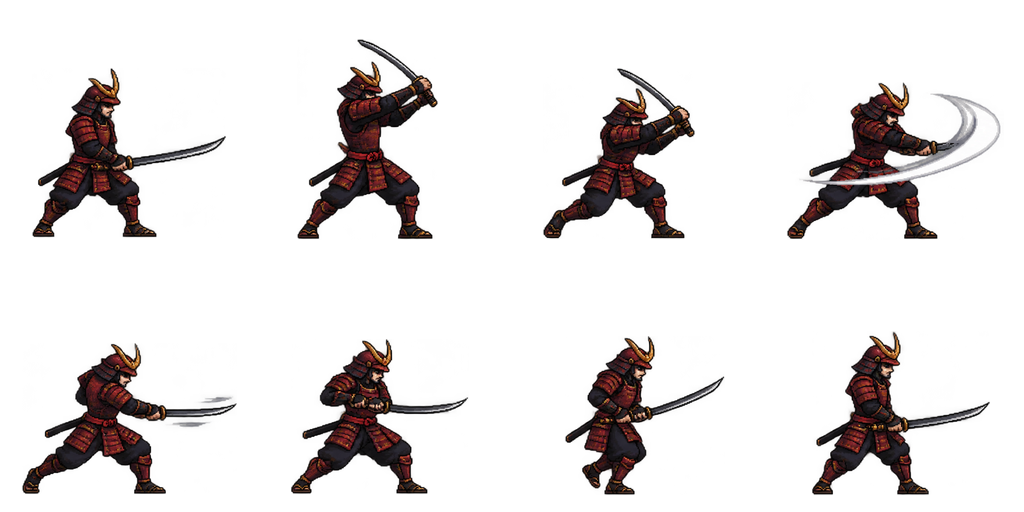
Sheet · 4×2 · 8 frames Samurai
The horizontal arc in frame 4 is the widest of the four. The crest on the helmet stays the same in every frame.
Described as
Samurai in dark red lamellar armor with a katana; side view facing right. Ready stance with the katana drawn, raise it overhead, step in, fast horizontal slash with a white swoosh arc, follow-through, turn the blade back, step back, ready stance.
Playing 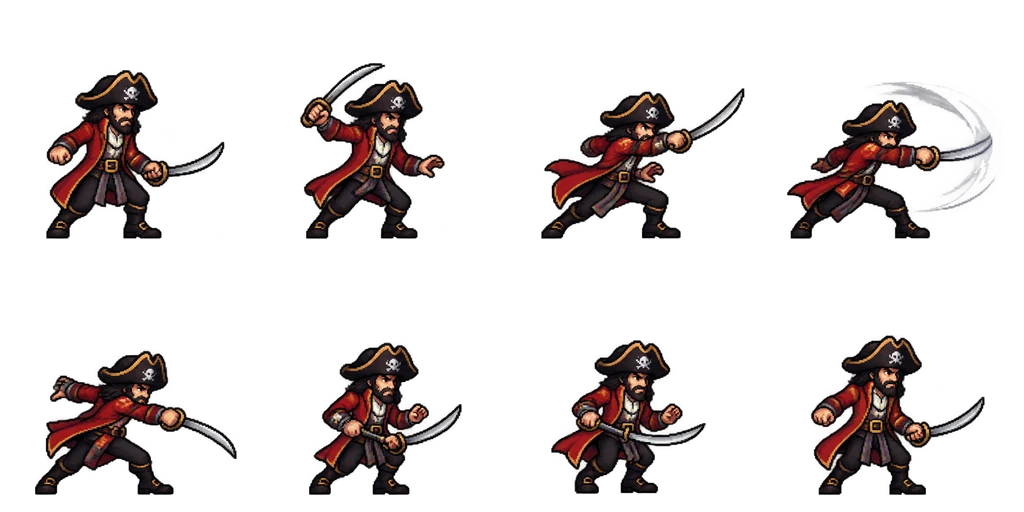
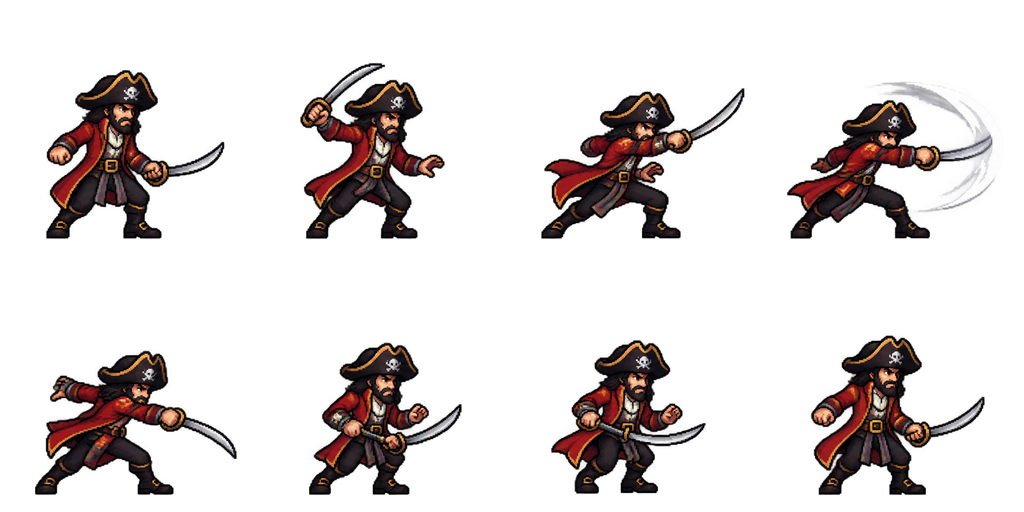
Sheet · 4×2 · 8 frames Pirate
A lunge instead of a chop: the body travels forward in frames 3 and 4 and the coat tails follow.
Described as
Pirate captain with a black tricorn hat, red coat and a curved cutlass; side view facing right. Ready stance, draw the cutlass back, lunge forward, thrusting slash with a white swoosh arc, follow-through, recover, step back, ready stance.
Playing 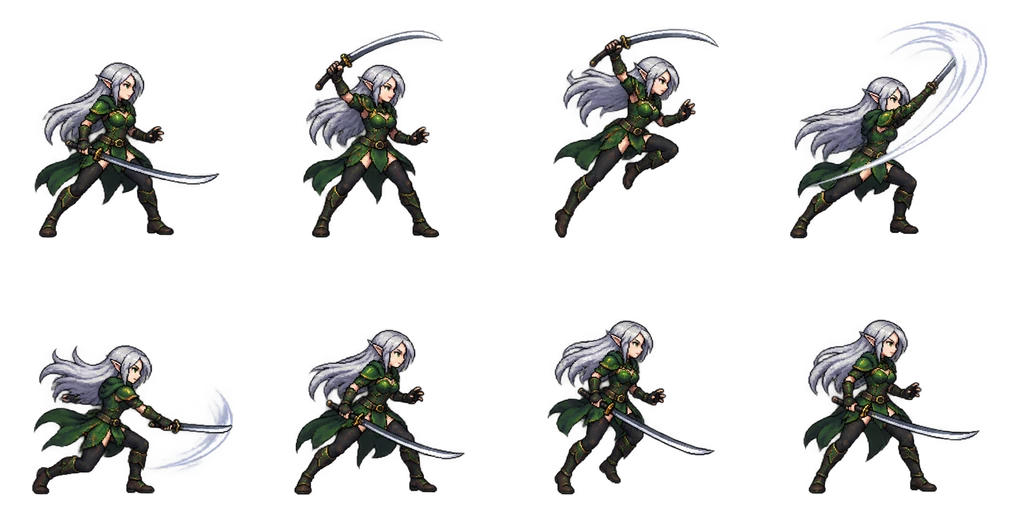
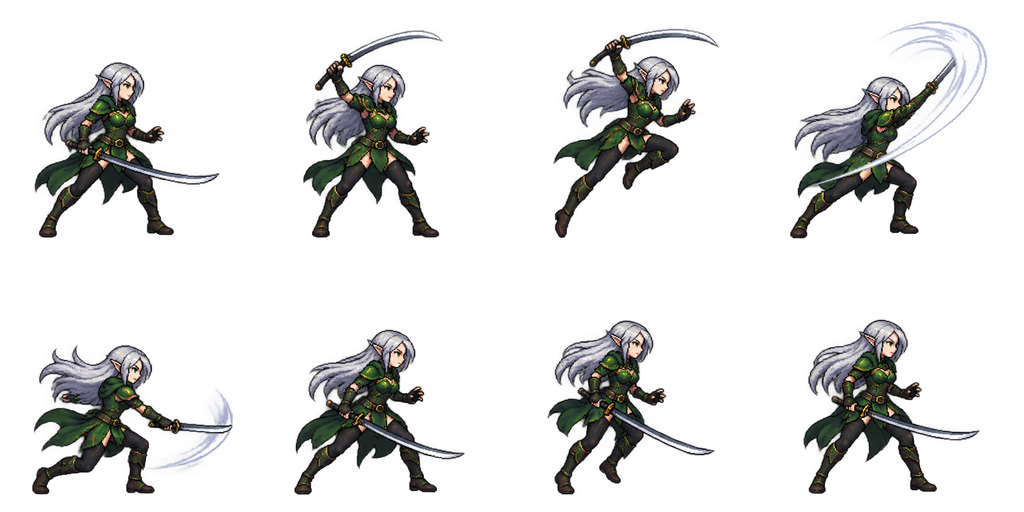
Sheet · 4×2 · 8 frames Elf
The fastest-looking of the four: a small leap in frame 3 and the long hair trailing behind the rising slash.
Described as
Elf swordswoman with long silver hair, green leather armor and a slim curved sword; side view facing right. Ready stance, spin the sword up, leap slightly forward, rising diagonal slash with a white swoosh arc, land with the follow-through, recover, step back, ready stance.
What to put in the request
A sword attack reads well when the request settles three things the generator would otherwise guess. Every description above covers all three.
The sword and the grip
Longsword in both hands, katana, cutlass, slim curved sword. The weapon’s shape decides the arc.
The direction of the cut
Downward chop, horizontal slash, thrust, rising slash. One direction per attack keeps the eight frames clear.
Start and end in the same pose
Ending in the ready stance lets the attack blend back into an idle or a walk without a jump.
Using the attack in your game
Play frames 1 to 3 as the wind-up, frame 4 as the hit and the rest as recovery. Most engines let you put the damage check on one frame: put it on frame 4, where the swoosh arc is drawn. If your character also needs to walk, make the walk from the same character in the editor so the two sheets share the same look, scale and ground line.
From a description to a sword attack in your game
Describe the character and the sword
Outfit, colors, the sword type and which hand holds it.
Describe the attack in order
List the poses, or name the cut and add “starts and ends in the ready stance”.
Play it and look at frame 4
That is the hit. If the arc is too small or the wind-up too short, ask for it in the editor.
Export and set the hit frame
Download the sheet or the frames ZIP, import it, and put the damage check on the slash frame.
Sword sprite questions
Can I get just one still image of a character with a sword?
Yes. The sprite character generator makes one still character. Use the sheet generator when the sword should swing.
Can the character face left?
Ask for it in the request, or flip the sheet in your engine. Flip the whole sheet, not single frames, so the sword stays in the same hand.
Can I add a second weapon or a shield?
Yes, describe it. Keep the attack to one clear cut, so the extra item does not cover the swing.
What does one attack cost?
A new character with an 8-frame attack costs 7 Credits. New accounts get 20 free Credits to use within 30 days, and packs start at $9 for 60 Credits.
Can I sell a game with these sprites?
Paid Credit packs and plans include commercial use of what you generate. See Pricing for the current terms.