 SpriteFuse
RPG Maker MV Attack Animation Sprite Sheet: 4 Battle Attacks
Start from a sword slash, a bow shot, a spell or a punch combo, or describe your own fighter. Each result is one 12-frame attack facing left, like a side-view battler.
12 frames · Transparent PNG
The short answer
An RPG Maker MV attack animation sprite sheet from SpriteFuse is one attack in 12 frames: wind-up, strike and recovery, drawn facing left the way side-view actors face the enemy. Each sheet is a 4×3 grid of 256 px cells on a transparent background.
It is not a complete side-view battler. The default MV actor file holds 54 cells: 18 motions of 3 frames each, from idle to dead. A 12-frame attack gives you a longer, smoother strike than those 3 frames, for a battle plugin that plays custom frame sequences, or you pick the 3 strongest frames for the attack row of a battler you assemble yourself.
Four real RPG Maker MV attack animation sprite sheet examples
Each sheet is one SpriteFuse generation with no hand edits. All four face left and keep the feet on one line, so they can stand in the same battle row.
Playing 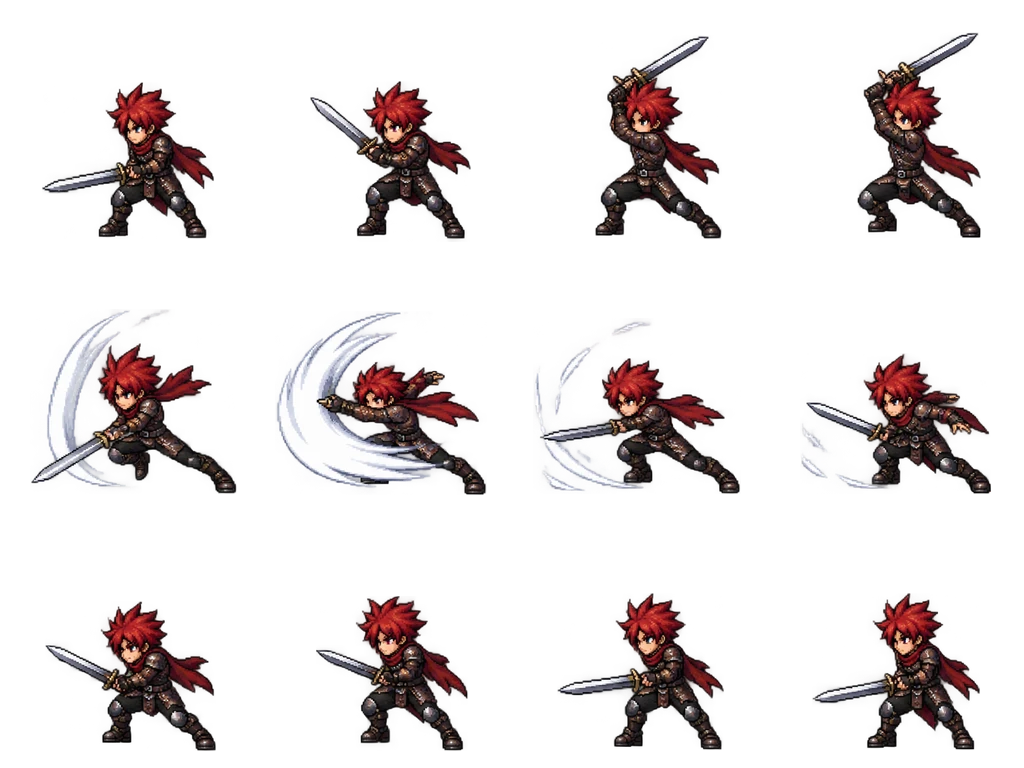
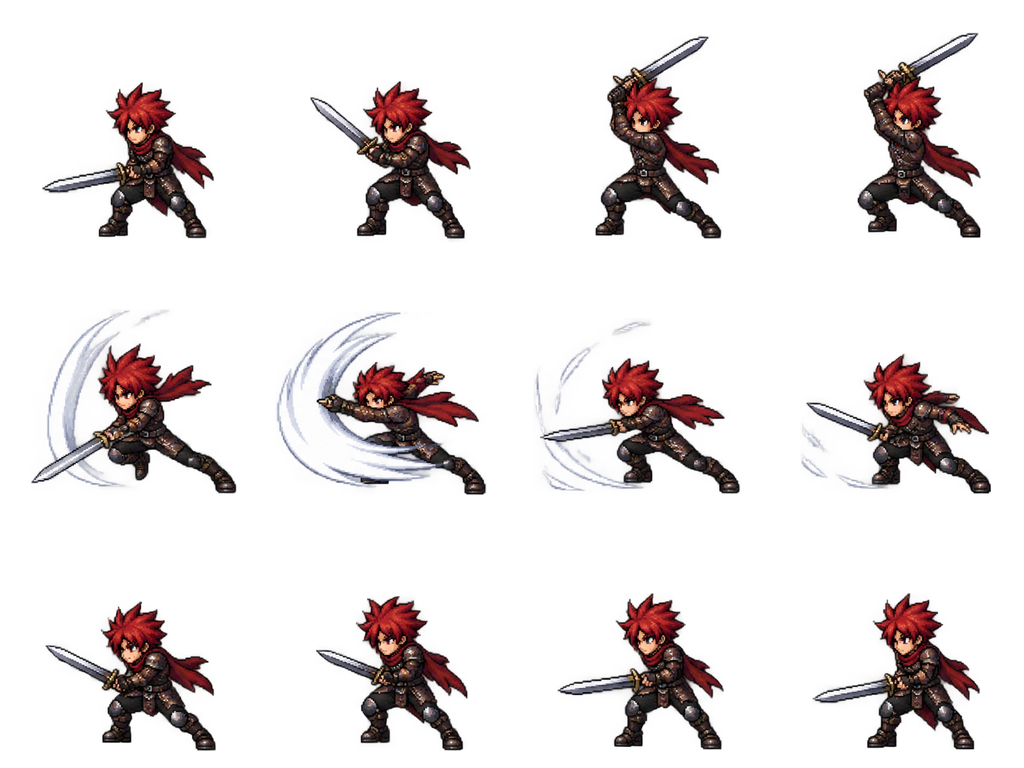
Sheet · 4×3 · 12 frames Swordsman
Row 1 is the wind-up, row 2 the lunge with the swoosh arc, row 3 the recovery. The arc is part of the frames, not a separate effect.
Described as
Swordsman hero with spiky red hair, leather armor and a steel sword. Sword slash: wind-up, lunge with a diagonal slash and a white swoosh arc, recovery to stance.
Playing 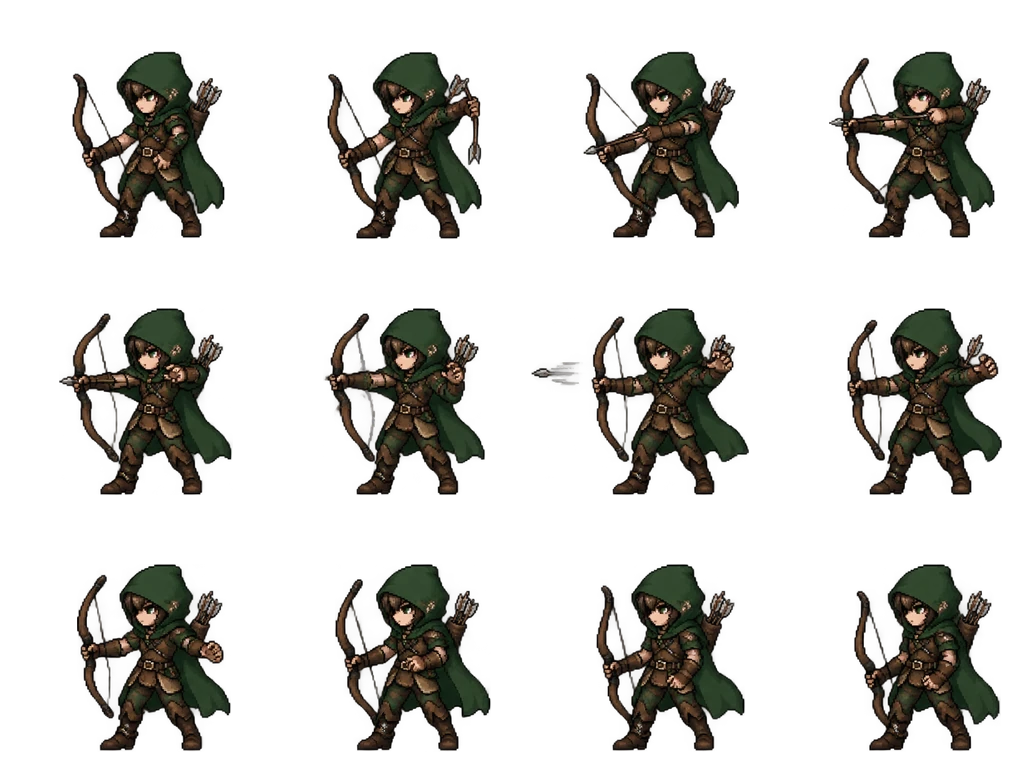
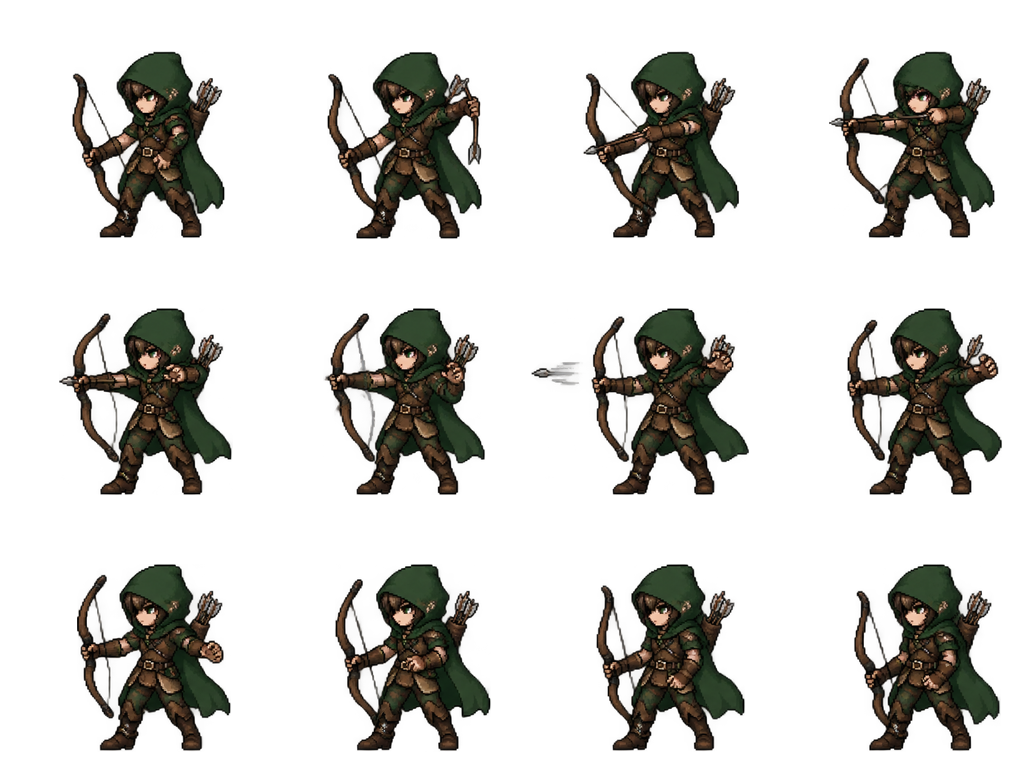
Sheet · 4×3 · 12 frames Archer
The arrow leaves the bow in frame 7. The bow stays in the left hand in all 12 frames.
Described as
Archer with a green hood, brown leather tunic and a longbow. Bow shot: nock, full draw, release with the arrow leaving, recovery to stance.
Playing 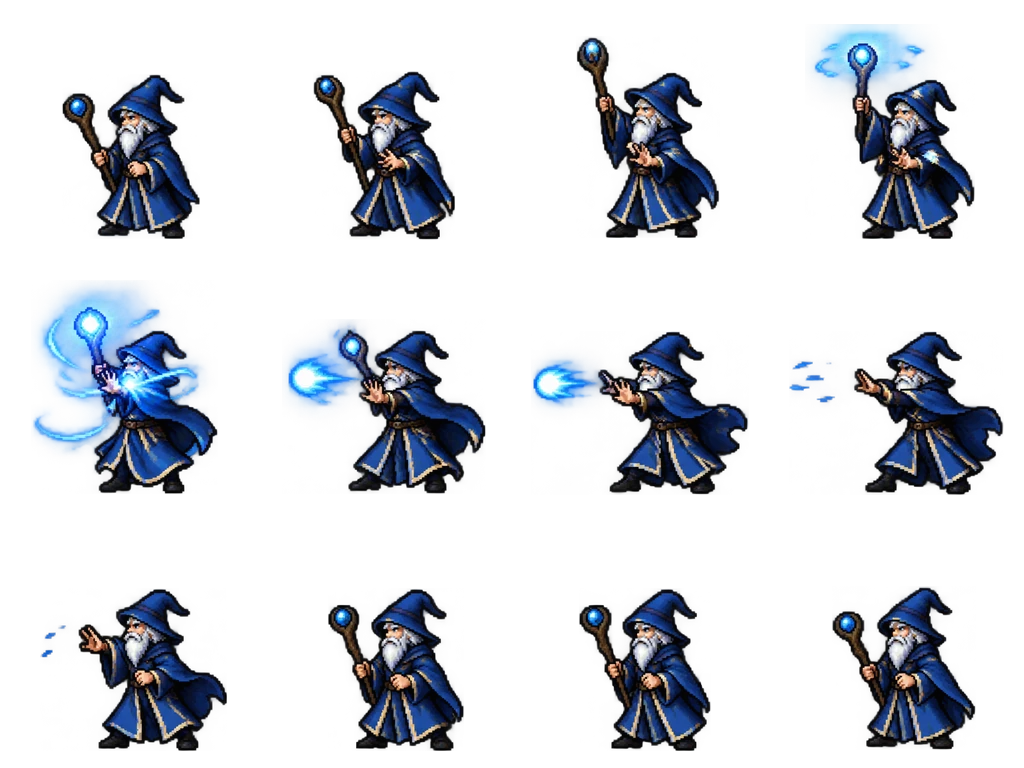
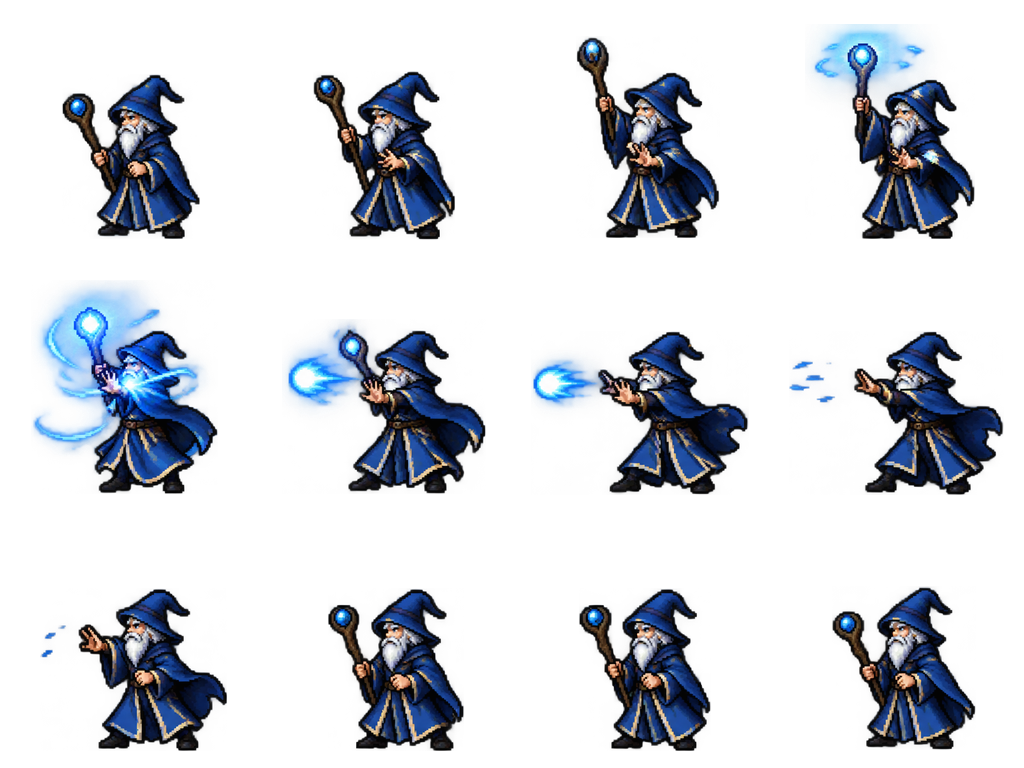
Sheet · 4×3 · 12 frames Mage
The blue light gathers above the staff in row 1 and leaves as a bolt in row 2, so the cast reads without a separate spell animation.
Described as
White-bearded mage in a blue robe with a wooden staff. Spell cast: raise the staff, gather blue light, fire a small blue magic bolt, recovery to stance.
Playing 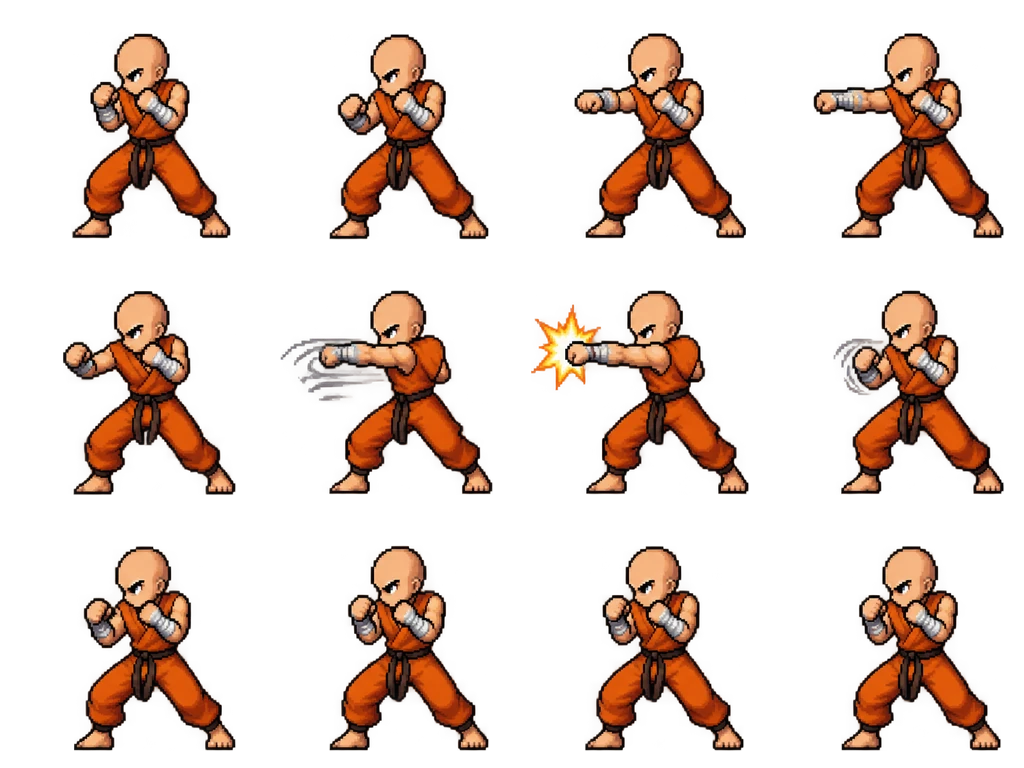
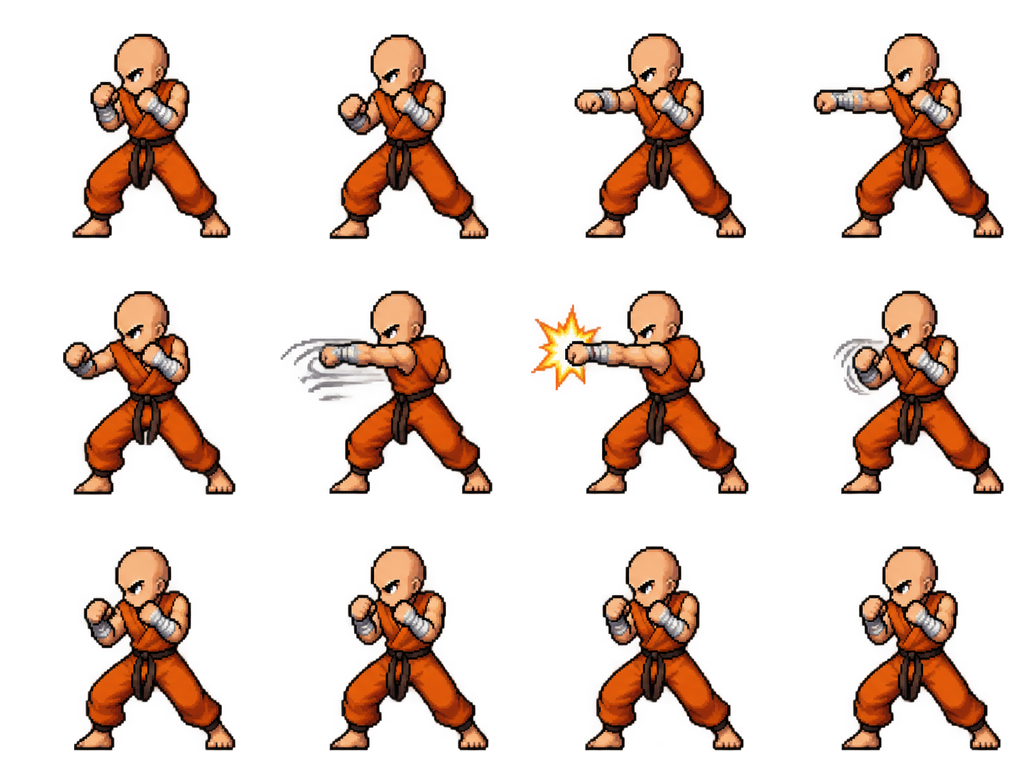
Sheet · 4×3 · 12 frames Monk
Two punches in one sheet: the jab in row 1 and the straight with an impact star in row 2.
Described as
Bald martial-arts monk in an orange gi with cloth wraps on the hands. Punch combo: guard, left jab, right straight punch with a small impact star, recovery to stance.
How a 12-frame attack fits an RPG Maker MV project
MV’s default side-view battle reads one actor file in img/sv_actors: 9 columns and 6 rows of 64 px cells, with every motion squeezed into 3 frames. A dedicated RPG Maker MV attack animation sprite sheet with 12 frames carries more motion than that, so it needs a place that plays more frames.
With a battle-motion plugin
Plugins that play custom frame sequences can load the 12 frames as one motion. Set the frame order left to right, then top to bottom.
In a battler you assemble
Choose the wind-up, contact and recovery frames, scale them to 64 px and paste them into the attack row of your own 9×6 actor file.
In another engine
Godot, Unity and GameMaker read the 4×3 grid directly. The export includes timing and the feet line in animation.json.
Why every sheet faces left
In MV side-view battles the party stands on the right and attacks toward enemies on the left, so actor art faces left. The generator keeps that facing in every frame. If your battle layout is mirrored, flip the whole sheet once; do not flip single frames, or the weapon swaps hands mid-attack.
From description to a playable attack
Describe the fighter and the weapon
Outfit, colors and the weapon in which hand. The weapon is what the eye follows during the attack.
Describe the attack in three beats
Wind-up, strike, recovery. Add one effect, like a swoosh arc or an impact star, if you want it drawn in.
Generate in battle action mode
The result is a 4×3 sheet facing left. Play it at a few speeds before you decide.
Ask for a fix if one beat is weak
Open it in the editor and ask for “a longer wind-up” or “a bigger arc”; the character stays the same.
Export and wire it up
Download the PNG and frames, then load them in your battle plugin or paste the key frames into your actor file.
Battle attack sprite sheet questions
Is this a full RPG Maker MV side-view battler?
No. It is one 12-frame attack. A default MV battler has 54 cells covering 18 motions, and one generation does not replace that file.
Can I get other actions for the same character?
Yes. Open the result in the editor and ask for a guard, hurt or victory pose. Each action is a new sheet with the same character.
Why 12 frames instead of 3?
Three frames show a pose change; twelve show a swing. That is the point of a separate RPG Maker MV attack animation sprite sheet. Use all 12 where your battle system can play them, or pick three of them for a default battler row.
How much does one attack cost?
A new character with a 12-frame attack costs 8 Credits. New accounts get 20 free Credits to use within 30 days, and packs start at $9 for 60 Credits.
Are the effects separate layers?
No. Swoosh arcs, bolts and impact stars are drawn into the frames on the transparent background, so they move with the character.