 SpriteFuse
RPG Maker MV Monster Sprites That Attack
Start from the goblin, the wolf, the skeleton or the orc, or describe your own enemy. Each result is one 8-frame attack facing right, the way side-view enemies face the party.
Try it free. Start with text or upload a character.
The short answer
RPG Maker MV monster sprites are enemy images in img/enemies or img/sv_enemies. MV draws each enemy as one still picture and adds a white flash when it attacks; it does not play attack frames on its own.
An animated-enemy plugin can play a frame sheet instead. SpriteFuse makes RPG Maker MV monster sprites as one attack in 8 frames, wind-up, hit and recovery, on a transparent background. It is not a full side-view battler with every motion; it is one attack per sheet, and frame 1 doubles as the still image.
Four RPG Maker MV monster sprites that attack
Each sheet is one SpriteFuse generation with no hand edits. All four face right and keep their feet on one line.
Playing 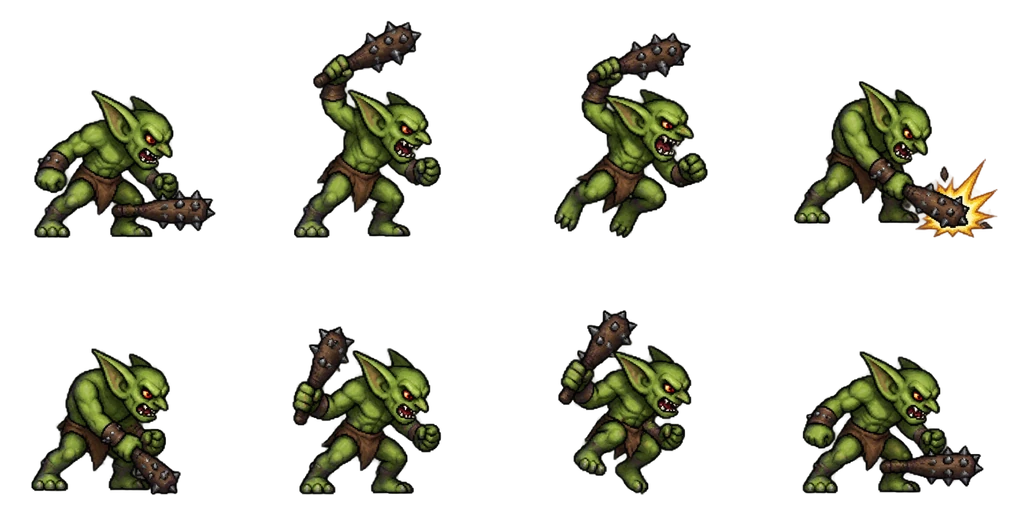
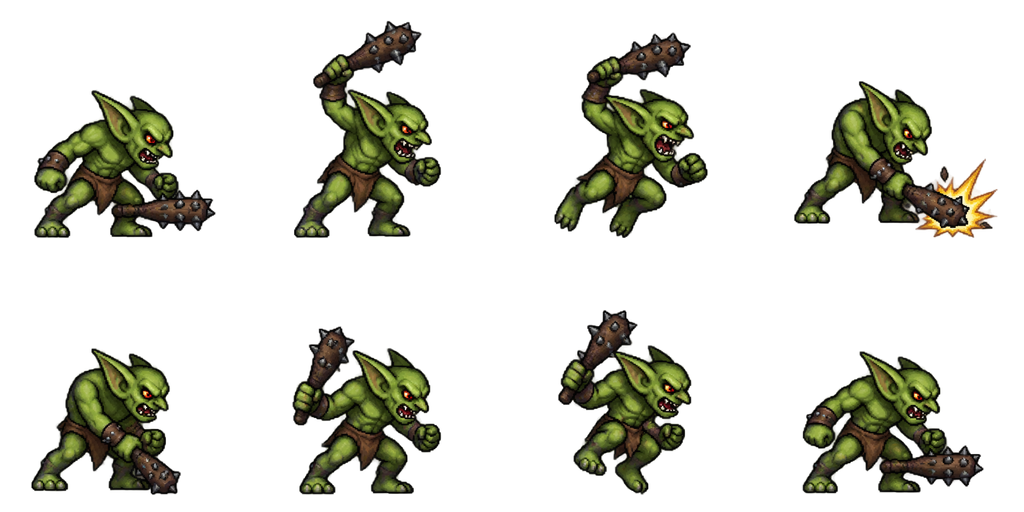
Sheet · 4×2 · 8 frames Goblin
The club stays in its hand through all 8 frames, and the impact star lands on frame 4, the hit.
Described as
Green goblin with big pointed ears, a brown loincloth, leather wristbands and a spiked wooden club that it holds in its right hand in every frame; side view facing right. Detailed 16-bit JRPG enemy battler style: clean pixel art, crisp dark outlines, limited palette, soft cel shading, readable silhouette. Hunched ready stance, raise the club overhead, leap slightly forward, smash it down with a small impact star, club on the ground, lift it, hop back, ready stance.
Playing 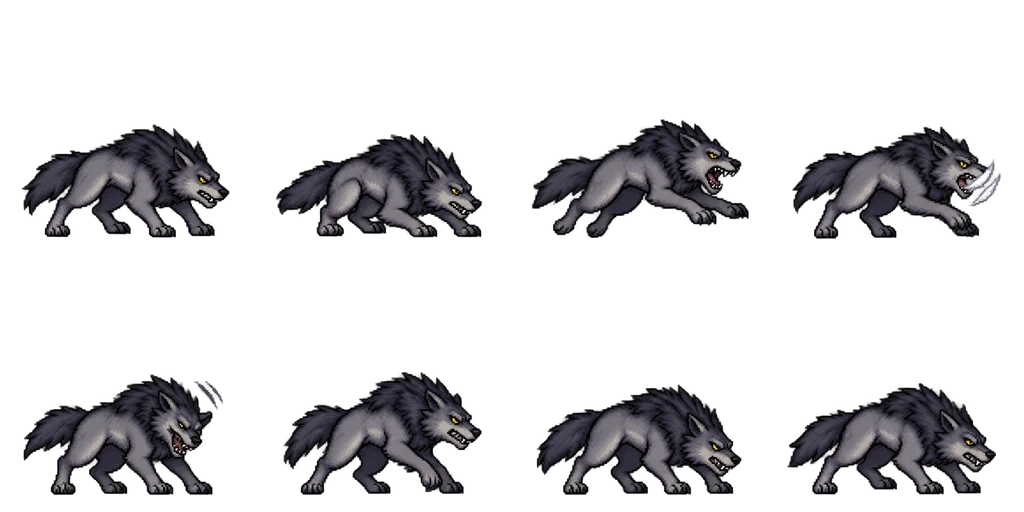
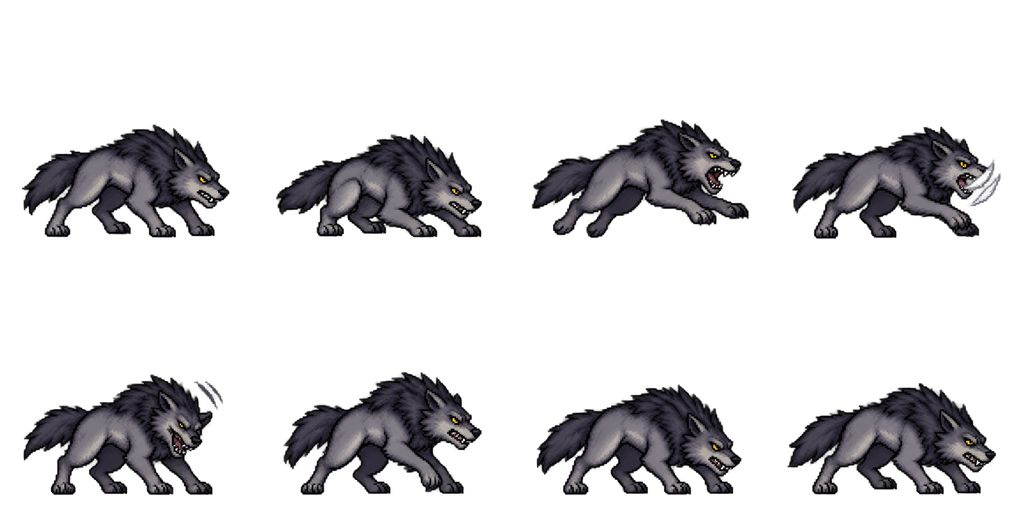
Sheet · 4×2 · 8 frames Dire wolf
The crouch in frame 2 and the long lunge in frame 3 make the bite read even at small battle sizes.
Described as
Gray dire wolf with a dark mane, yellow eyes and bared fangs, on all four legs; side view facing right. Detailed 16-bit JRPG enemy battler style: clean pixel art, crisp dark outlines, limited palette, soft cel shading, readable silhouette. Low growling stance, crouch back, lunge forward with jaws open, bite with a small white slash mark, land, step back, lower the head growling, low stance.
Playing 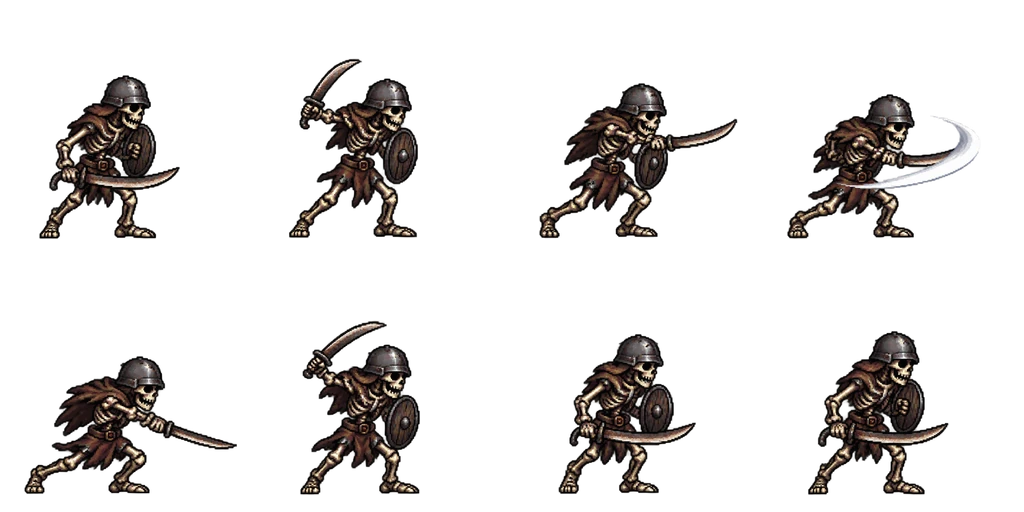
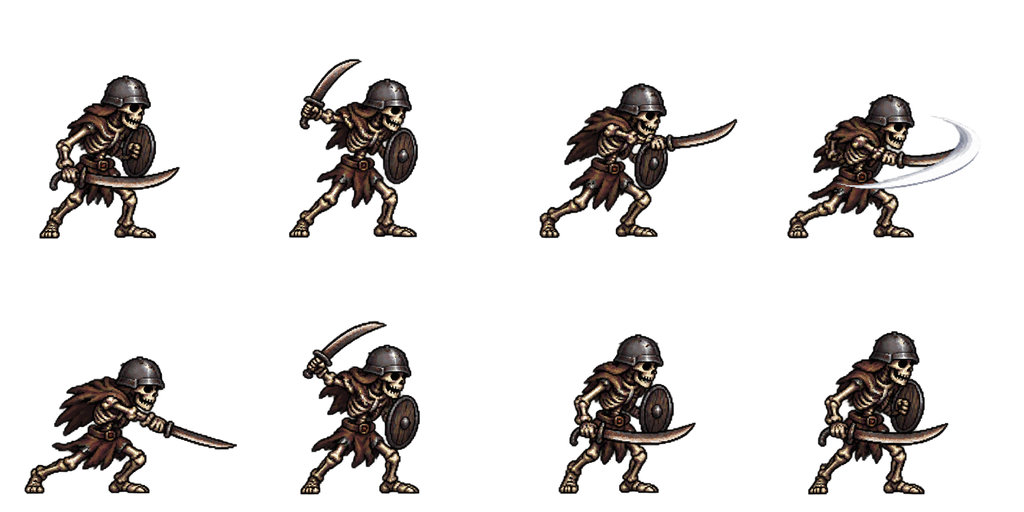
Sheet · 4×2 · 8 frames Skeleton soldier
The shield stays on the near arm through the whole slash, and the swoosh arc sits on frame 4 only.
Described as
Skeleton soldier with old bones, a dented iron helmet, a rusty scimitar and a small wooden shield; side view facing right. Detailed 16-bit JRPG enemy battler style: clean pixel art, crisp dark outlines, limited palette, soft cel shading, readable silhouette. Guard stance, pull the scimitar back, step in, horizontal slash with a short white swoosh arc, follow-through, recover with the sword up, step back, guard stance.
Playing 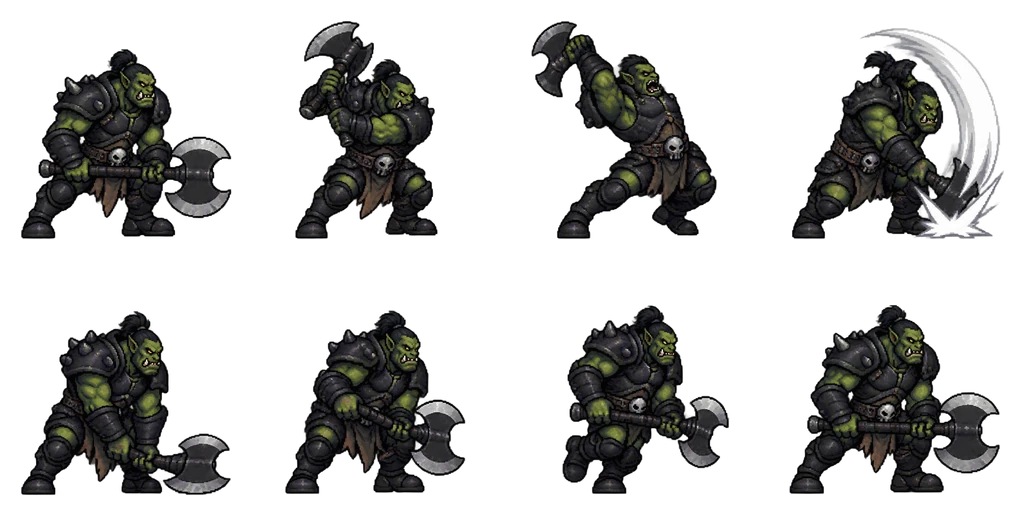
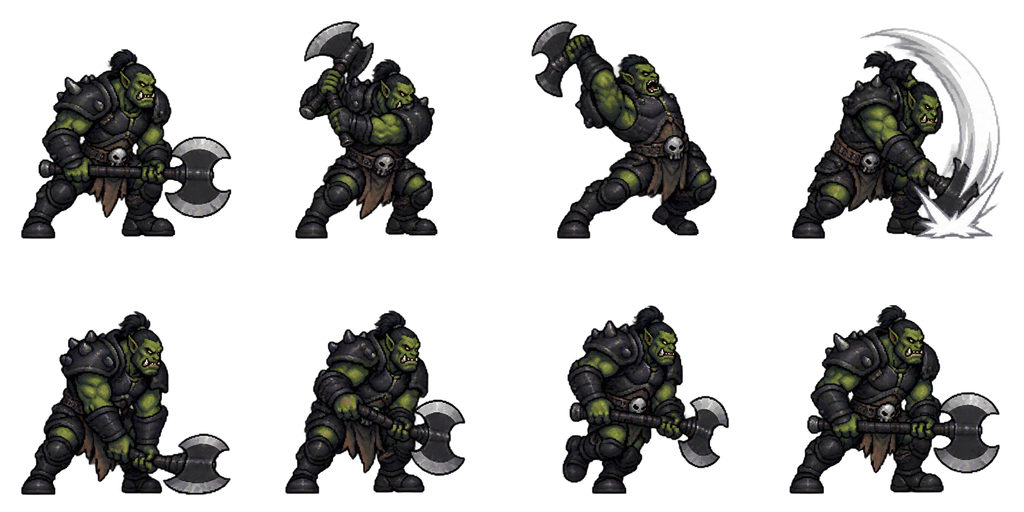
Sheet · 4×2 · 8 frames Orc warrior
A long two-frame wind-up before the chop gives the attack weight, which suits a boss or a mini-boss.
Described as
Hulking orc warrior with dark green skin, tusks, black iron armor and a big double-bladed axe; side view facing right. Detailed 16-bit JRPG enemy battler style: clean pixel art, crisp dark outlines, limited palette, soft cel shading, readable silhouette. Heavy ready stance, swing the axe back over the shoulder, deep wind-up leaning back, heavy overhead chop with a white arc and impact star, axe head on the ground, drag it up, step back, ready stance.
How MV shows an enemy attack
Without plugins, an MV enemy is a still image. When it acts, the image flashes white and the skill’s battle animation plays on the target. That is enough for many games, and any frame from the sheets above works as that still image.
Still: use frame 1
The ready stance is the clearest pose. Crop it and save it in img/enemies or img/sv_enemies.
Animated: use a plugin
Animated-enemy plugins play frames from a sheet when the enemy attacks. Check the layout the plugin expects and cut the frames to match.
Face right in side view
In MV side view, enemies stand on the left and face the party on the right, so these sheets face right.
One attack per sheet
Make the idle, hurt or death as separate sheets from the same monster, using the first sheet as a reference image.
Sizing RPG Maker MV monster sprites
Each of these RPG Maker MV monster sprites sits in a 256 × 256 px cell with transparent space around the monster. MV shows enemy images at their own size, so crop to the monster and resize it to fit your battle background, with nearest-neighbor scaling to keep the pixels sharp. Keep one scale for every enemy in a troop so a wolf and an orc stand at believable sizes.
Make RPG Maker MV monster sprites in four steps
Describe the monster and weapon
Body, colors, weapon or claws, “side view facing right”, and that it holds the weapon in every frame.
Describe the attack
Ready stance, wind-up, hit with one effect, recovery and back to ready, in 8 frames.
Check the hit frame
Play it once and look for a dropped weapon or a flipped body. Ask the editor for a fix if one frame is wrong.
Download and place
Get the transparent PNG. Use frame 1 as the enemy image, or give the sheet to your animated-enemy plugin.
Monster attack questions
Is this a full RPG Maker MV side-view battler sheet?
No. The MV actor battler format is 54 cells for 18 motions. These are enemy sheets with one 8-frame attack each, which is not a battler file and needs a plugin to animate.
Can the monster face left instead?
Yes. Ask for “side view facing left”, or mirror the sheet in any image editor.
Can I make a whole set for one monster?
Yes. Use the attack sheet as a reference and generate the idle, hurt and death as separate sheets, so all of them match.
Is it free to try?
New accounts get 20 free Credits to use within 30 days. A new monster with an 8-frame attack costs 7 Credits, so you can try 2. Packs start at $9 for 60 Credits.