 SpriteFuse
RPG Maker MZ Monster Sprites With Idle Loops
Start from the ogre, the golem, the mimic or the demon, or describe your own monster. You get a 6-frame idle on a transparent sheet, plus a still frame for the battle screen.
Try it free. Start with text or upload a character.
The short answer
RPG Maker MZ monster sprites are enemy images in img/enemies (front view) or img/sv_enemies (side view). By default MZ shows each enemy as one still picture, so any single frame from the sheets below works as is.
To make an enemy breathe or sway in battle, you need an animated-enemy plugin that plays a frame sheet. SpriteFuse makes RPG Maker MZ monster sprites as a 6-frame idle loop from one sentence, on a transparent background, so you can use the loop with a plugin and a single frame without one.
Four RPG Maker MZ monster sprites with idle loops
Each sheet is one SpriteFuse generation with no hand edits. All four face right, toward the party in a side-view battle, and keep their feet on one line.
Playing 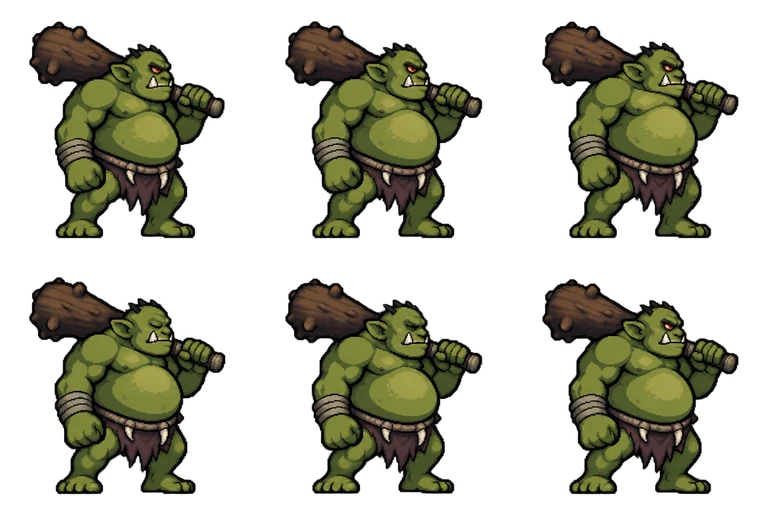
Sheet · 3×2 · 6 frames Ogre
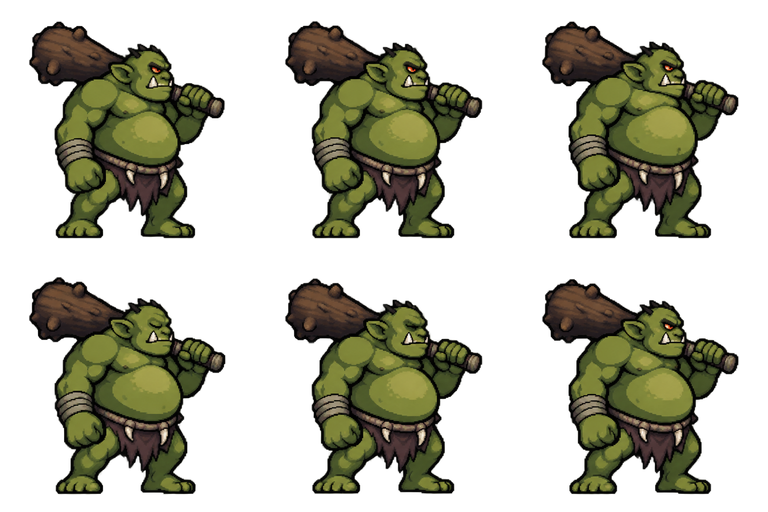
The belly carries the breathing and the eyes close in frame 4 as asked, which gives a heavy, slow beat.
Described as
Big green ogre with a round belly, one tusk, a loincloth and a huge wooden club resting on the shoulder; side view facing right. Detailed 16-bit JRPG enemy battler style: clean pixel art, crisp dark outlines, limited palette, soft cel shading, readable silhouette. A calm idle loop in 6 frames: the ogre breathes heavily, belly rises and falls, the club bobs slightly, slow blink in frame 4. Feet never leave the ground.
Playing 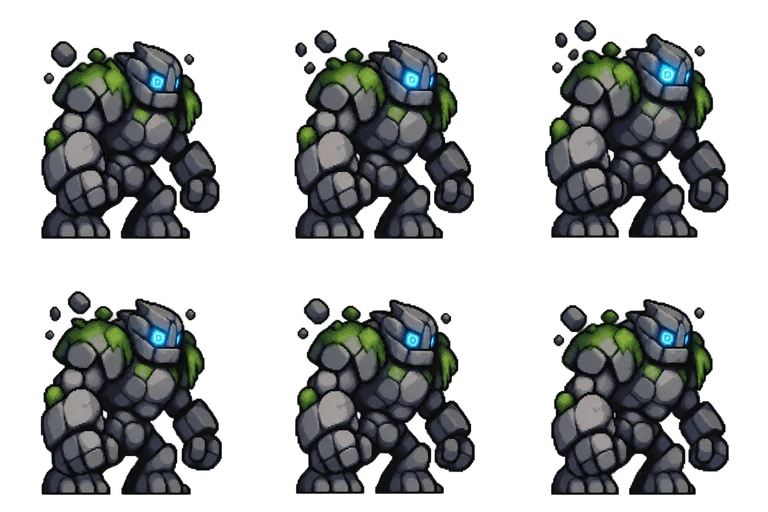
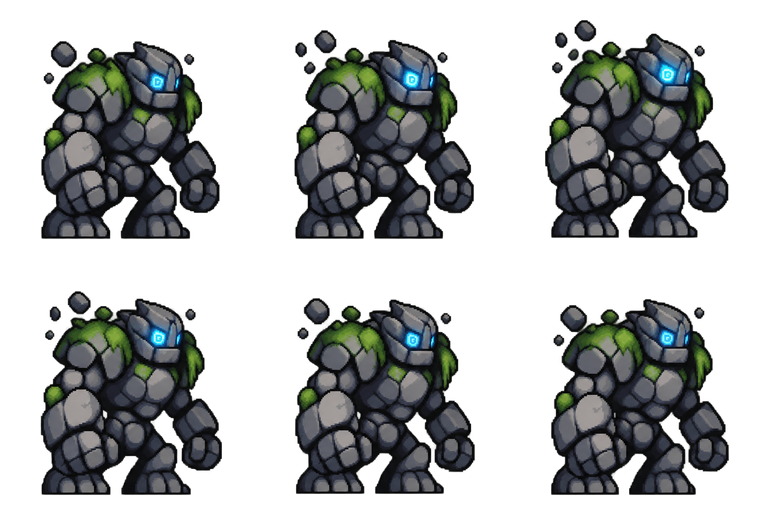
Sheet · 3×2 · 6 frames Stone golem
The body barely moves; the floating pebbles and the eye glow do the work, which suits a monster made of stone.
Described as
Large stone golem made of gray blocks with moss on the shoulders and glowing blue rune eyes; side view facing right. Detailed 16-bit JRPG enemy battler style: clean pixel art, crisp dark outlines, limited palette, soft cel shading, readable silhouette. A calm idle loop in 6 frames: the golem sways slowly, small pebbles float near the shoulders, the rune eyes pulse brighter and dimmer.

Playing 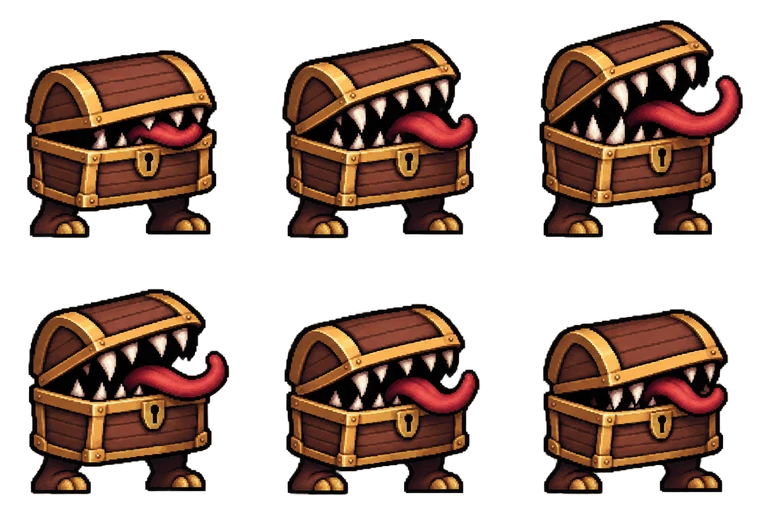
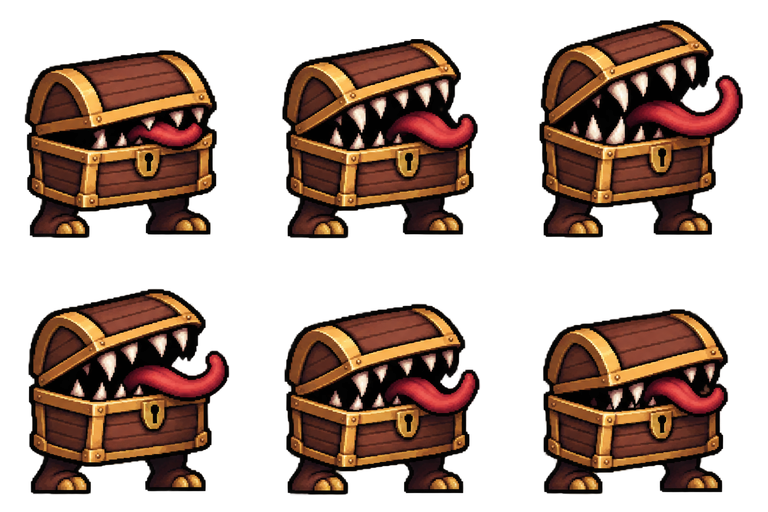
Sheet · 3×2 · 6 frames Mimic
The lid opens wider through the first three frames and closes again, so the loop reads as breathing, not as an attack.
Described as
Mimic monster: a wooden treasure chest with gold trim, sharp teeth inside the lid and a long red tongue; side view facing right. Detailed 16-bit JRPG enemy battler style: clean pixel art, crisp dark outlines, limited palette, soft cel shading, readable silhouette. A calm idle loop in 6 frames: the lid opens and closes a little like breathing, the tongue sways.
Playing 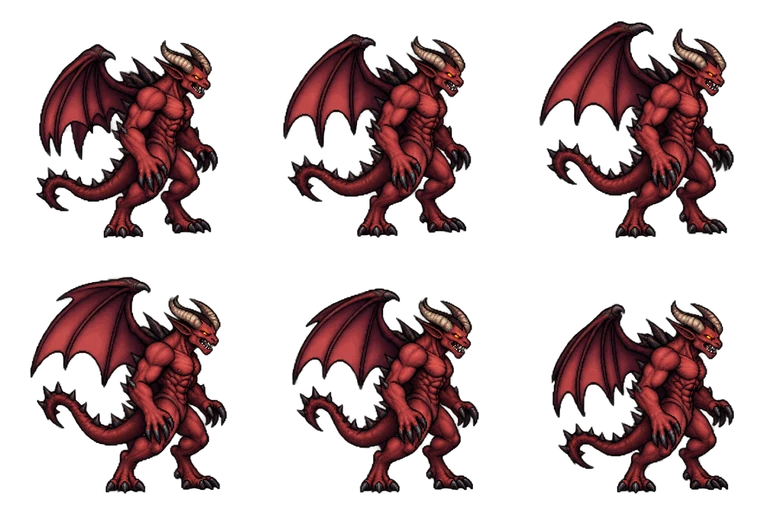
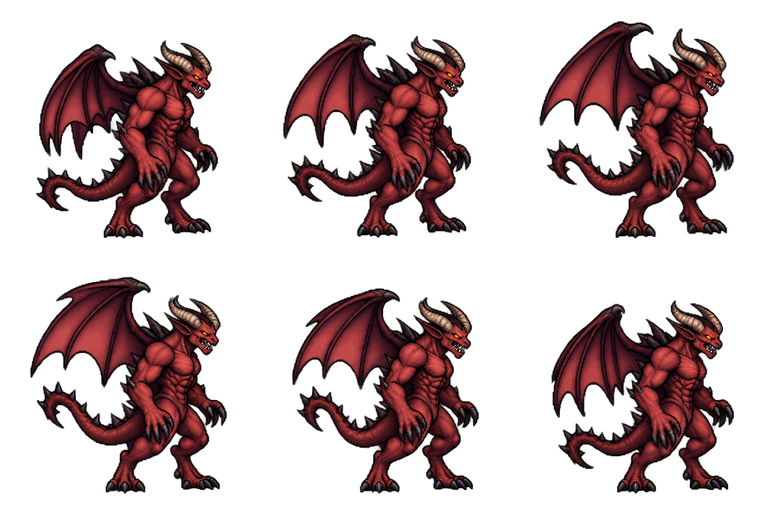
Sheet · 3×2 · 6 frames Horned demon
The wings rise and fall while the feet stay planted, the tallest of the four, which suits a boss slot.
Described as
Horned red demon with bat wings, a muscular build, black claws and a spiked tail; side view facing right. Detailed 16-bit JRPG enemy battler style: clean pixel art, crisp dark outlines, limited palette, soft cel shading, readable silhouette. A calm idle loop in 6 frames: the wings flap slowly half open, the tail sways, the chest rises with breathing.
How RPG Maker MZ uses monster images
MZ has two battle views, set in the Database under System 1. Front view places enemies over the battle background and the party is not drawn. Side view places enemies on the left, facing the party on the right, which is why these four face right.
Front view: img/enemies
Any frame from the sheet works as the still image. For a monster that should face the player, ask for “front view” instead of a side view.
Side view: img/sv_enemies
Use a right-facing frame. Set the enemy image in the Database under Enemies.
Still image by default
MZ draws one picture per enemy and adds its own flash and collapse effects. Use frame 1 if you do not add a plugin.
Animated with a plugin
Animated-enemy plugins play a frame sheet like these. Check the plugin’s required layout and cut the frames to match.
Sizing RPG Maker MZ monster sprites
Each of these RPG Maker MZ monster sprites sits in a 256 × 256 px cell with transparent space around the monster. MZ does not scale enemy images, so crop the frame to the monster and resize it to fit your battle background: a common enemy is often 150 to 250 px tall, a boss larger. Scale with nearest-neighbor so the pixel edges stay sharp.
Make RPG Maker MZ monster sprites in four steps
Describe the monster
Body, colors and one feature, and “side view facing right” for side-view battles.
Describe the idle
Six frames, what breathes or sways, and “feet never leave the ground”.
Play the loop
Watch it a few times. If the restart jumps, ask for the last frame to lead back into the first.
Download and place
Download the transparent PNG. Put a single frame in img/enemies or img/sv_enemies, or the sheet where your plugin expects it.
Monster sprite questions
Do RPG Maker MZ monster sprites animate by default?
No. MZ shows each enemy as one still image with built-in effects. A plugin is needed to play an idle loop.
Can I make a monster face left for front view?
Yes. Ask for “side view facing left” or “front view” in the description. Mirroring a right-facing frame also works for most monsters.
Can I make the same monster attack or die?
Yes. Use the idle as a reference image and describe the next action, so the monster keeps its look across sheets.
Is it free to try?
New accounts get 20 free Credits to use within 30 days. A new monster with a 6-frame idle costs 7 Credits, so you can try 2. Packs start at $9 for 60 Credits.