 SpriteFuse
RPG Maker Female Sprite: 4 Walking Heroines
Start from the priestess, the knight, the thief or the princess, or describe your own heroine. You get a 4-direction walk in the 3×4 layout RPG Maker reads.
12 frames · Transparent PNG
The short answer
An RPG Maker female sprite for the map is one character in a 3×4 grid: four rows facing down, left, right and up, with step, stand and step in each row. The built-in Character Generator has female parts, but only the hair, clothes and faces it ships with.
When the heroine needs a look the generator cannot build, describe her in SpriteFuse and choose 4-direction walk. You get all 12 frames on a transparent background and download them at 48 px with a $ file name for img/characters. Each RPG Maker female sprite below came from one request.
Four RPG Maker female sprite sheets that walk
All four are single SpriteFuse generations with no hand edits. They share the same row order and scale, so they can stand side by side in one party.
Playing 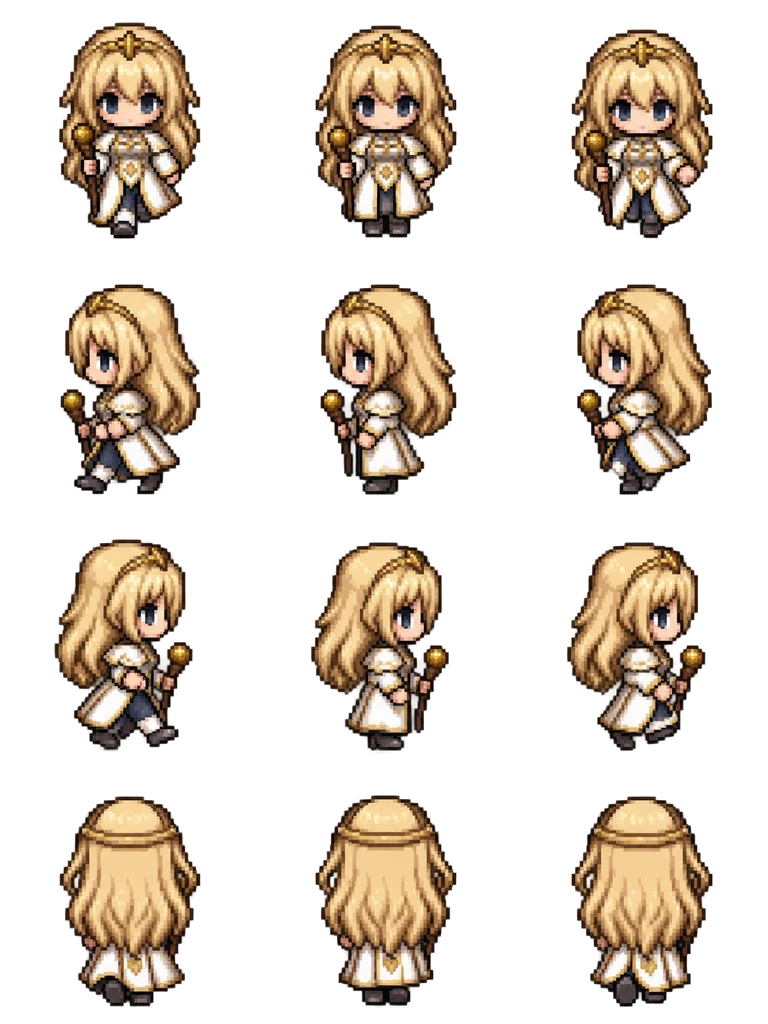
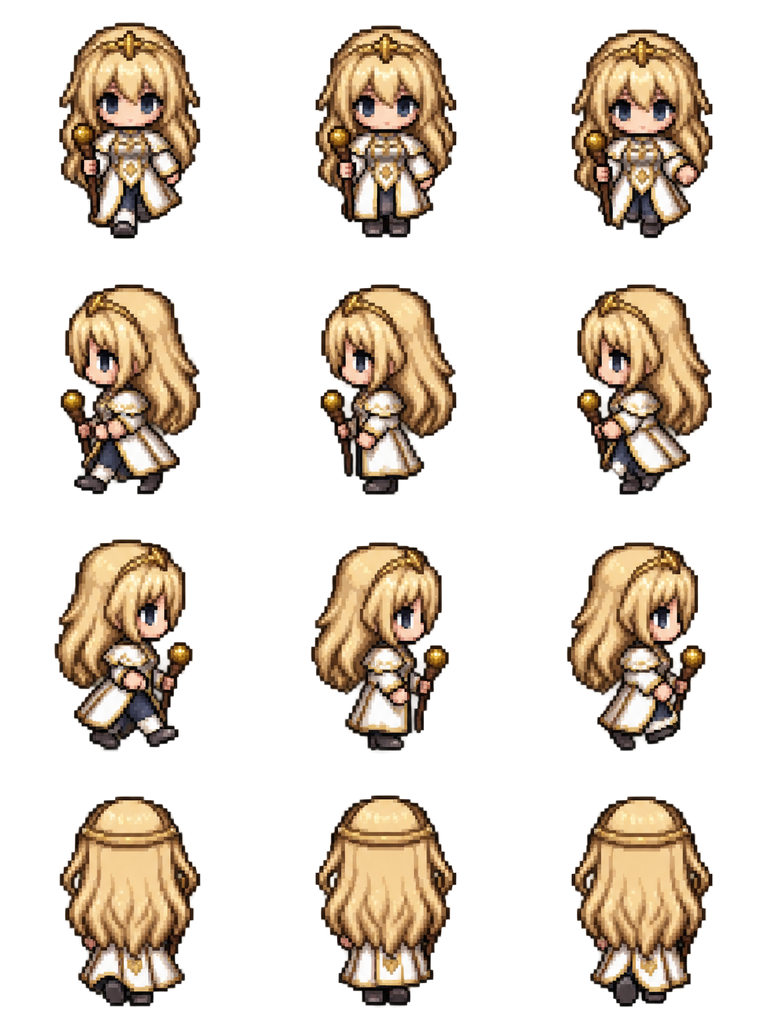
Sheet · 3×4 · 12 frames Priestess
The staff stays in the same hand when she turns, and the long hair covers the whole back row, which is how a healer reads from behind.
Described as
Young priestess with long blonde hair, a white and gold robe and a short wooden staff. Classic 16-bit JRPG map character style like RPG Maker MZ: chibi proportions, big head, crisp pixel art, limited palette.
Playing 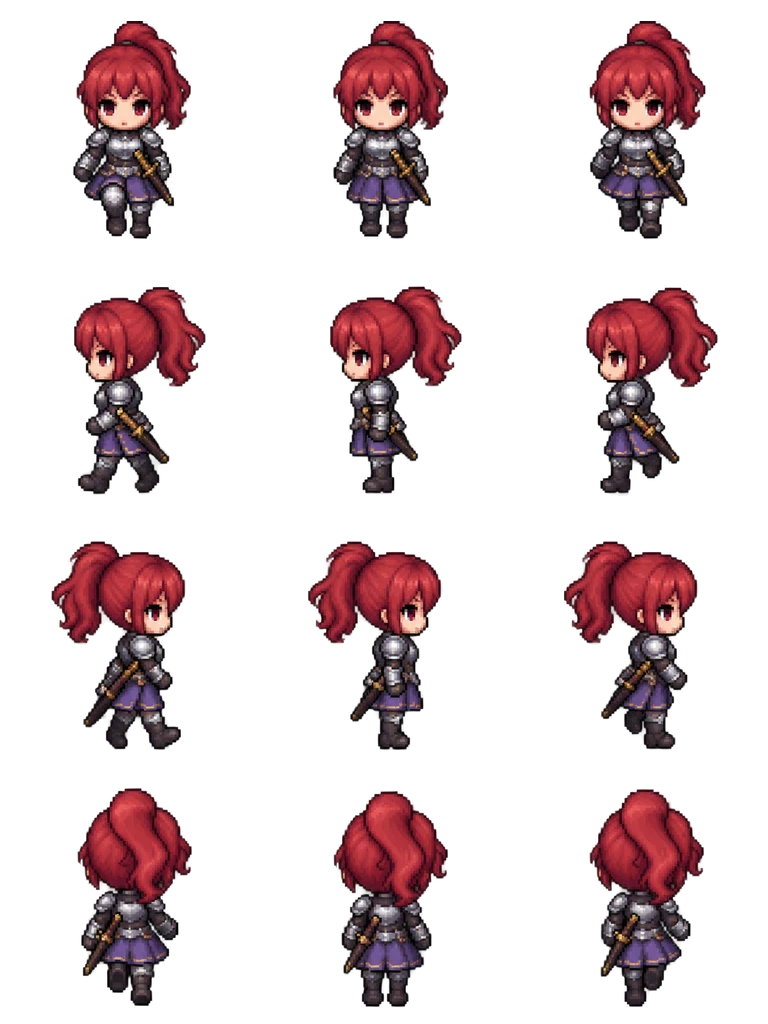
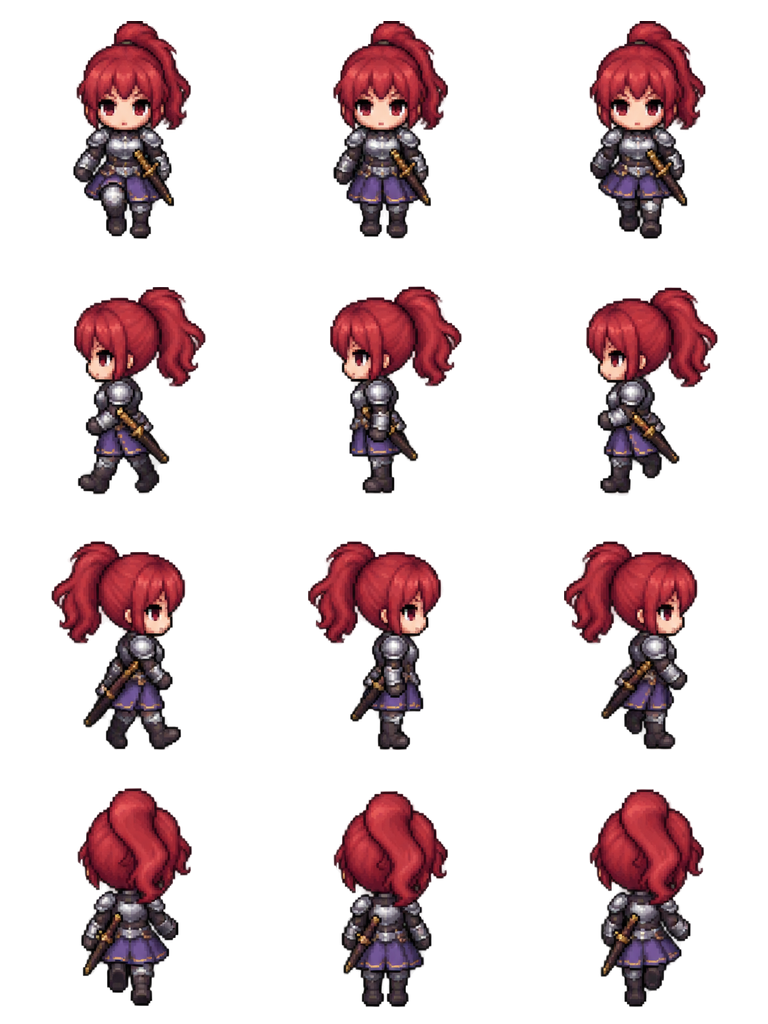
Sheet · 3×4 · 12 frames Female knight
The ponytail swings to the back of the head in both side rows, and the skirt armor still shows the legs stepping in columns 1 and 3.
Described as
Female knight with a red ponytail, silver breastplate, purple skirt armor and a sheathed sword at the hip. Classic 16-bit JRPG map character style like RPG Maker MZ: chibi proportions, big head, crisp pixel art, limited palette.
Playing 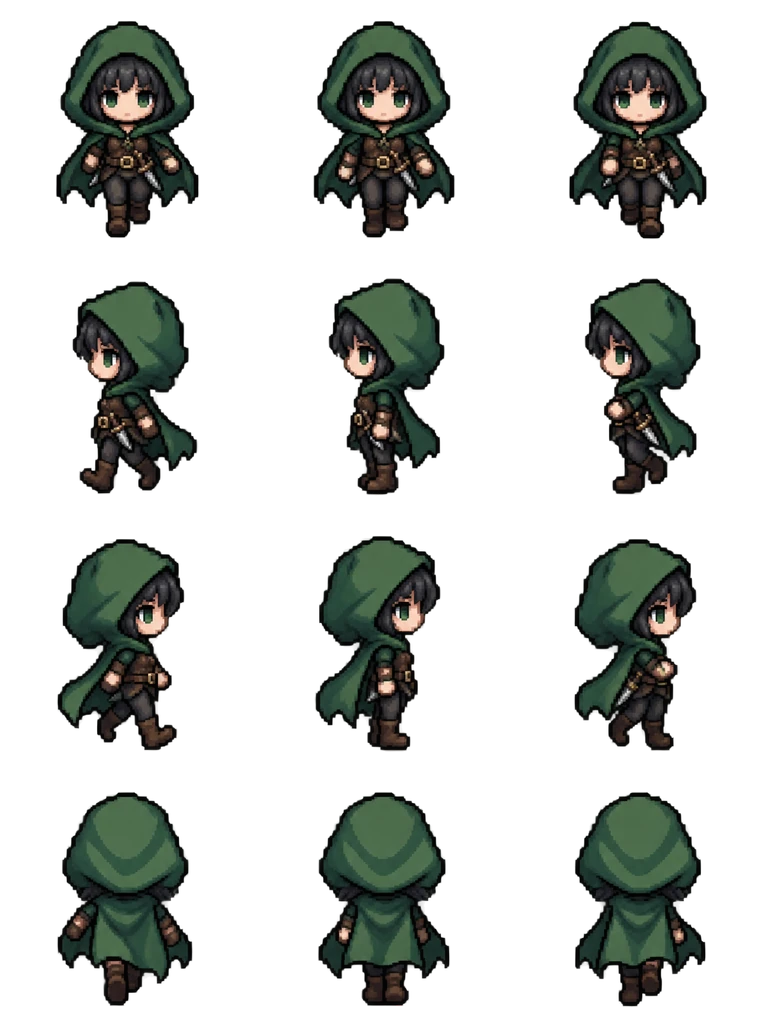
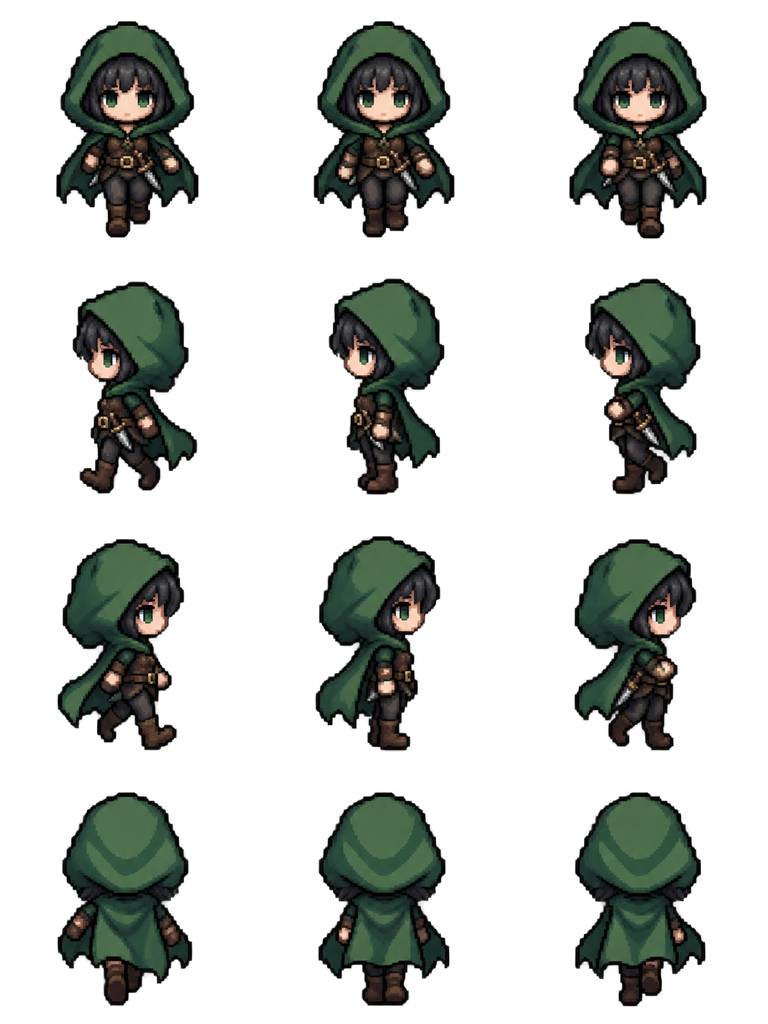
Sheet · 3×4 · 12 frames Thief
The hood and cloak fill the back row, so she is easy to tell apart from the priestess even when you only see her from behind.
Described as
Thief girl with short black hair, a green hooded cloak, brown leather vest and a dagger on the belt. Classic 16-bit JRPG map character style like RPG Maker MZ: chibi proportions, big head, crisp pixel art, limited palette.
Playing 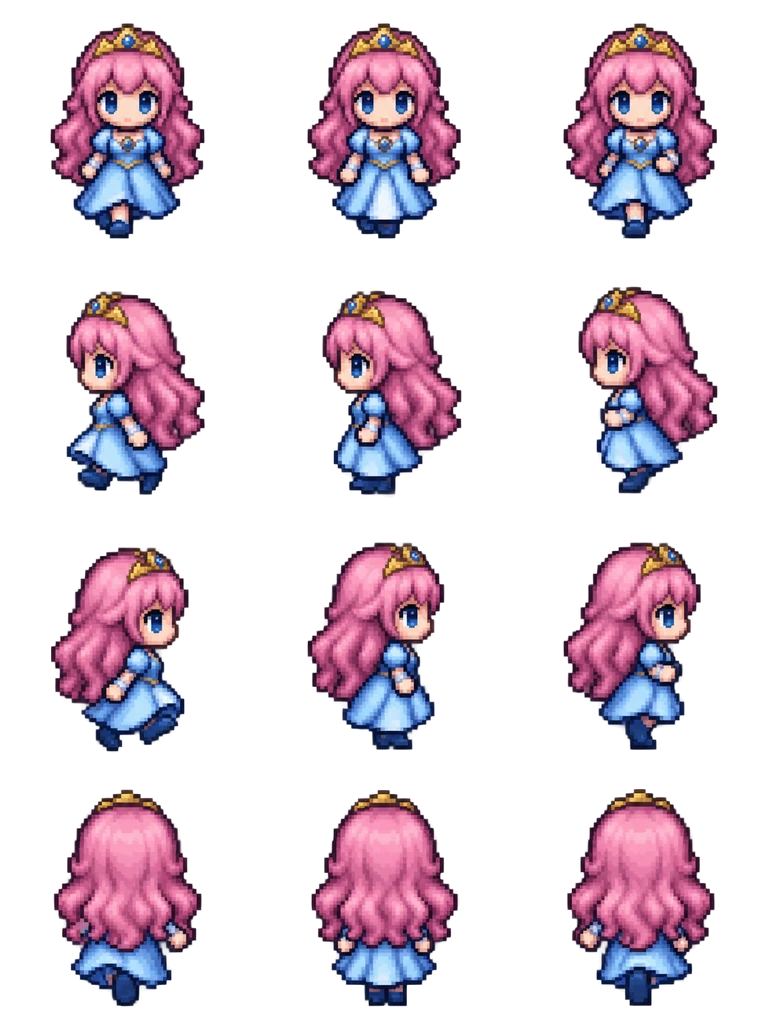
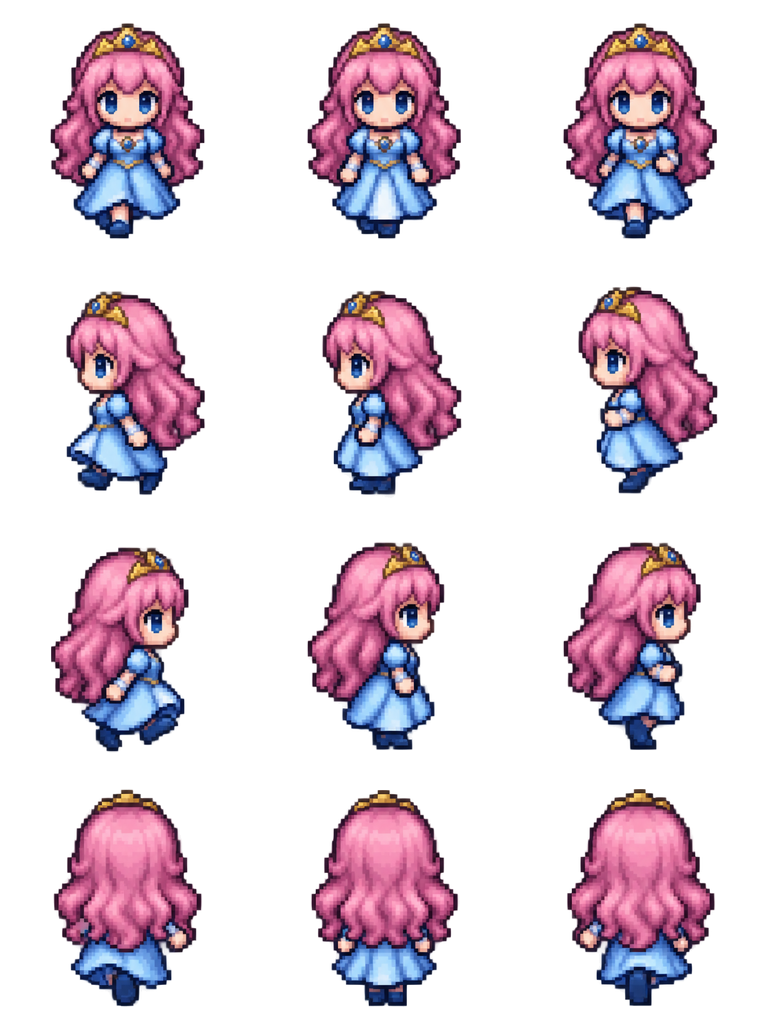
Sheet · 3×4 · 12 frames Princess
A floor-length gown usually hides the walk at 48 px. Here the hem lifts a little on each step, so the walk still reads on the map.
Described as
Princess with long pink hair, a small golden tiara and a light blue gown. Classic 16-bit JRPG map character style like RPG Maker MZ: chibi proportions, big head, crisp pixel art, limited palette.
What makes a female character sprite read at 48 px
On the map, a character is 48 pixels tall, and most of that is head. Hair, one strong color and the outline of the clothes do the work that a face cannot. These four rules come from checking the sheets above frame by frame.
Give the hair a shape
A ponytail, a hood, long waves or short hair. The back row shows only the hair, so its shape is what tells two heroines apart.
Pick one main color
Red hair, a green cloak, a blue gown. One color per character keeps a party of four readable on a busy tileset.
Watch long skirts
Long robes and gowns can hide the legs. Play the side rows and check that columns 1 and 3 still show a step.
Keep props in one hand
A staff or a dagger should stay in the same hand in every row. Check the front and back rows, where a flipped prop is easy to miss.
Using an RPG Maker female sprite in your project
Set the file as an actor’s character image in the Database, or as an event image for a townswoman, a shopkeeper or a quest giver. The same 3×4 sheet works in RPG Maker MZ and MV, which both use 48 px tiles. If the heroine also needs a face graphic or a side-view battler, those are separate files; this page covers the map walk.
Make an RPG Maker female sprite in five steps
Describe her
Hair shape and color, one main outfit color, and any prop, such as a staff or a dagger.
Choose 4-direction walk
The layout is fixed at 3×4 in RPG Maker order. You do not set rows or columns yourself.
Play the side rows
Check that the legs step under a skirt or robe and the hair stays behind the head. If not, ask the editor for a fix and keep the same character.
Download at 48 px
The file name starts with $, so RPG Maker treats it as one character. Put it in img/characters.
Assign it
Pick the sheet as an actor’s character image or as an event image, then playtest her walking on the map.
Female sprite questions
Does the RPG Maker Character Generator make female sprites?
Yes, from its own hair, face and clothing parts. An RPG Maker female sprite with armor, a gown or a design those parts do not cover has to be drawn, bought or generated.
Will these work in RPG Maker MV as well as MZ?
Yes. MV and MZ both read 3×4 map characters at 48 px from img/characters, so the same download works in both.
Can I make a matching male character for the same party?
Yes. Describe him with the same style words and the same 4-direction walk, and the two sheets will share the scale and row order.
Is it free to try?
New accounts get 20 free Credits to use within 30 days. One new character with a 12-frame walk costs 8 Credits, so you can try 2 characters. Packs start at $9 for 60 Credits.