 SpriteFuse
RPG Maker Zombie Sprites: 4 Walking Undead
Start from the villager, the knight, the pirate or the mage, or describe your own undead. Each one walks in the 3×4 layout RPG Maker reads for map events.
12 frames · Transparent PNG
The short answer
RPG Maker zombie sprites for the map use the same 3×4 grid as any character: four rows facing down, left, right and up, with step, stand and step in each row. The default asset packs have only a few undead, and the Character Generator has no rotting skin or torn clothes.
With SpriteFuse, describe the zombie, what it wore when it was alive, and one detail that makes it undead, then choose 4-direction walk. You get 12 frames on a transparent background and a 48 px download for img/characters. The four RPG Maker zombie sprites below each came from one request.
Four RPG Maker zombie sprites from one method
All four are single SpriteFuse generations with no hand edits. Each starts from a living role, a villager, a knight, a pirate or a mage, so a horde stays varied.
Playing 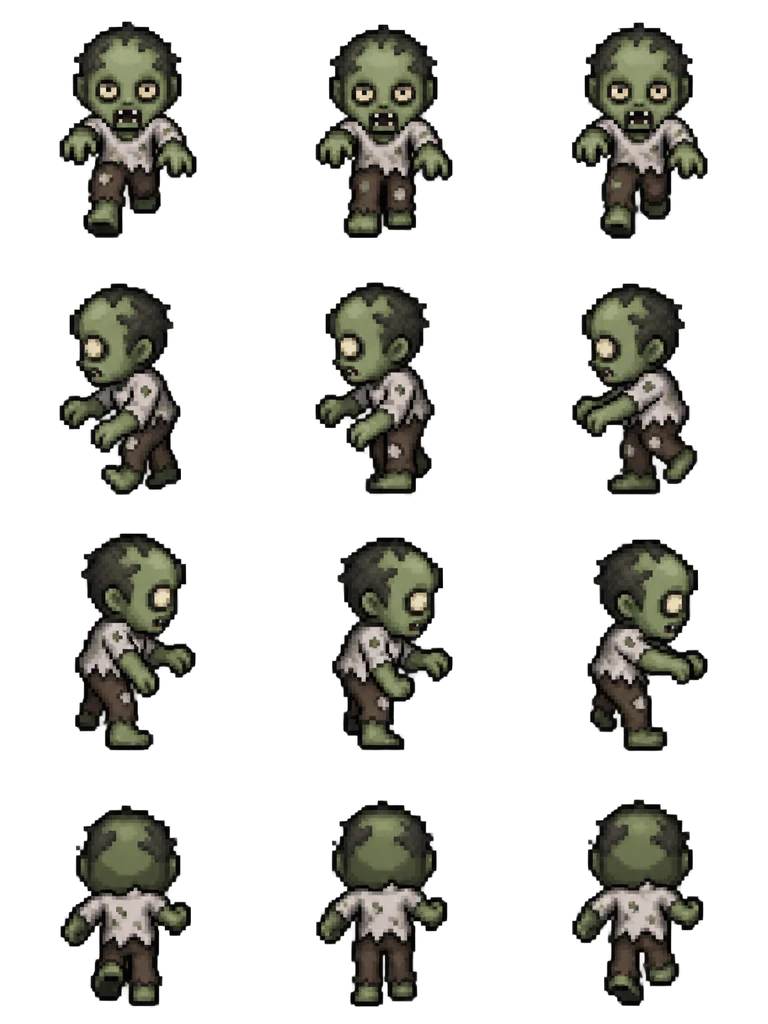
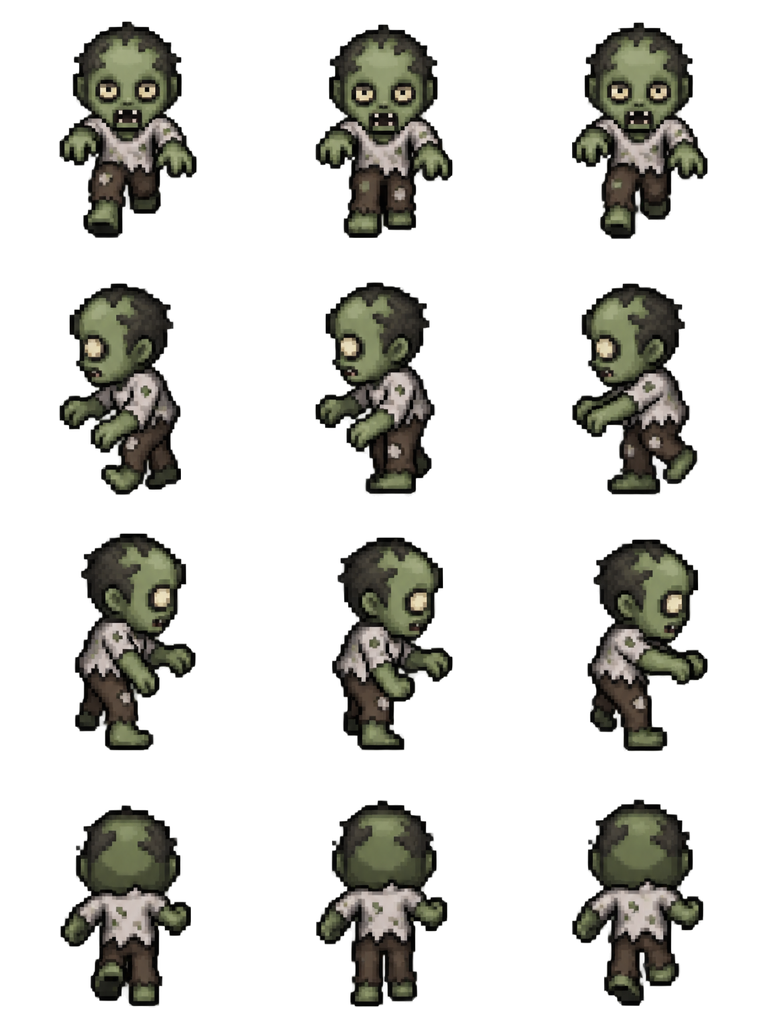
Sheet · 3×4 · 12 frames Villager zombie
The arms reach forward in every facing, including the side rows, which is the pose that says zombie at 48 px.
Described as
Green-skinned zombie villager in a torn white shirt and patched brown trousers, hunched, arms reaching forward. Classic 16-bit JRPG map character style like RPG Maker MZ: chibi proportions, big head, crisp pixel art, limited palette.
Playing 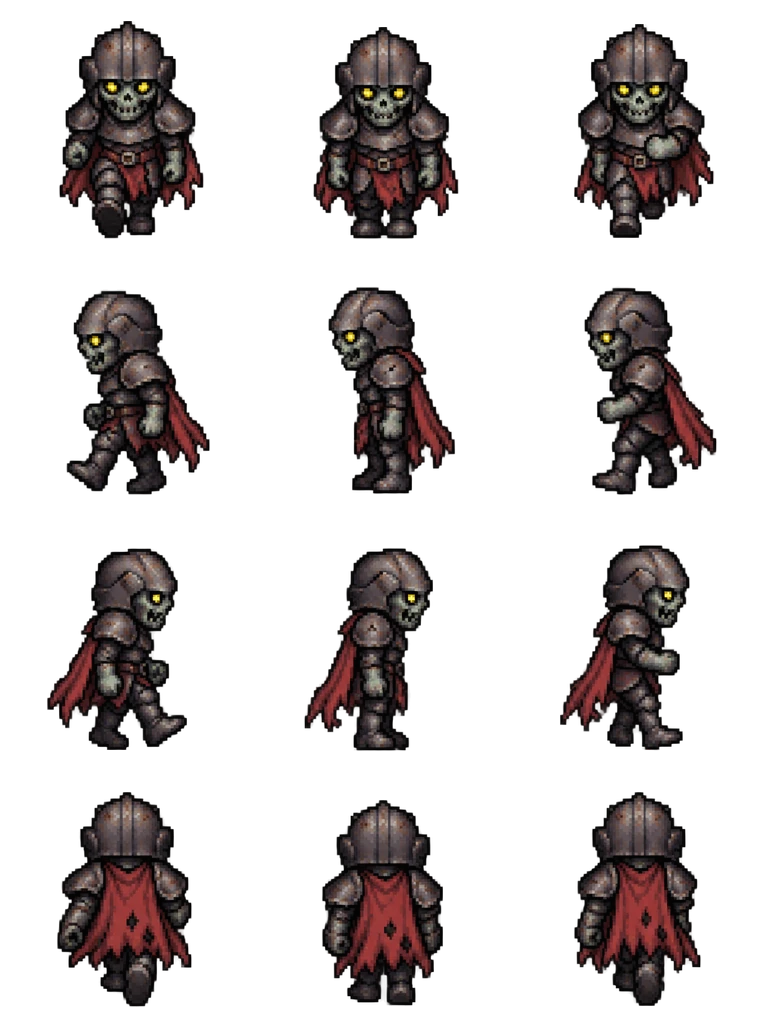
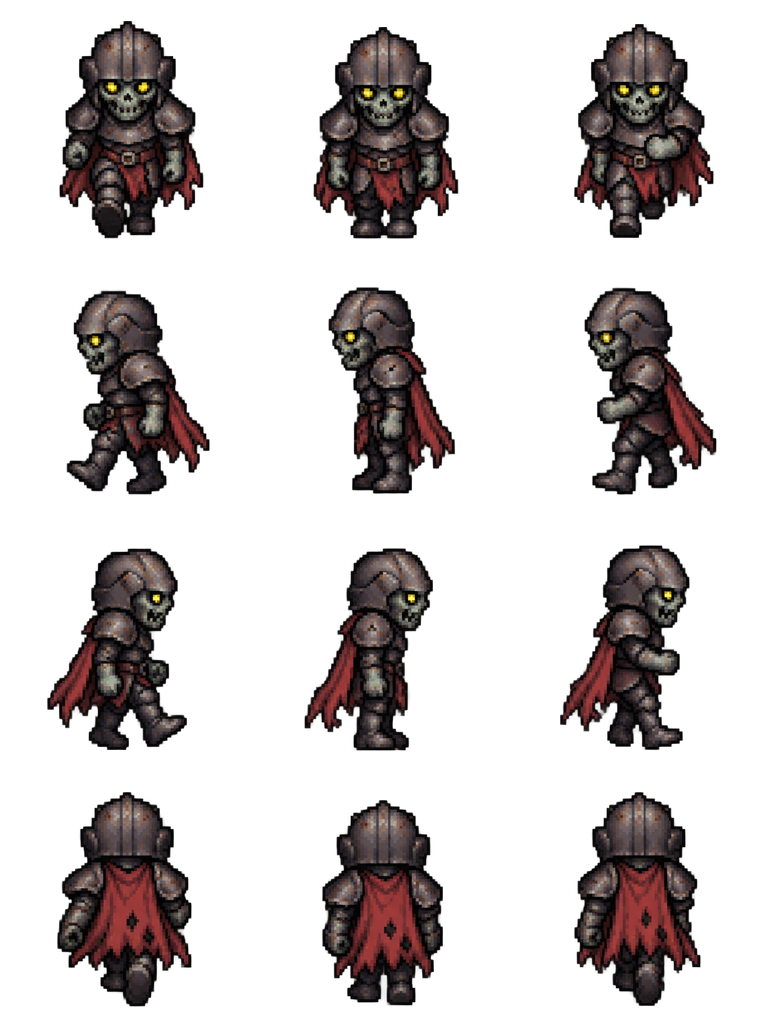
Sheet · 3×4 · 12 frames Zombie knight
The yellow eyes stay visible under the helmet in the front and side rows, and the torn cape fills the back row.
Described as
Undead zombie knight with gray-green skin, dented rusty armor and a torn red cape, glowing yellow eyes. Classic 16-bit JRPG map character style like RPG Maker MZ: chibi proportions, big head, crisp pixel art, limited palette.
Playing 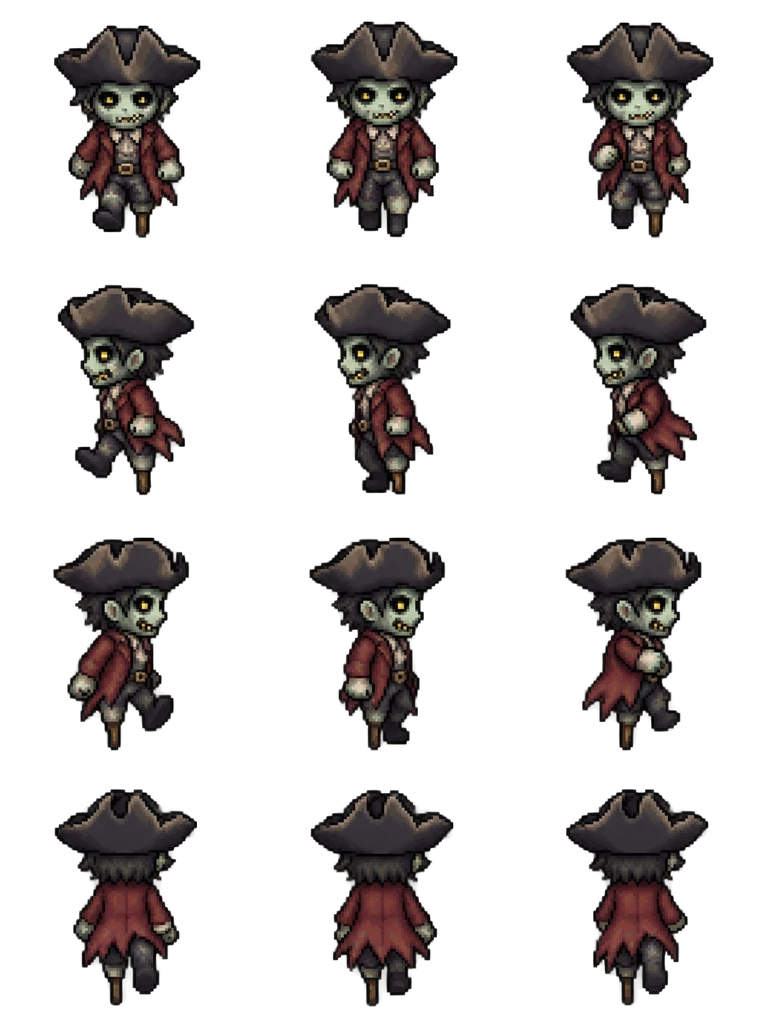
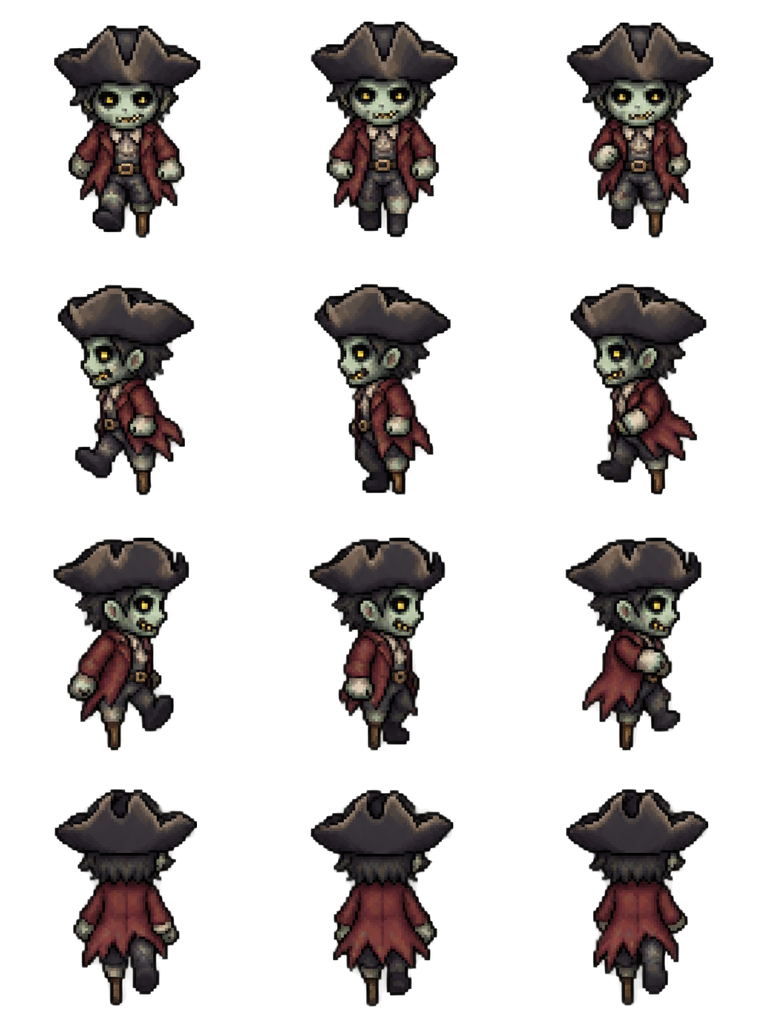
Sheet · 3×4 · 12 frames Zombie pirate
The tricorn hat keeps the same width in all 12 frames, so the head does not wobble while the body shambles.
Described as
Zombie pirate with pale green skin, a faded black tricorn hat, a ragged red coat and a peg leg. Classic 16-bit JRPG map character style like RPG Maker MZ: chibi proportions, big head, crisp pixel art, limited palette.
Playing 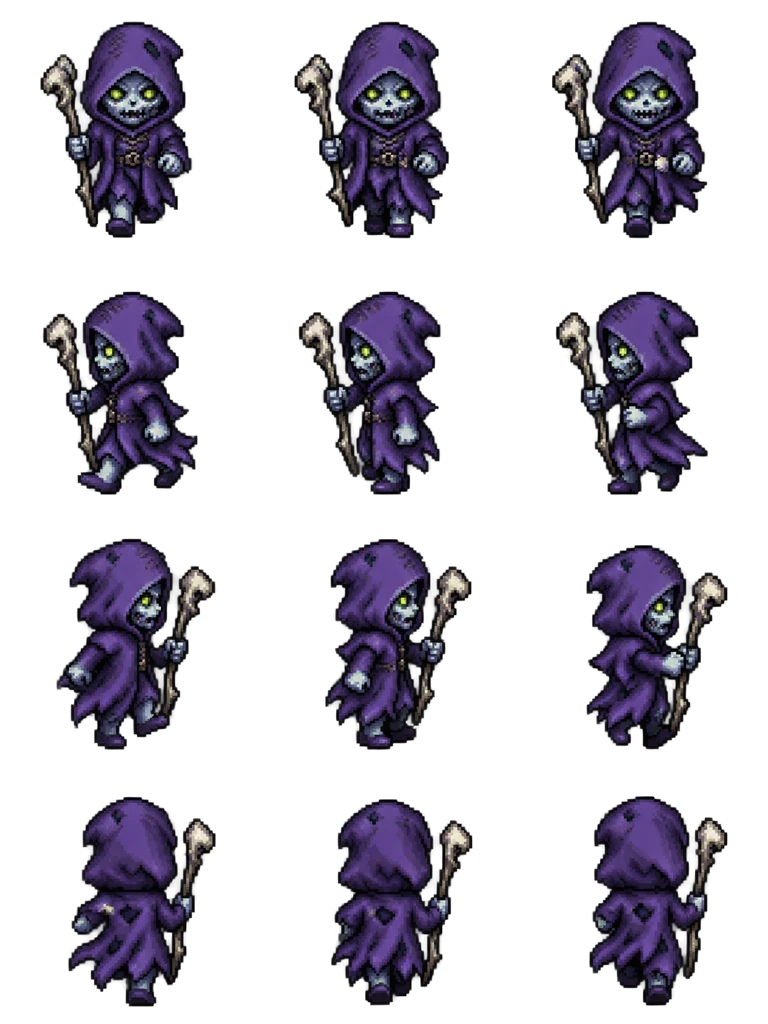
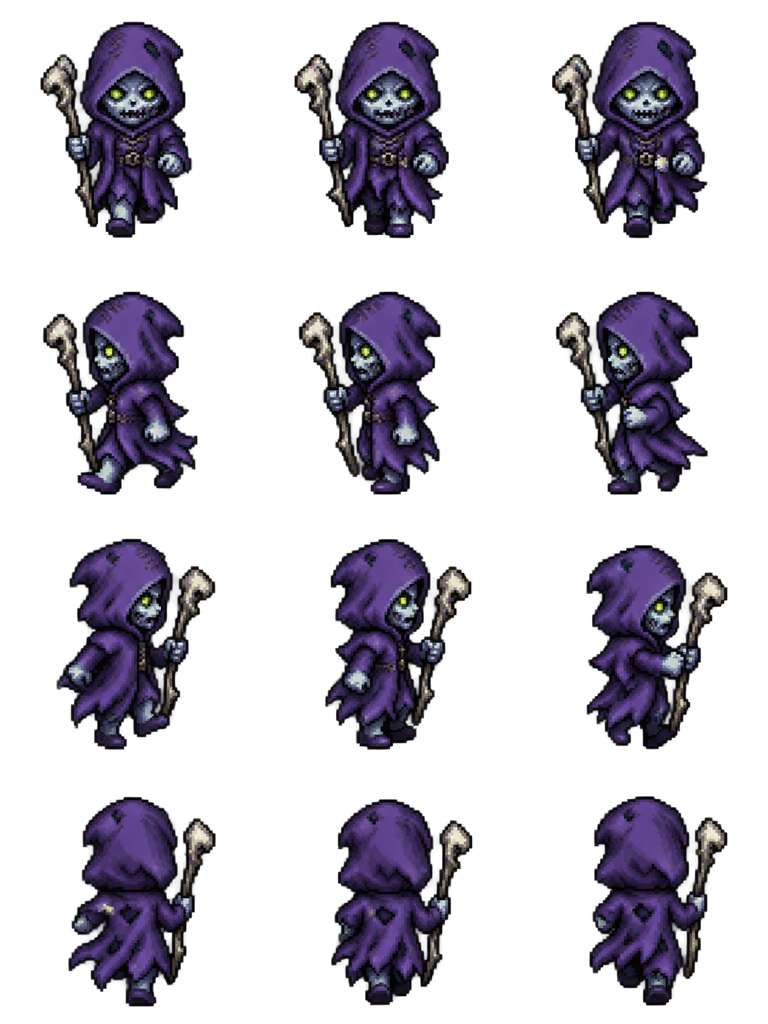
Sheet · 3×4 · 12 frames Zombie mage
The bone staff stays in the same hand when the mage turns away, a good check for any undead with a weapon.
Described as
Zombie mage with blue-gray skin, a tattered purple robe and hood, and a cracked bone staff. Classic 16-bit JRPG map character style like RPG Maker MZ: chibi proportions, big head, crisp pixel art, limited palette.
What makes a zombie walk read on the map
A zombie is a normal character with a few changes that have to survive at 48 px. These are the four that mattered when we checked the sheets above.
Start from a living role
Villager, knight, pirate or mage. The old outfit gives each zombie a silhouette, so a group of them does not look like one sprite copied.
One undead detail
Green or gray skin, glowing eyes or torn clothes. One clear sign is enough; too many details turn to noise at map size.
Ask for the pose
“Hunched, arms reaching forward” changes the whole walk. Without it, a zombie walks like a healthy villager.
Play it slower
Set the event’s speed to 2 or 3 and its frequency low. The same 3 frames played slowly read as a shamble.
Using RPG Maker zombie sprites as enemies on the map
Most games use RPG Maker zombie sprites as map events that start a battle on touch. Set the movement route to Approach so the zombie follows the player, keep the speed slow, and use Event Touch as the trigger. For the battle itself, RPG Maker shows a separate enemy image, which is a different file from this map walk. To make a zombie wait in a graveyard until the player comes near, give its event a second page that moves by Approach, and turn on that page’s self switch from a region or distance check. Mixing two or three of these RPG Maker zombie sprites in one area keeps a horde from looking copied.
Make RPG Maker zombie sprites in five steps
Describe who it was
A role and its clothes: a farmer, a guard, a sailor. This gives the zombie its shape.
Add the undead detail and pose
One sign such as green skin or glowing eyes, plus “hunched, arms reaching forward”.
Choose 4-direction walk
The layout is fixed at 3×4 in RPG Maker order. Play the side rows first.
Download at 48 px
The $ file name makes RPG Maker read it as one character. Put it in img/characters.
Place it as an event
Set Approach, a slow speed and Event Touch, then playtest the chase.
Zombie sprite questions
Do these RPG Maker zombie sprites work in MV and MZ?
Yes. Both read 3×4 map characters at 48 px from img/characters, so one download works in either.
Can I turn one of my existing characters into a zombie?
Yes. Upload the character as a reference and describe the undead changes. The reference guides the look; it does not copy every pixel.
Do these include a battle sprite for the zombie?
No. These are map walks. The battle screen uses a separate enemy image, which you can make with the sprite sheet tool from the same description.
Is it free to try?
New accounts get 20 free Credits to use within 30 days. One new zombie with a 12-frame walk costs 8 Credits, so you can try 2. Packs start at $9 for 60 Credits.